
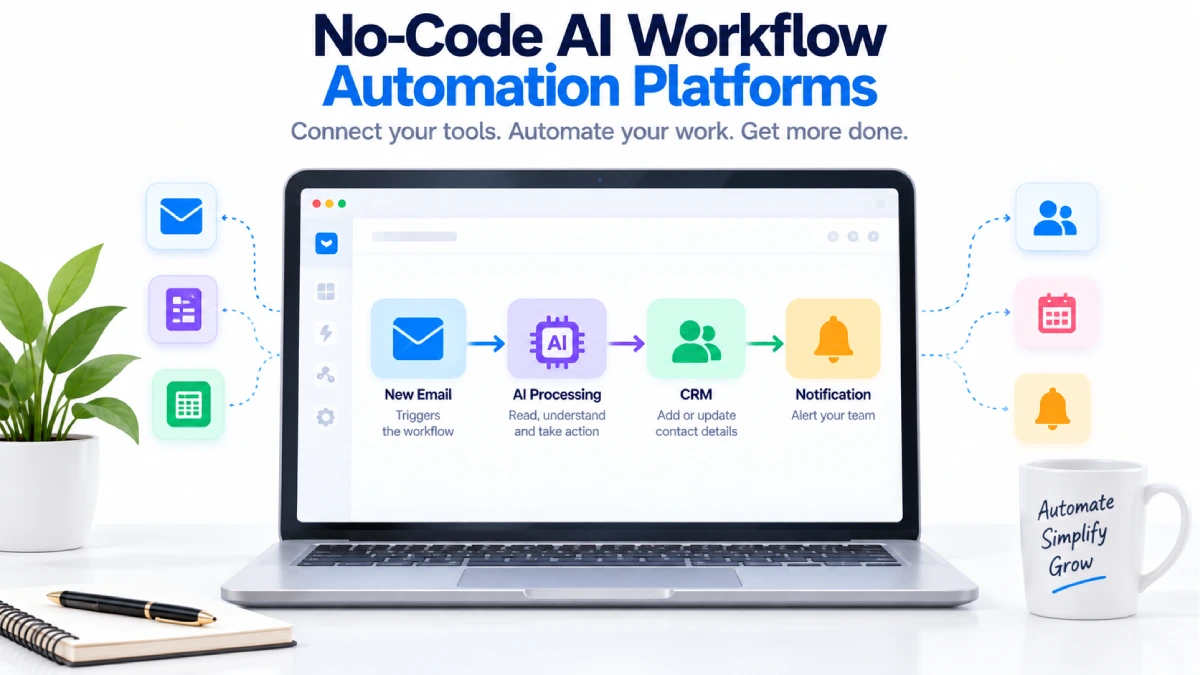



No-Code AI Workflow Automation Platforms
You do not need to be a programmer to automate many everyday business tasks.
No-code AI workflow automation platforms let you connect apps, create workflows, and add AI-powered steps using visual interfaces instead of writing traditional code.
For example, you could create a workflow like:
New customer form → AI reads the request → Categorize lead → Add to CRM → Send notification
The workflow runs automatically after it is set up.
This can be useful for small businesses, marketing teams, sales teams, customer support, and individual professionals who want to reduce repetitive work.
Table of Contents
What Is No-Code Automation With AI?
No-code automation with AI combines two ideas.
The first is no-code automation. You create workflows using visual builders, triggers, actions, filters, and other blocks.
The second is artificial intelligence. AI can understand text, summarize information, classify content, extract data, generate responses, or help make decisions.
A basic automation might look like:
New email → Save attachment
An AI-powered automation could be:
New email → AI reads the message → Identify the request → Create a summary → Save it → Notify the right person
The AI handles the part that requires understanding information, while the automation handles the movement of data and actions.
Best No-Code AI Workflow Automation Platforms
1. Zapier
Zapier is one of the easiest options for beginners.
Its automation system connects apps using triggers and actions. Zapier also provides AI-powered features that can help create workflows and add AI steps for tasks such as summarizing, classifying, drafting, and decision-making. (zapier.com)
Zapier says it supports 9,000+ apps, making it useful for businesses that already use multiple online services. (zapier.com)
Best For
- Beginners
- Simple business automation
- App connections
- Lead management
- Email workflows
Pros
- Easy visual setup
- Large integration library
- AI features
- No traditional coding required
Cons
- Advanced workflows can require paid plans
- Usage limits depend on the plan
- Complex processes can become difficult to manage if poorly designed
2. Make
Make is another strong choice for visual automation.
Its interface lets you drag, drop, and connect modules to create workflows. Make currently describes its platform as a visual-first, no-code automation platform and supports more than 3,000 pre-built apps. (make.com)
Make can also connect AI tools and build AI-powered workflows. Its platform includes visual orchestration for AI agents and automation. (make.com)
Best For
- Multi-step workflows
- Visual automation
- Marketing processes
- Data processing
- Businesses needing more workflow control
Pros
- Flexible visual builder
- Large app library
- Filters and branching
- AI automation support
Cons
- More complicated than very simple automation tools
- Workflows can become difficult to understand when they contain many branches
- Usage is subject to plan limits
3. n8n
n8n is particularly useful when you want more technical flexibility while still using a visual workflow builder.
n8n provides visual workflow creation, more than 500 integrations, AI nodes, and the ability to add JavaScript or Python when a workflow needs custom logic. It can also be self-hosted. (n8n.io)
Its AI tools can combine AI models with normal workflow logic and human approval steps. (n8n.io)
Best For
- Technical users
- API workflows
- AI agents
- Custom automation
- Self-hosted setups
Pros
- Very flexible
- Visual workflow builder
- Code available when needed
- Self-hosting option
- Strong AI workflow capabilities
Cons
- More technical than Zapier
- Self-hosting requires setup and maintenance
- Beginners may need more time to understand advanced features
No-Code AI Automation Comparison
| Platform | Best For | Visual Builder | AI Features | Technical Difficulty |
|---|---|---|---|---|
| Zapier | Beginners | Yes | Strong | Easy |
| Make | Multi-step workflows | Yes | Strong | Moderate |
| n8n | Advanced automation | Yes | Strong | Moderate to Advanced |
There is no single best platform for every workflow.
Zapier is a good starting point when you want simplicity.
Make is useful when you want a more detailed visual workflow.
n8n is a better fit when flexibility, APIs, self-hosting, or custom logic are important.
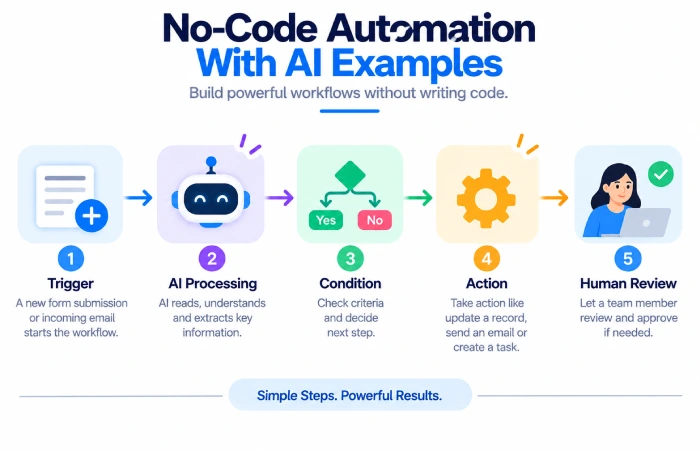
How No-Code AI Automation Works
Most workflows follow a basic structure.
Step 1: Trigger
Something happens that starts the workflow.
Examples include:
- New email
- New form submission
- New customer
- New spreadsheet row
- New order
- Scheduled time
Step 2: AI Processing
The AI step processes the information.
It could:
- Summarize text
- Classify a request
- Extract information
- Write a response
- Analyze customer feedback
Step 3: Logic
The workflow decides what happens next.
For example:
Sales inquiry → Sales team
Technical issue → Support team
General question → Customer service
Step 4: Action
The automation performs one or more actions.
It could:
- Update a CRM
- Send an email
- Create a task
- Update a spreadsheet
- Send a Slack notification
- Store a document
Step 5: Review
For important workflows, add a human approval step before an action is completed.
This is especially useful when AI output could affect customers, payments, or business decisions.
No-Code Automation With AI Examples
Customer Email Sorting
A small business receives dozens of customer emails.
The workflow can be:
New email → AI categorizes message → Add label → Send to appropriate team
This can reduce manual sorting.
Lead Qualification
A website receives new inquiries.
The workflow could be:
New lead → AI reads message → Identify lead type → Add CRM tag → Notify salesperson
The salesperson can then review the information before contacting the customer.
Content Workflow
A marketing team receives new content ideas.
The process could be:
New idea → AI creates summary → Generate content brief → Save to project tool → Notify writer
AI handles the drafting step while people remain responsible for the final content.
Meeting Follow-Up
A meeting transcript can be processed automatically.
Transcript → AI summary → Extract action items → Create tasks → Notify team
This can save time after recurring meetings.
Benefits of No-Code AI Workflow Automation Platforms
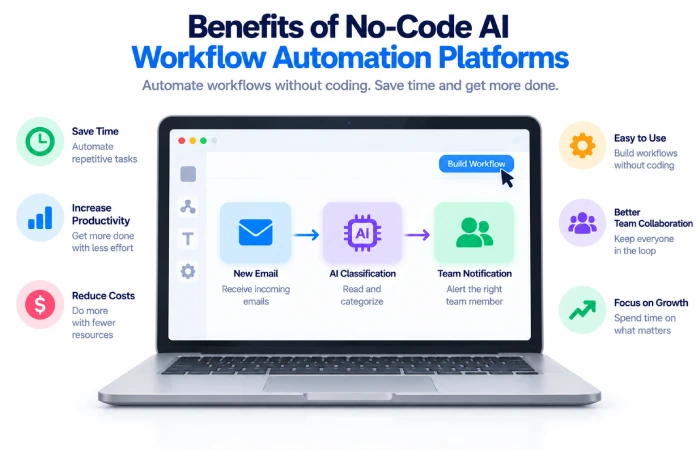
Easy to Start
You can create many workflows using visual blocks rather than learning a programming language.
Saves Time
Routine work can happen automatically.
Connects Different Apps
A workflow can move information between email, spreadsheets, CRM systems, project tools, and other services.
Makes AI More Useful
AI becomes part of a real business process instead of being used only as a standalone chatbot.
Useful for Small Teams
Small teams can automate routine work without building a custom software system from scratch.
Limitations of No-Code AI Automation
No-code does not mean there are no technical considerations.
Complex Workflows Become Complicated
A workflow with dozens of branches can become difficult to understand.
Usage Limits
Automation platforms usually limit tasks, credits, executions, or AI usage depending on the plan.
AI Can Make Mistakes
AI may classify information incorrectly or produce an inaccurate summary.
Integration Changes
Connected services can change their APIs, permissions, or features, which may break existing workflows.
Data Privacy
Before connecting sensitive information to an AI service, review the platform’s data handling and privacy terms.
How to Choose the Right Platform
Start with the process rather than the platform.
Choose Zapier When
You want an easy way to connect popular apps and automate straightforward tasks.
Choose Make When
You need more visual control, branching, filters, or multi-step workflows.
Choose n8n When
You need APIs, custom code, self-hosting, or more control over advanced AI workflows.
The simplest tool that solves the problem is often the best choice.
How to Build Your First No-Code AI Workflow
Start small.
Step 1: Pick One Repetitive Task
Choose something you do regularly.
For example:
“Every time someone fills out our contact form, I copy the details into a spreadsheet.”
Step 2: Identify the Trigger
The trigger could be the submission of the contact form.
Step 3: Add the AI Step
Ask the AI to classify the inquiry.
For example:
Sales / Support / Partnership / Other
Step 4: Add the Action
Send the classified lead to the correct location.
Step 5: Test It
Use several sample requests.
Check whether the AI correctly handles different types of input.
Step 6: Add Human Review
For important processes, send the result to a person before the final action.
Step 7: Turn It On
Once the workflow works correctly, activate it and monitor the first few runs.
Tips for Better No-Code AI Workflows
Keep Workflows Small
A workflow that performs five clear steps is often easier to manage than one giant automation.
Use Clear AI Instructions
Tell the AI exactly what you want.
Instead of:
“Analyze this email.”
Try:
“Classify this email as Sales, Support, Billing, or Other. Return only one category.”
Clear instructions usually make the result easier to use in the next automation step.
Add Rules Around AI
Do not let AI control everything.
Use normal conditions and filters to limit what happens.
Include Error Handling
Think about what should happen when an app is disconnected or the AI returns an unexpected result.
Review Important Actions
AI can be useful for recommendations, but important decisions may still need human approval.
No-Code vs Low-Code Automation
The terms no-code and low-code are sometimes used together, but they are not exactly the same.
No-code: You primarily use visual tools and configuration.
Low-code: You can use visual tools but may also write code for advanced requirements.
Zapier focuses on no-, low-, and full-code automation options, while n8n combines visual workflow building with the ability to add JavaScript or Python. (zapier.com n8n.io)
For a beginner, no-code is usually the easiest place to start.
Common Mistakes to Avoid
Automating a Bad Process
Automation makes a process faster. It does not automatically make a poorly designed process better.
Using AI Everywhere
Use AI when the workflow actually needs interpretation or generation.
Skipping Testing
Always test with different inputs before relying on an automation.
Ignoring Human Oversight
Add approval steps when an incorrect AI result could cause a serious problem.
Building Too Much Too Soon
Start with one workflow and expand gradually.
FAQs
What are no-code AI workflow automation platforms?
They are visual automation platforms that let users connect applications and add AI-powered steps without traditional programming.
What is the easiest no-code AI automation tool?
Zapier is generally one of the easiest places for beginners to start because its workflow model is based around simple triggers and actions. (zapier.com)
Can I use AI automation without coding?
Yes. Platforms such as Zapier and Make provide visual interfaces designed for users who do not want to write traditional code. (zapier.com make.com)
Is n8n a no-code platform?
n8n provides visual workflow building, but it also supports JavaScript and Python for users who need custom logic. It is therefore useful for both visual automation and more technical workflows. (n8n.io)
What can AI automate for a small business?
AI can help classify leads, summarize emails, extract information, draft messages, process documents, organize customer feedback, and support other workflow steps.
Should AI make business decisions automatically?
For important decisions, it is usually safer to combine AI with fixed rules and human review rather than allowing an AI system to act without oversight.
Final Thoughts
No-code AI workflow automation platforms make it easier for non-programmers to connect apps and automate repetitive work.
Zapier is a strong choice for beginners and straightforward workflows. Make provides more visual flexibility for complex processes, while n8n offers deeper customization for technical users and organizations that need greater control. (zapier.com make.com n8n.io)
The best approach is to start with one repetitive task.
Build a simple workflow, test it with real examples, add AI only where it provides value, and keep human review for important actions.
Once the first workflow is reliable, you can gradually automate other parts of the business.
This guide is part of our Best AI Workflow Automation Tools cluster. You can also explore best free AI workflow automation tools, AI workflow automation tools for small business, AI tools for automating repetitive tasks, and best AI automation tools for marketing.
