
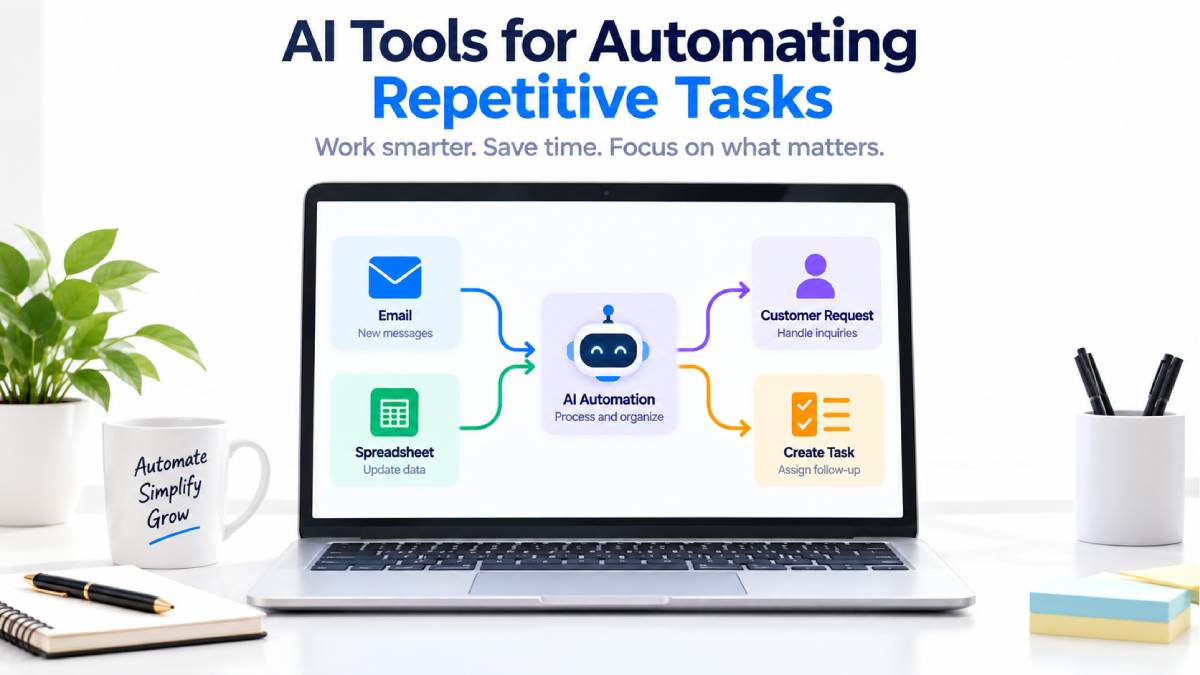



AI Tools for Automating Repetitive Tasks
Most days at work are filled with trivial activities that must be duplicated.
After each meeting you could transfer some information sent from an email into a spreadsheet, send out the same kinds of notifications, transfer a project report, sort the requests from a customer etc. or make up a task.
It could each only be a couple of minutes.
Together, it may be hours.
Here is where AI helps tools for automation of mundane jobs can really have an effect.
Automation machines can link your applications and perform common steps automatically. But AI provides an additional level as it enables the flow to use text understanding, text summarization, request classification, extraction, or generation.
For example:
New email –→ AI reads message–→ Classify request–→ Update CRM–→ Inform team
In this guide I talk about how these tools work, what the best platform, what all you can automate and how to get started.
Table of Contents
What Are AI Tools for Automating Repetitive Tasks?
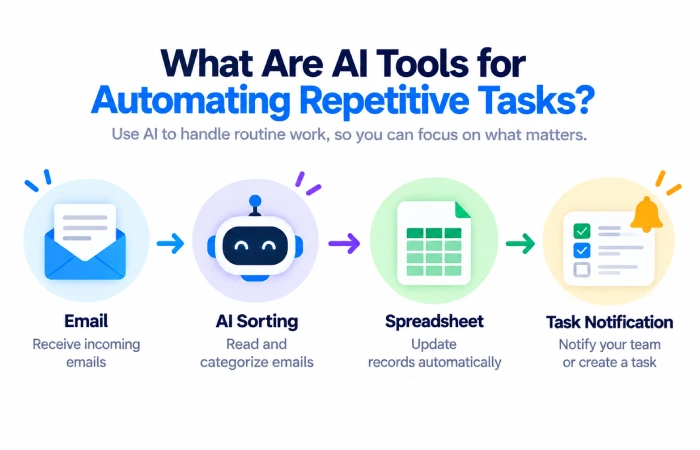
These software solutions fall under the category of AI-based workflow automation tools.
Traditional automation usually follows a fixed rule:
When X happens → Do Y
For example:
Create new spreadsheet row → Send email
You can incorporate AI when the flow requires understanding of information.
For example:
Consumer enters new email from a certain customer → AI detects the subject of the email→ add new category → create task
It is especially useful for this because such things as email, documents, customer messages and notes tend to be unalike each time.
It has the potential to assist in the making sense of that said unstructured data prior to the automation response.
Common Repetitive Office Tasks to Automate
Numerous daily procedures can be performed automatically.
Email Management
You can automatically filter your e-mails, put together reports, send alerts, or forward requests to the right person.
Data Entry
Information from forms and e-mails are transferred on to spread sheets, CRMs, database or to project management system.
Meeting Follow-Up
Meeting notes or transcript can be summarized and generated an action item.
Task Creation
A new customer request or an update to an existing project can generate a task for me.
Notifications
When significant events occur systems send the team an alert rather than requiring active checking.
Report Preparation
Automation can gather data from various sources, analyze it and provide a preliminary report for the auditor.
Customer Requests
An AI can identify different requests and can dispatch them to the correct department
Best AI Automation Tools for Repetitive Work
1. Zapier
Zapier is a great choice for those looking automate dull tasks without coding.
The app automates its workflow system through triggers and actions. Zapier supports over 9,000 integrations with the app, businesses can transfer information across a number of platforms and automate many simple tasks and processes.
Besides that Zapier also has an AI function that can help you build the workflow and do the task of summarizing, classifying, or drafting.
Best For
- Office automation
- Email workflows
- Lead management
- Data entry
- Beginners
Pros
- Persuasive. I would say it is easy to understand. The information is not too technical and the language is accessible.
- Large app ecosystem. Ecosystem consisting of more than 20 applications for the same platform.
- Lacking any type of previous coding;
- AI features are also accessible
Cons
- For some other, higher end, workflows, you may need to purchase a plan
- Daily/monthly limit varies with the plan
- Complex processes may need to be carefully managed.
2. Make
Make gives you a visual workflow builder where you connect applications and build multi-step processes.
With its current AI automation tools, it is able to categorise incoming requests, review content, send and route messages and assist with activities like research, taking minutes and meeting follow ups.
You should use Make when you require a greater level of control over the workflow logic than that offered by a simple trigger-action configuration.
Best For
- Multi-step workflows
- Data processing
- Office automation
- Marketing processes
- Groups who favour visual working
Pros
- Visual workflow builder. CoCreate used many predefined sample points as well as the open API.
- Flexible conditions
- Multi-step automation
- AI-enhanced workflows
Cons
- takes a while to learn
- Complex workflow can get out of hand
- Usage is based on your plan.
3. n8n
Flexible and broad choice of opportunities is an advantage of n8n for more technical users.
Its platform is a combination of workflow automation, AI, human approval, APIs and code. n8n is marketing itself as 500+ integrations and has AI agents and visual workflow composition.]
It is also capable of being self-hosted; allowing technical teams the ability to have more control over their automation environment.
Best For
- Technical teams
- API automation
- Custom workflows
- AI agents
- Self-hosted automation
Pros
- Highly customizable
- AI workflow functions
- APIs and code to assist
- Self-hosting option
Cons
- More technical
- Need to have the hosting environment self- maintained.
- Not suited for those seeking the utmost simplistic configuration
Automate Repetitive Office Tasks: Examples
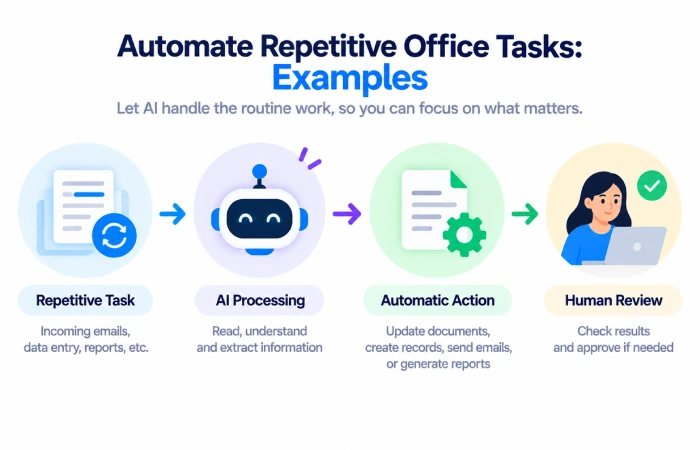
Example 1: Organize Emails
Let‘s say a business gets lots and lots of enquiries every day.
The workflow could be:
New email → AI reads the email ->Assigns a category →Adds a label to the email →Alerts an employee
It is no longer necessary for someone to open and file all messages individually.
The message is still being processed by the employee, but the standard sorting is complete.
Example 2: Update a Spreadsheet
The customer fills in a form.
Instead of manually entering the information:
New form response. Add the name of the company submitting the response and their e-mail address into a new row in the spreadsheet, and then send out an email notification to the appropriate people within your organization.
This is a basic but beneficial office automation.
Example 3: Create Follow-Up Tasks
A sales inquiry has just been received.
The automation could:
New enquiry ➔ AI summarizes enquiry ➔ Add lead to CRM ➔ Generate follow-up task
The sales employee will already have the relevant information laid out for them.
Example 4: Meeting Follow-Up
After a meeting:
The process: Transcript > AI summary > Extract action points > Create tasks > Inform the team.
Specifically, Make identifies following up and pulling out action items as instances where AI has automated a workplace process.
Example 5: Customer Support
The customer‘s messages can also be automatically sorted:
New ticket -> AI identifies topic -> Assign category -> Route to correct team
This has an advantage of making a shared support inbox can be easier to manage.
How AI Makes Automation More Useful
The established way of doing things using automation, however, works very well when the input is predetermined.
For example:
New order →reload contents of inventory
No need for an AI to write.
But consider an email:
I have received the item but wrong size sent, would you be able to assist me with the exchange?
A workflow requires to know the question from the customer.
AI recognizes the message as an exchange request and passes that outcome on tothe next stage.
This creates a workflow like:
Email from customer ➔ AI process and interpretation ➔Workflow selection ➔ Support ticket generated
This is where AI adds its extra value.
How to Automate Repetitive Tasks
It‘s not necessary to automate your whole business overnight.
Select one process at the outset.
Step 1: Find a Repetitive Task
Find something you do on a daily or weekly basis.
Good examples include:
- Copying data
- Sending standard emails
- Updating records
- Creating tasks
- Sorting requests
Step 2: Write Down the Process
Explain “all the steps in the theorem”.
For example:
Get form → Look at message → Copy relevant info → Let sales know → Generate task
The result of this is the design of the automation is simpler.
Step 3: Identify the Trigger
Specify name of the action, which must be launched.
It could be:
- New email
- New form submission
- New order
- New customer
- Scheduled time
- Contribution of gender inequality to overall poverty. as calculated by.
Step 4: Add AI Only Where Needed
Where there is requirement to know or to generate something use AI.
For example:
AI: Categorize the customer message as either Sales, Support, Billing or Other.
Step 5: Add the Actions
Specify the conditions for the next step.
For example:
Sales → Add CRM tag
Support -> Put into support queue
Billing → Tell Accounts Team.
Step 6: Test It
Run a few test cases first, and then enable the workflow globally.
Experiment with varied and unorthodox inputs.
Step 7: Monitor the Results
However, a periodic check of the automation must be made.
Identify any faulty links, errors in classification, absence of information and abnormal AI behavior.
Benefits of Automating Repetitive Work
Saves Time
Some work tasks can be done automatically instead of by repetition manually.
Reduces Manual Data Entry
The flow of information can also occur between the systems without constant copy-paste.
Improves Consistency
A workflow should be defined and followed in the same way regularly.
Helps Small Teams
More day-to-day activity can be done by a small team instead of always adding more manual tasks.
Frees People for Higher-Value Work
As not having to bother yourself into administration, you will be able to devote yourselves to your customers, to planning, to creativity and decisions.
According to Zapier, Workflow Automation is “about automating redundant processes and setting your users free to work on other tasks”.
Tasks You Should Not Automate Blindly
Not all jobs should be eliminated.
Be careful with:
- Financial decisions
- Confidential customer details
- Employee decisions
- Legal documents
- Crucial Customer Communication
- Irreversible actions
AI may be wrong.
For instance, misinterpreting an email or categorizing a request inaccurately.
A safer workflow may be:
The AI generates a result which then has to be checked by a human before it can be acted upon.
In doing so, automation remains efficient while still allowing necessary human intervention to exist.
No-Code Automation vs AI Automation
The aforementioned terms are connected but have a slightly different connotation.
No-code automation: building of a workflow via a visual interface and thus, not using conventional programming methods.
AI automation is the integration of artificial intelligence into processes that need interpretation or creation.
You can have no-code automation without AI:
New form → add row to spreadsheet
Or no-code AI automation:
New form received AI categorization of reply Add to category Notify employee.
Contemporary services like Zapier and Make offer the ability to build visually with workflow automation as well as including AI actions.
How to Choose an Automation Tool
Before choosing a platform consider the following questions.
What apps do you use?
Confirm whether the tool integrates with your email, CRM, spreadsheet, project management, etc.
How complex is the workflow?
Zapier is capable of handling basic workflow automation
Make is more appropriate for more complex visual workflows.
Technical teams will want n8n if they want more flexibility.
Do you need AI?
Don‘t just add AI because AI is there to be added.
Apply when the workflow needs to comprehend a text, classify information, or synthesize data, or to create content.
How much automation do you need?
Verify task, credit, workflow, execution and limits for AI use in case a plan had to be selected.
Common Mistakes
Automating Too Much
First consider one of the reiterative process.
Poor Workflow Design
Automation only makes a process quicker and cannot correct a flawed, complex process.
Using AI for Simple Rules
A general trigger and action workflow often covers the need for predictable tasks.
Skipping Human Review
The key actions ought to have an approval process where errors would lead to difficulties.
Forgetting Maintenance
Integrations can vary; accounts can be disconnected and workflows need to be updated.
FAQs
What are the best AI tools for automating repetitive tasks?
You have Zapier, Make, and n8n. Zapier is good for easier things, and Make gives a visual way of doing more complex work flows. And n8n is more technical and gives you more possibilities.
What repetitive office tasks can AI automate?
In terms of AI assistance with email classification, meeting summarization, data extraction, task creation, directing customer requests, notification, and anything related to content.
Can I automate repetitive office tasks without coding?
Yes. Tools like Zapier and Make utilize the visual workflow builder paradigm and do not require programming skills for many workflows.
Should I use AI for every automation?
No The workflow must be able to ‘know’ or ‘create’ something using AI. Predictable and simple tasks would use conventional automation.
Is automation suitable for small businesses?
I believe this could too. The automation can be implemented in a very small scale such as auto handling leads and customer support questions. It can further take care of auto notifications, Data entry and alert after completion of task in the back end.
Can AI automation make mistakes?
Yes, the AI can get information or reach the wrong outcome. For crucial workflows, testing, monitoring and where suitable human oversight must be part of it.
Final Thoughts
You‘d be surprised by the amount of routine work you can take out of a typical day for any business with automated tasks through AI tools.
Start with something simple.
Automate a repeated email task, spreadsheet update, customer request, or follow-up process. Once the workflow is reliable, expand it to other parts of the business.
Zapier is a practical option for straightforward automation, Make is useful for more visual multi-step workflows, and n8n is a strong choice for technical teams that need more control.
The goal is not to automate everything.
The goal is to remove unnecessary repetitive work while keeping people involved where judgment, accuracy, or accountability matters.
This guide is part of our Best AI Workflow Automation Tools cluster. You can also explore best free AI workflow automation tools, AI workflow automation tools for small business, no-code AI workflow automation platforms, and best AI automation tools for marketing.
