

Last Updated: September 10, 2026
AI Workflow Automation Tools for Small Business
Small businesses also tend to have small teams and little time to begin with.
A businessman might run the sales, e-mails, customer support, invoices, marketing and administration all simultaneously. Many of these duties are notoriously boring and monotonous.
This is the point at which AI tools for workflow automation of small business begin to be relevant.
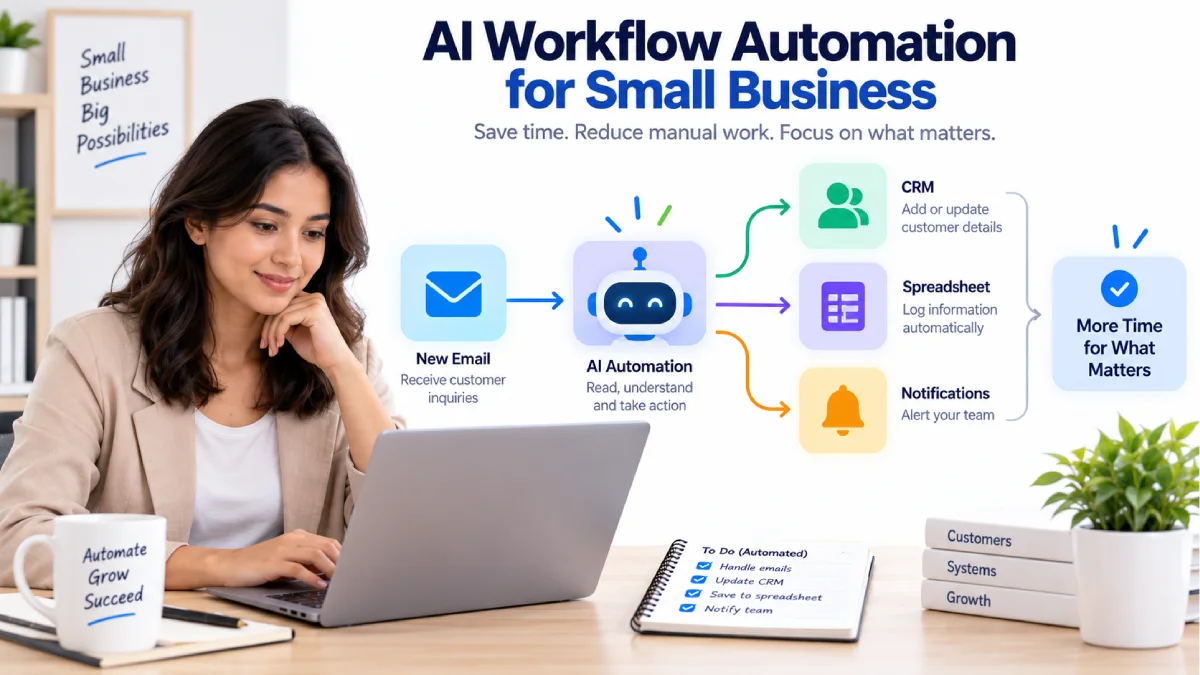
Automating workflow integrating apps together and triggering simple tasks by themselves. You can further enhance this process with AI by interpreting messages, distilling details, categorizing leads, generating text, or assisting with decision-making.
For example:
New customer form → AI process the request→ Save customer information→ Make a task→ Notify the team
The workflow takes care of the repetitive steps rather than having to do them manually.
Describes how SMEs can automate operations with AI, which solutions are worth eyeing, and provide tips on choosing the right one.
Table of Contents
What Is Small Business Process Automation?
Small Business Process Automationcan be defined as automating business processes, using software to automatically do the repetitive activities that take place in every business.
A simple process might be:
New order >Edit spreadsheet >email confirmation to customer >Staff informed
An AI-powered process could be:
New customer email => AI finds what was asked => Formats the message => Opens a task => Gives it to the right person
Conventional automation is characterized by a set of fixed rules.
Automatization by AI is capable to use a wider amount of less granulated information, like e-mails, documents, messages, questions from customers.
Best AI Workflow Automation Tools for Small Business
1. Zapier
Zapier is one of the simplest automation platforms for small businesses to hook together popular apps without coding.
The Free plan offered by the service today consists of 100 monthly tasks, an unlimited use of all Zap workflows, Tables and Forms, and two step workflows. On the free plan the user is allowed one trigger and then one action. (help.zapier.com)
Best For
- Small teams
- Simple workflows
- Lead notifications
- Email automation
- Combining widely used business applications
Pros
- Easy to learn.
- Larger integration ecosystem.
- Ideal for the non-technical user
- Available free plan
Cons
- Free plan is limited to 100 tasks per month.
- In a free workflow, maximum two steps are allowed.
- Higher levels of automation will necessitate a paid plan.
Zapier is a good initial point to consider if simple is finer than creating very complex workflows.
2. Make
Make is a visual automation platform where users have more control over their multi-step workflows.
It is launched Free plan that offers 1,000 credits per month and access to its visual workflow builder. (make.com)
Make allows a small business to design workflows that include filters, conditional logic and actions.
Best For
- Multi-step workflows
- Visual automation
- Data processing
- Marketing workflows
- Dependence on marginal flexibility. Small businesses that require increased flexibility
Pros
- Workflow builder designed for visual access.
- Flexible logic
- A, being composed of separate individual pieces, and the whole can act as the good for multi-step processes.
- Free plan with no engagement.
Cons
- Requires more time to learn than easier tools
- Loans: free credits are spaced9
- For complicated workflows, credits can be consumed very rapidly
3. n8n
N8n is a more powerful choice for technical users and companies that require greater flexibility in their automation.
Provides a community edition for self-hosting and uses a workflow-execution based based pricing system for its hosted offering (n8n.io)
Since n8n allows APIs, code, and custom workflows, it may be a good choice if a business requires more advanced needs.
Best For
- Technical businesses
- API automation
- Custom workflows
- Self-hosting
- Advanced AI automation
Pros
- Highly flexible
- Self-hosting option
- Strong API support
- Designed for intricate processes
Cons
- More technical
- Self hosting requires setup and maintenance.
- Probably not the most straight-forward solution for absolute beginners.
Small Business Process Automation Examples
Automation can be applied in many areas of a small business.
Lead Management
A brand new lead will go through the following automatically.
Website form → Save lead → Inquiry received by AI → Notified salesperson → Follow up task creation
This reduces manual data entry and decreases the chance that a lead will be missed.
Customer Support
Automation may assist in categorizing incoming messages.
Support email arrives→AI reads/ searches message→ detects topic→ selects support category→ alerts team
The AI doesn‘t even need to make the decision for the final customer-service. it can simply organize the information so that a human can make the decision.
Invoice and Payment Workflows
Invoice alerts can be automated by companies.
For example:
Starting from New invoice, enter details, then set a reminder and inform the customer.
Financial information should be used with caution and should be protected by access controls and human checks.
Marketing
Marketing can automate some of their content workflows by:
For example:
Content idea new→ AI generates a brief of a few lines→ Save to project Tool→ Alert the author
AI can accelerate the composition and arrangement, with a human reviewer before publcation.
Meeting Follow-Up
The minutes of meetings can be auto processed.
I- transcript; 2- This information is put into an AI as a summary; 3- Action items, job to be done: 4- Tasks (Who has to do what?); 5-Email will send tasks to teams members.
This can be efficient after meetings that happen on a regular basis.
No-Code AI Automation for Small Business
Many small businesses employ no dedicated developers.
They may not be able to automate processes, but That does not mean they cannotautomate processes.
No-code environments employ visual builders where connect triggers and actions.
A simple example is:
Trigger: Creating a website form
Action: Name the file processor.002. Open the spreadsheet of customers. Create a new column to enter the customer in. Enter the details of the customer into the new worksheet.
Action: Send notification
With AI added:
Target: New customer message The trigger is used as messages for new customer.
AI action: classify the message
Action: Insert appropriate label
Action: Inform relevant member of staff.
This is a big reason as to why no-code automation is helpful for teams in small business setting.
How AI Helps Small Business Automation
Basic automation functions effectively where the input is constant.
For example:
New form submission to spreadsheet
AI is more helpful in unstructured situations.
For example:
Customer email→recognize the request→synthesize→sort the request
AI can also help with:
- Summarizing documents
- Extracting information
- Classifying leads
- Drafting replies
- Task description generation
- Line up customer complaints.
- From Notes to Organized Data
The most desirable solution is to use automation for the mundane operations and leave the humans in charge of critical decision-making.
How to Choose an AI Workflow Automation Tool
Selecting a platform is made simpler when you begin by considering the work you currently do.
1. List Your Repetitive Tasks
Note down tasks that occur frequently on a weekly basis.
Examples include:
- Replicating customer details
- The follow up emails
- Updating spreadsheets
- Creating tasks
- Sending internal notifications
2. Check Your Apps
Verify that the platform you select has the tools you already use in your business.
Selecting a platform that does not integrate with your primary CRM, email system, forms or accounting application is of little use.
3. Check Free Limits
Free plans work for experimenting, but limitations vary.
Zapier‘s current free plan: 100 tasks a month (help.zapier.com)
Each month, make currently offers 1,000 credits on the Free plan. (make.com)
Confirm the method by which usage is measured by the platform, and then predict if the free plan will suffice.
4. Consider Technical Skills
For most users Zapier will probably be a gentler introduction.
Make has a better visual control.
N8n is a bit more flexible but could require some technical knowledge to use (n8n.io).
5. Look at AI Features
Not all automation platforms support all the above AI functions.
Ensure that you can use the actual AI model or action required. And check if you will need more credits or if there are other API costs involved.
Benefits of AI Workflow Automation for Small Business
Saves Time
Routinisation: Certain tasks become automatable without having to be physically handled by a person.
Reduces Repetitive Work
It can take less time to transfer information between systems.
Improves Consistency
A well manageable workflow should follow the same process every time.
Helps Small Teams
Routine administration can be done by automation even for a small business.
Supports Growth
If a company begins to experience a higher volume of incoming leads, orders or customer messages then it is possible to automate certain processes.
Things to Watch Out For
Automation should not be considered as completely automatic forever.
Workflows may be broken if an application changes, an account becomes disconnected, or if input data comes in the wrong format.
AI can also get it wrong.
An e-mail from a customer can be misplaced. A brief may forget a detail. An automated message could send out the wrong information.
This is why critical workflows should include review points where feasible.
Another thought here, consider privacy, not sending any sensitive business or customer data to a service, without checking how that data is handled.
Simple AI Automation Workflow for a Small Business
A simple starting workflow could be a lead-management system.
Step 1: Get the Lead
A customer is filling out a contact form.
Step 2: Save the Information
Details of the customer is then inputted into the CRM/spreadsheet.
Step 3: Add AI Classification
AI will read message and detect what type it is – sales question, support request, partnership inquiry, etc.
Step 4: Notify the Right Person
This will then forward the lead to the assigned individual.
Step 5: Create a Follow-Up Task
The task is then created automatically so that someone can respond to it.
It‘s simple enough to verify but is worth it to save real manual effort.
Common Mistakes
Automating Everything at Once
Begin with a single process.
Add a second to it when the first is guaranteed to function correctly.
Adding AI Where It Is Not Needed
Normal Automation should be adequate to manage simple data transfers.
Use AI whenever you need the workflow to both comprehend information and produce it.
Ignoring Errors
How can I detect failed workflow?
Forgetting Human Review
AI outputs cannot be considered as a blind decision in crucial customer, financial or business matters.
Choosing a Tool Based Only on Price
A free product might not be right.
Simplicity, integrations, workflow constraints, security and technical demands.
FAQs
What are the best AI workflow automation tools for small business?
Zapier, Make and n8n are all very useful choices but the correct option for you will depend on your technical ability, the complexity of your workflow, the apps that need to be integrated and how often you will use it.
What is small business process automation?
It‘s the application of software for automating tedious and time-consuming business processes like maintaining records, notifying clients, creating the task, or handling customer information.
Can a small business use AI automation without coding?
Yes. Zapier and Make, for example, offer graphical interfaces you can use without writing traditional code.
What should a small business automate first?
Begin with an extremely repetitive, frequent, and rule-driven task. Examples of these would be: lead notification, spreadsheet updates, creating a task, basic email workflows.
Is AI automation expensive?
It doesn‘t have to. There are many services with free plans or free options, though these tend to have restrictions. Zapier and Make both already have free plans, and n8n also has a free self-hosted Community Edition. (help.zapier.com make.com n8n.io)
Should every workflow use AI?
No. Standard automation is best suited for simple tasks, predictable inputs. AI is useful in a workflow if the step requires interpreting text, categorizing content, summarizing something, or providing a response.
Final Thoughts
Small business workflow automation using AI helps simplify everyday processes without demanding a large technical department.
A good entry point for using basic app integrations is Zapier. Make offers more visual options for complex workflows while n8n caters well to organizations that require greater depth and technical power.
It makes more sense to not begin with the most sophisticated tool.
Start with one repetitive task.
Automate it, test it, check the results, and then expand the workflow when it works reliably.
Good automation should make the business easier to run, not create another system that employees have to constantly manage.
This guide is part of our Best AI Workflow Automation Tools cluster. You can also explore best free AI workflow automation tools, no-code AI workflow automation platforms, AI tools for automating repetitive tasks, and best AI automation tools for marketing.
