
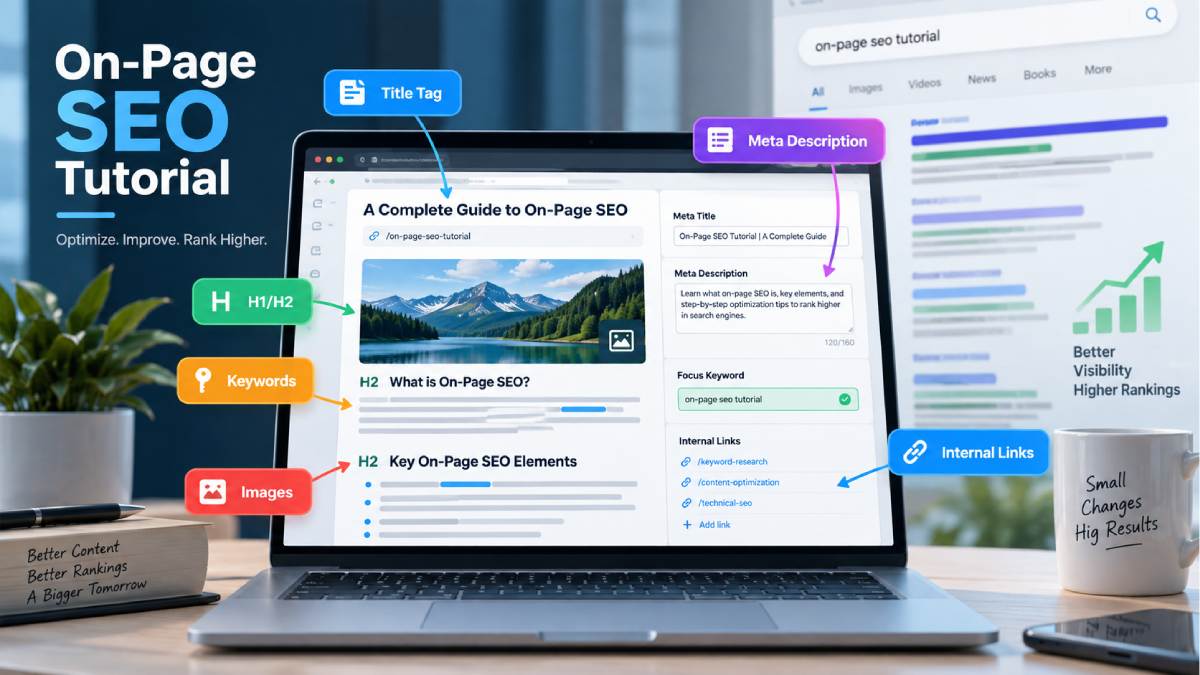



On-Page SEO Tutorial: Complete Guide for Beginners
On-page SEO is one of the more important parts of the search engine optimization process.
A page can be defined as what can be directly controlled on a webpage, everything from title, content, headings, images, links, to the overall page structure are defined as a page.
You needn’t be an SEO legend to get started. After getting the hang of the fundamentals, you should be able to implement on-page SEO on everything from your blog posts and landing pages to product and service pages.
This on page SEO tutorial will tell you what factors you should optimize and how to optimize them one by one.
Table of Contents
Understanding On-Page SEO.
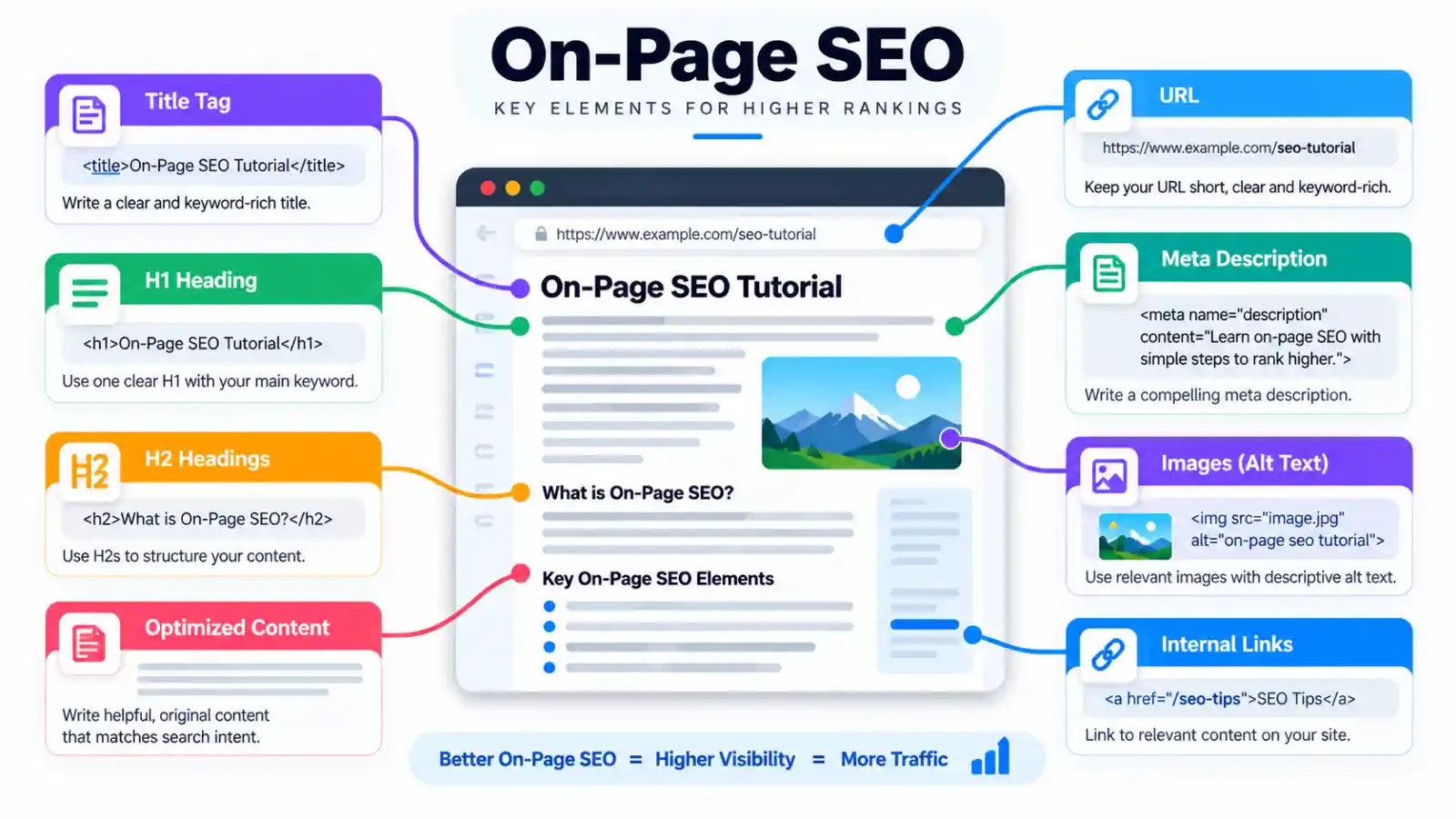
On-page SEO refers to. Optimizing each web page of a website so that it is more relevant to visitors and easier for search engines to index.
It can include:
- Page titles
- Meta descriptions
- Headings
- Keywords
- Content
- URLs
- Images
- Internal links
- Readability
- Page structure
However, we do not intend to overstuff the document with keywords.
What I am trying to do is to make the page does what the user intends to find out, and the information is relevant.
Take this and optimize the page title and description accordingly, so if someone searches for best laptop for students, the page should actually help me compare laptops for students, instead of just mentioning the phrase best laptop for students 87 times in it.
Reasons as to why On-Page SEO is so crucial:
A properly optimized page can provide valuable signals to search engines about its content. It should also be easy for users to read and use.
Good on-page SEO can help you:
- Help making pages simple to read. If information is too complex it is causing the reader to have extra work to process that information.
- Align content with search query
- Make sure there is proper website navigation, clearly defined. Display a link to the homepage of the website consistently in a prominent position on every page.
- Help search engines understand the topics of the page.
- Make a more enjoyable experience to read.
- Create strong internal links throughout your website
On page seo does not get result in any specific rank
There are many factors in search engines, such as; content, relevance, technical factors, links, signals etc.
On-Page SEO vs Technical SEO
They are two separate things, although related.
On-page SEO involves the optimization of the content and resources of individual pages.
Technical seo would be more concerned with the technical aspects of the website such as the structure and the accesiblity of the website.
For example:
On-page SEO including the appropriate use of key words in the title, header tags, image alt texts, page body content and links both intra-site and to/from the site; creating articles and blogs so as provide additional content.
Technical SEO: Crawlers, indexing, xml sitemaps, canonicals, redirects & site speed.
Step 1: Choose the Right Primary Keyword
Make sure there is an obvious main topic for every important page.
Start by defined the initial keyword, which to be the only search term that the page will index for.
For example:
Primary keyword:
On-page SEO guide
Related terms might include:
- On page SEO beginner.
- What file to optimize; this may be a global optimize, optimize only a part of the site, optimize a single page;
- Title Tag Optimization: Optimizing the page’s title tag isn’t just necessary, it should be a central element of SEO strategy as it plays a major role in ranking and click through rate.
- Unrealized term meta description optimization
- Heading tag seo: Second,if the target set is searchable online, for instance, if there are search engine strong keywords among the target set and the search number (Medium/High), then it is good for search engine ranking; if not, it is better not to write the heading tag.
Main Keyword: the main keyword should refer to the actual subject of page.
Do not select a keyword solely based on search volume. That is not the only factor.
Step 2: Understand Search Intent
Know what the searcher wants before optimizing a page.
Search intent can include:
Informational
The user is requesting a response or an explanation.
Example:
What does on-page SEO mean?
The extensive guide is suitable.
Commercial
The user is evaluating alternatives before making a choice.
Example:
what are the best SEO tools
Perhaps a comparative review would be the most appropriate way of going about this.
Transactional
The user is ready to perform a task
Example:
buy SEO software
Alternatively, the user might benefit from a product or service page.
Your KKeywords need to correspond to the user keyword intent.
Step 3: Optimize the Title Tag
Among the on-page factors, title tag is a very critical one.
It describes the content of the page to the search engines and users and appears as the main clickable link for the search result.
A good title should:
- Clearly define the page
- Use our main term or general keyword naturally. Don’t repeat the same word. Try to find synonyms or work it naturally into the text.
- Be specific
- Get the right users to click on
For example:
Weak:
SEO
Better:
On-Page SEO Tutorial: Complete Guide for Beginners
Don’t cram too many keywords in just for the sake of it.
Make sure your writing is all about people.
Step 4: Write a Useful Meta Description
Meta descriptions are brief summaries of the content of a web page.
It might also be shown under the page title in search results by the use of an enhancement.
A useful description should:
- The page is concerned with…
- To sum up, this topic can be classified as one of the basic pieces of information needed in writing an on-the-spot speech skill examination. By summarising the main points and target marks in the main parts in the following, examiner can estimate the time allocated and know the crucial focus points in performing at the speech skill exam.
- Provide users with a call to action.
- Render page.
Example:
Understand on-page SEO step by step – including title tags, headings, keywords, images, internal links and content optimization.
Don’t promise information on the page that is not there.
Step 5: Create a Clear Heading Structure
Headings provide structure to your writing and are easy for readers to scan through long pages.
A simple structure might look like:
H1: On-Page SEO Tutorial
H2: Understanding On-Page SEO
Why is On-Page SEO Necessary?
H2: How to Optimize a Page
- H3: Optimize the Title Tag
- H3: Write a Better Meta Description
- H3: Improve Internal Linking
Use H1 as the main topic of the page and H2, H3 to structure the subordinate pages.
Do not generate headings simply to include keywords.
The main point of each heading is to indicate what is about to follow.
Step 6: Use Keywords Naturally
Keywords are used to categorize the topic of a page. There’s no need for them to be repeated as such.
Use the primary keyword where it makes sense, such as:
- Page title
- Main heading
- Introduction
- Relevant subheadings
- Body content
- The second was to provide appropriate content on a web server for access by the relevant application or users on another system or by itself.URL when appropriate
You can also have naturally related words.
An article on on-page SEO, for instance, is likely to use naturally include keywords like title tags, headings, internal linking, alt text, search intent, content optimization and meta descriptions.
“Do not push keywords into every paragraph”.
Step 7: Write Helpful Content
The main section of the page is ‘Content’.
A good page should allow the user to answer his question in a straightforward manner and know it has answered this question. It should provide a substantiated amount of detail.
Strong content often includes:
- A clear introduction
- Direct answers
- Helpful examples
- Logical sections
- Pertinence d’Informations de soutien.
- Easy-to-read paragraphs
Don’t just write waffle for the sake of writing an article.
A 1,000-word article that fully addresses the question can be more helpful than a 3,000-word article that repeats everything.
Step 8: Optimize Your URL
An ideal URL is short and clear
For example:
Good:
/on-page-seo-tutorial/
Less useful:
/page?id=45892
Use short URLs where possible and words that describe the topic of the page.
Eliminate excessive numbers, bizarre symbols, or 15, step 2, 16, sub folder.
Step 9: Optimize Images
Regarding assisting clarity of the article, sometimes images are a help, like for tutorials and guides for example.
On-page image optimization can include:
Use Descriptive File Names
Instead of:
IMG12345.jpg
Use something like:
on-page-seo-checklist.jpg
Add Useful Alt Text
Appropriate use of alt text
Example:
checklist of SEO practices that one would need to follow to conduct on page optimization:
Don’t just stick keywords in the alt-text.
Compress Images
Large image files might slow down the page load.
Ensure images are of an appropriate format and size (and rendered correctly) such that they display well on screen without being oversize.
Step 10: Build Internal Links
Internal links refer to pages that are part of the same website.
They assist users in finding similar pages and help search engines understand the link relationship between pages.
For example, this article can link to:
- SEO Basics for Beginners
- Keyword Research Tutorial
- Technical SEO Tutorial
- Search Engine Optimization Tutorials
Try to use anchor text which is descriptive, if appropriate.
Instead of:
Click here
Use:
The following paragraphs would help you in finding out more about Technical SEO:
Make links provide where they actually help the reader.
Step 11: Improve Content Readability
All the areas of content optimization do matter, but if a content is too hard to read then today it can suffer even if it is technically optimized.
Make your pages easier to scan by using:
- Short paragraphs
- Clear headings
- Simple sentences
- Lists that are of use
- Examples
- Tables where they add value
Please don’t use too much jargon.
Example: write for someone who is willing and able to read this page.
Step 12: Optimize for Search Intent, Not Just Keywords
A frequent beginner error is to ‘get lost in the keywords’, the real purpose of the page may be lost,
Suppose someone searches:
“How to optimize a webpage” 00).
They’ll be wanting directions likely enough.
The same search, on a page containing a definition of nothing but on-page SEO would be unsatisfactorily fulfilled by that search
A better page would go through the process showing example images giving the user guidelines to work with.
Always ask:
So this user’s immediate need following this keyword search is
Then construct a page around it.
On-Page SEO Checklist
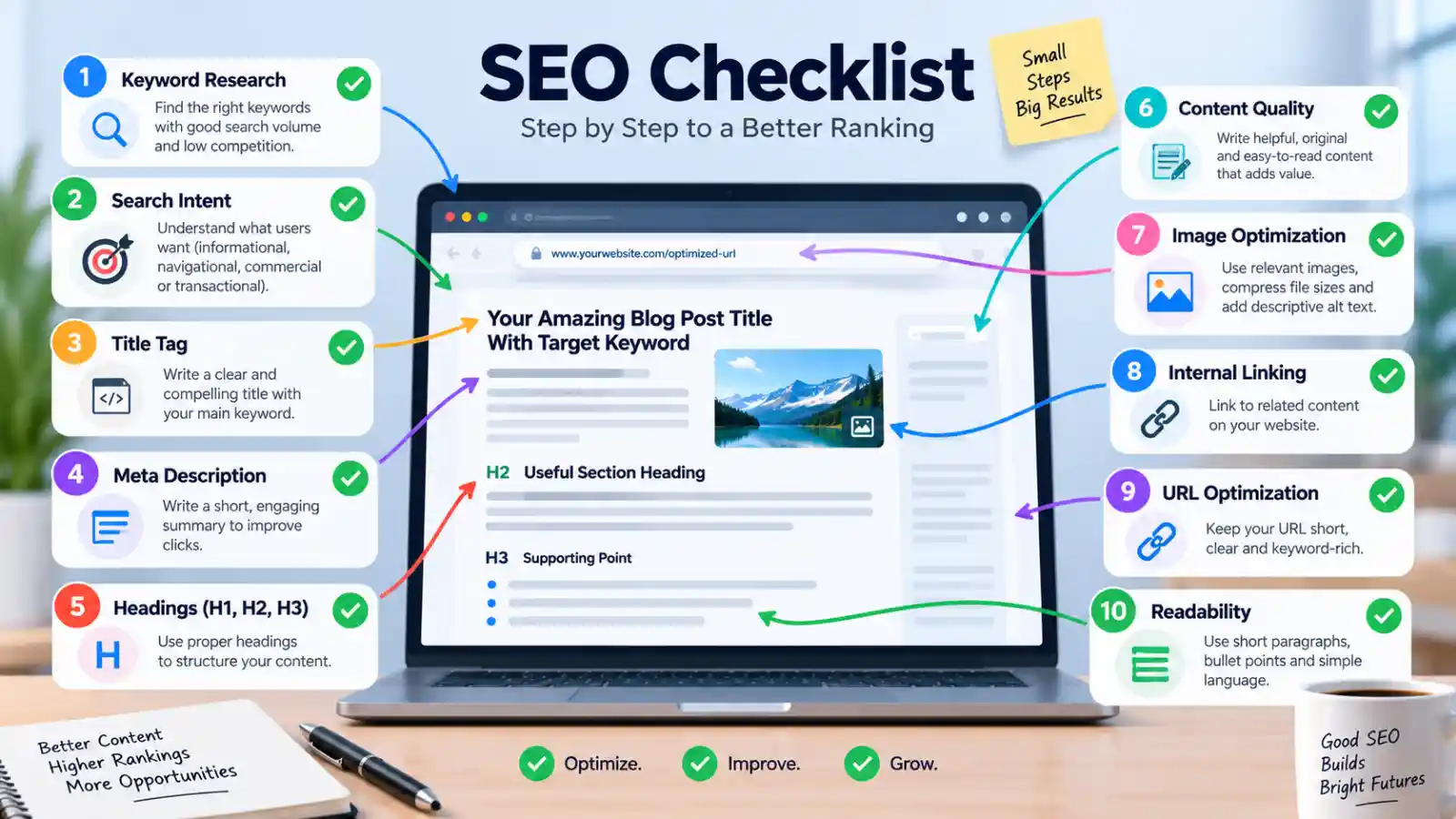
Review this list before publication of the page:
Keyword
- Select one obvious primary keyword.
- Identify related secondary terms.
- Review the intent of the search.
- Ensure that the keyword fits the topic of the page.
Title and Description
- Create an adequate title tag.
- It is natural to start this topic with:
- Create an exact meta description.
- Don’t use a lot of keywords.
Content
- Answer the primary question.
- Please employ subheadings.
- Ensure paragraphs are simple to follow.
- Add illustrative examples where necessary.
- There is no need for unnecessary repetition.
- Cover essential affiliated subtopics.
Images
- Include pertinent images.
- Asignar nombres a los archivos descriptivos.
- Ensure to label mine photograph appropriately.
- Compress large image files.
Links
- Link where applicable.
- Concise (2) Use descriptive anchor text.
- The connection is to be found on relevant useful support pages.
- Repair broken internal links.
URL
- Make sure to keep the URL descriptive.
- Don’t include extra characters.
- Make it short and concise.
Common On-Page SEO Mistakes
Keyword Stuffing
Overusing keywords can cause text to flow unnaturally.
Incorporate keywords where they appear relevant and on how well you cover the topic.
Writing for Search Engines Instead of People
Your content should serve the visitors first.
Search engines’ goal is to deliver helpful results, therefore, only targeting ranking techniques to build content is not sustainable for long-term.
Creating Weak Titles
A non-descriptive or vague title will not allow for the user to easily understand what the page is offering to them, for example.
Be clear and precise with your title.
Ignoring Internal Links
Pages that are not linked to the rest of your site are more difficult for users to access and for search engines to find.
By replacing “blood” with “blood,” you can see the various internal links such as win and health that are possible.
Using Images Without Optimization
Images, especially, can make very large file sizes.
Include appropriately sized, compressed images along with descriptive alt text where applicable.
Making Every Page Target the Same Keyword
Different pages serve different aims.
It’s possible for several pages to aim for the same subject matter and intention, for no apparent reason, so they could end up competing with each other.
Pay attention to the keyword-to pages mapping.
How to Improve an Existing Page
There is no always required to write a new article.
The current page may also be improved:
Start by checking:
- Does the page satisfy the search intent?
- Is the main topic clear?
- Is the title accurate?
- Are the headings logical?
- Is the content still useful and current?
- Are internal links relevant?
- Are images optimized?
- Is the page easy to read?
- Are there broken links or outdated sections?
- Does the page have a clear purpose?
Make changes based on actual problems rather than changing a page simply because you think more SEO is always better.
Final Thoughts
The primary purpose of on-site SEO is pure and simple: give each page a solid, do-able, relevant, lucid meaning.
Begin with the search purpose and main subject. Next, enhance your title, subheadings, content, URL, images, internal links and overall readability.
Don’t approach SEO as a checklist, like including every variation of every Keyword.
Having a well optimized page is one that provides the visitor with what he or she wanted and at the same time makes the topic of the page clear to the search engines.
For the next step, continue with our Technical SEO Tutorial for Beginners.
