



New AI Productivity Features and Updates
Artificial Intelligence (AI) productivity software is evolving rapidly.
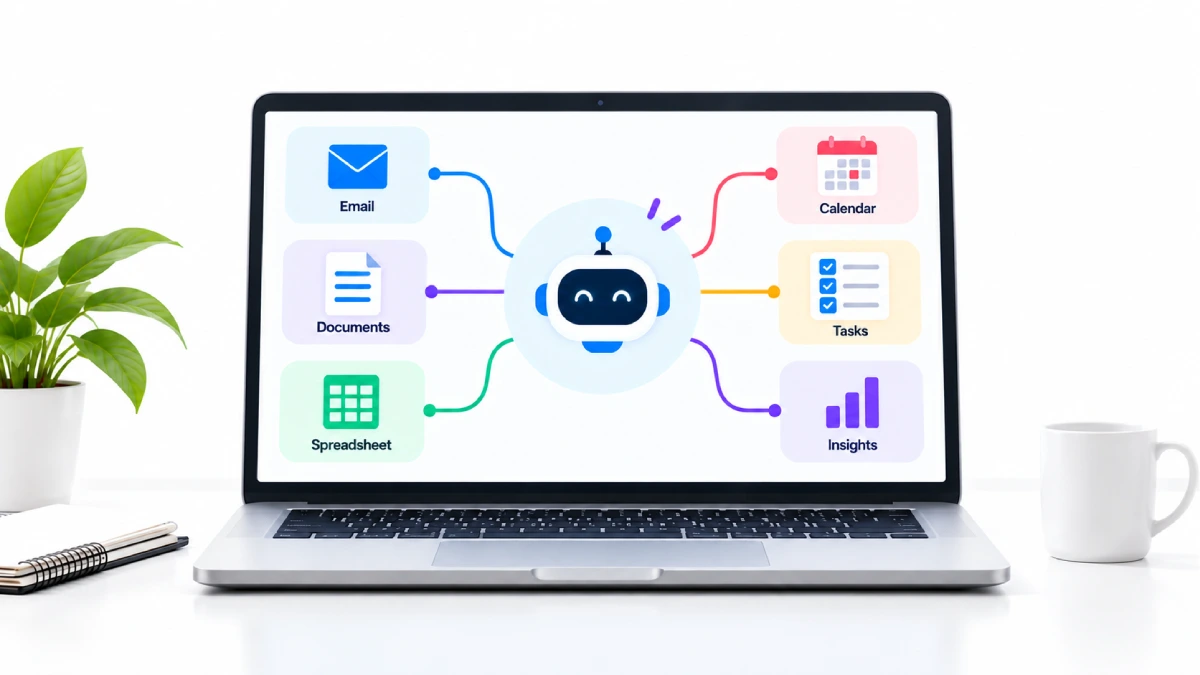
What was once a straightforward automated AI chat window is rapidly emerging as a critical interface to documents, email, meetings, projects, team communication, and business data.
The biggest difference is not that AI will be writing faster.
Tools are more context-aware, more aware of what you need to do next, more capable of switching between applications and between several steps, more supportive than just responding to questions.
In this guide, we will introduce you to some of the new AI productivity features and updates that are available or announced. As well as the latest features of AI software to keep an eye on.
Table of Contents
What Are AI Productivity Features?
Productivity Features. These are features within common software applications that use artificial intelligence to make the users more productive in whatever activity they are conducting.
They can assist with:
- Writing and editing.
- Research
- Meeting notes
- Data analysis
- Presentations
- Project management
- Search
- Summaries
- Workflow automation
The more recent fatures are even more advanced.
Rather than requesting that an AI condense a document, you could ask it to cross-reference numerous references, develop a report, assemble a spreadsheet, or manage collaborative effort between applications.
New AI Productivity Features to Watch
1. Google Workspace Gemini Gets More Cross-App Capabilities
On the 9th of September 2026, Google rolled out five new agentic capabilities in Workspace.
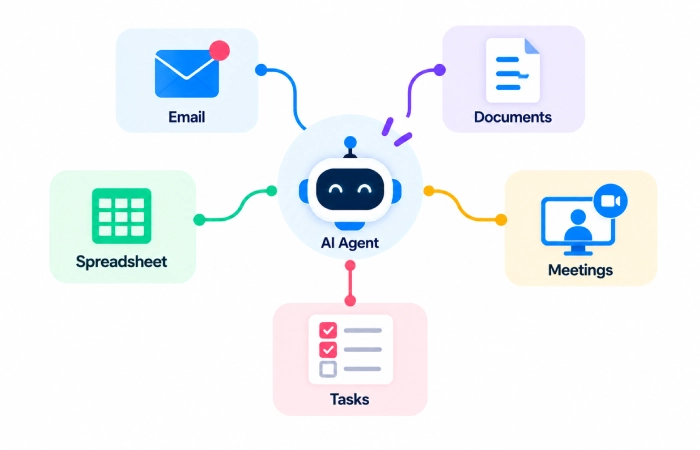
Gemini is a new tool for a more sophisticated level of task coordination across Gmail, Drive, Docs, Slides, and Chat. According to Google, Gemini is described as a smart conductor that is able to leverage relevant Workspace context and generate formatted Docs, structured Sheets, or Slides based on your requests.
This is a significant evolution for the fact that it is no longer required for user to switch to a particular app before requesting AI to perform part of a task.
For example:
Email → Install Gemini→ Gemini knows where I am→ Create document→ Create spreadsheet→ Keep working
Best For
- Google Workspace users
- Documents
- Spreadsheets
- Presentations
- Email workflows
- Cross-app tasks
Why It Matters
The ai is more integrated into the workflow than it is a separate Assistant.
2. Google Sheets Adds AI-Powered Canvas
Google also announced Sheets canvas on 10 September 206.
By leveraging the power of Gemini 3.8 Flash, this feature can transform spreadsheet data into small, interactive apps. Rather than developing a visualization from scratch, you only need to tell the tool in plain English,
This is good for those who may want a dashboard or simple data tool, but would rather not build each time.
A user could move from:
The raw spreadsheet provides a list of operations that the user must process into an organizer request, which is then translated into a visual interactive application.
That‘s a good indication as to where AI productivity features are headed.
3. Microsoft 365 Copilot Moves Toward a More Connected Experience
Microsoft has been aligning Microsoft 365 Copilot for a mode of more cohesive interaction.
In a May 2026 update, Microsoft announced a unified Copilot experience for all its apps, with Copilot able to be context-aware of both the document and the canvas itself. Microsoft called the new experience the editing partner that can suggest new content or make change existing content.
Microsoft has also branched out to their agent-based approach Researcher and Analyst went into GA earlier in 2026, and Microsoft is still releasing additional AI agents and workplace-focused Copilot features.
Best For
- Word
- Excel
- PowerPoint
- Outlook
- Teams
- Business workflows
Why It Matters
Copilot is de-coupling between a dedicated chat experience and a layer of AI that is purpose-built for the content people are already producing.
4. Notion Adds Better Control for AI Agents
Another significant step taken by Notion is reflected in their most recent updates.
On 9 September 2026, Notion launched model controls. Workspace owners on Business and Enterprise plans can select which models are accessible to Notion Agent and Custom Agents and specify a default model for Custom Agents.
Yes, this is a management thing rather than a shiny end-user thing, but it is important for teams.
It gives administrators more control over:
- What kinds of models can employees use to [the second to refer to would be ‘s].
- Choosing the default model3.5. Selection of the default model. We shall make use of the Akaike (1974) criterion for choosing the best model from the data among candidate models.
- Cost management
- Compliance considerations
In August, smt Notion also introduced a feature that displayed a box at the top of a page, allowing agent users to “propose change” rather than make an edit directly. Proposed changes could be reviewed and approved or rejected individually.
That‘s just interesting example of human moderation being integrated into the native productivity tools of an AI.
5. Slackbot Gets More Agentic
In 2026, Slack has been rapidly rolling out new AI functionality.
In June Slack added memory, MCP connections, voice actions and native charts to Slackbot. This was announced as how to enable Slackbot to learn more about you, your team and your integrated tools.
In August, Slack added a more comprehensive AI workspace that includes multi-step analysis, deep research, and reusable Skill Sets. Slack describes its Deep Research feature as being able to search the organization and the web and then generate a citation report.
Best For
- Team communication
- Research
- Internal knowledge
- Reports
- Cross-tool work
Why It Matters
Managers need to pay attention to workplace conversations because they convey a great deal of information.
Achieving research in those areas will allow the development of intelligent systems that can participate in those conversations, and then the average time spent on searching for information in messages and archives may decrease.
6. ClickUp Expands AI Around the Work Itself
ClickUp announced Brain² in June 2026 as a major expansion of its AI capabilities.
According to the company Brain² is intended to integrate into project management, personal administration, research, document editing, presentations, and other knowledge work areas utilizing the stored internal context within your ClickUp workspace
This can be seen as the underlying direction – productivity AI progressively is beginning to both generate content and also get the work done.
An task manager implemented with AI can do more than just create a task description:
It can potentially understand:
From action+docs +project context+conversations, it is difficult to determine what action is useful.
Latest AI Software Features: The Main Trends
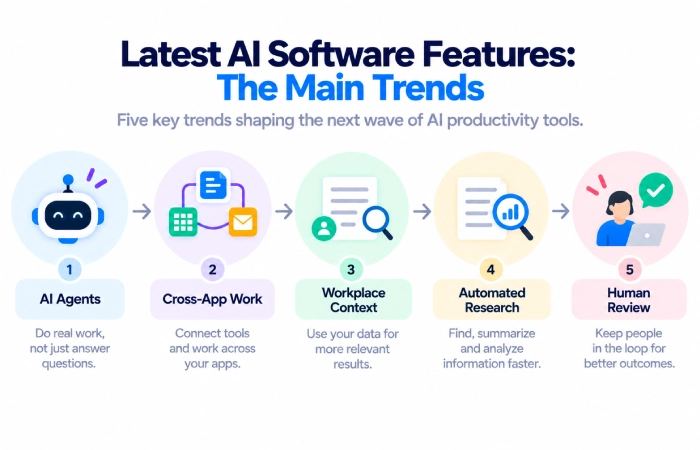
Across these changes, several things jump out.
AI Agents
The new trend in AI software design is building agents.
An agent should be able to do more than just reply. It might employ tools, utilize resources, perform modifications, or stop tasks in a series.
This is the direction which Google, Notion, Microsoft, Slack, and ClickUp are all traveling toward.
Cross-App Work
The user may not wish to be jumping through 5 programs to get one thing done.
Recent changes to Google‘s Workspace functionality are also a good indicator, giving Gemini an opportunity to coordinate efforts across Gmail, Drive, Docs, Slides and Chat.
Slack is following the same concept by enabling to work with external connected systems using Slackbot.
More Work Context
In addition to having information related to the task being performed, AI will become more useful if it also has an understanding of its context.
That could mean:
e-mail + documents + communication + data concerning project
only in relation to the text from one prompt, and not necessarily all the texts.
More Human Control
A second emerging theme is to empowering people to control what AI does.
A useful example is the suggested edit facility in Notion; rather than directly apply changes, AI could suggest edits for a user‘s approval.
This is important if you need a more exact value.
New AI Productivity Features for Work
These new tools are able to enhance many typical work tasks.
Writing
AI is capable of preparing reports, emails, proposals, and documents.
Meetings
The AI will capture/record, transcribe, summarise, and take notes of follow-up actions.
Research
AI has the ability to access and organize reports from various sources.
Data Analysis
AI has the capacity to explain the values contained within spreadsheets,generate visualizations, and help identify trends within spreadsheet data.
Project Management
AI has the ability to give overviews of the progress of certain projects, generate new tasks and assist with the coordination of work.
Team Communication
The AI is able to search through conversation threads, summarize long exchanges and provide context.
Which AI Productivity Features Are Actually Useful?
While novel functionality is appealing, its utility relies on the context of the problem.
Useful AI Features
- Meeting summaries
- Find in company data
- Email drafting
- Document editing
- Data analysis
- Task creation
- Workflow automation
- Research summaries
Features to Evaluate Carefully
- Completely automatic publishing.
- Unvetted customer feedback
- Automated financial decisions
- Unauthorized alterations to the document
- Unverified AI-generated reports
The more significant the output, the more valuable human review is.
How to Decide Which AI Update to Use
There is no requirement to use all of the new features in your AI.
Begin with software that the team currently uses.
Google Workspace Users
Begin by looking at Gemini features within Gmail, Docs, Drive, Sheets, Slides, and Chat. It is evident that Google‘s latest updates primarily focus on minimizing app switching.
Microsoft 365 Users
Observe the features available when using the Copilot tools directly within Word, Excel, PowerPoint, Outlook, or Teams.
Notion Users
Learn about agents, proposed edits, and model controls of managed workspaces.
Slack Users
Using Slackbot, you have sharing your research, summary of conversation, but also helpful tools linked with workflow.
ClickUp Users
Examine Brain functionalities suitable for projects, knowledge, research, and task-oriented processes.
Benefits of New AI Productivity Features
Less App Switching
By using AI across applications, you don‘t have to work in as many places.
Faster Routine Work
Tasks like summing up, writing drafts, sorting and reporting can be accomplished in less time.
Better Use of Existing Data
The way AI is designed, it will also be useful in turning information already held within your workspace into something more accessible for use.
More Automated Workflows
The AI agents do not need a separate instruction for each action but can perform more than one step.
Limitations to Remember
However,AI productivity softwareis an ongoing evolution.
Any features might only be available for a specific plan, location, or user.
AI can also make errors:
There may be something important missing in an automatically created summary. An artificial agent may misunderstand its objectives. A automatically produced spread sheet or document will require correction.
There are also issues of privacy, security and governance if the company‘s data is being accessed by the AI.
Simple Way to Test a New AI Feature
Avoid opening with a key business process.
Select a task that poses no risk.
For example:
Long meeting transcript → Summarise → Examine
Or:
Spreadsheet data > Request visual representation by the AI > Analyze the output
If the feature truly does save time without leading to additional correction work, try it on a more extensive workflow.
FAQs
What are the new AI productivity features and updates?
Other recent updates include cross app Google Gemini functions and Sheets canvas, the expanding Microsoft Copilot experience, AI model controls in Notion and suggestion based edits, more advanced agent functionalities in Slackbot, and ClickUp Brain².
What are the latest AI software features?
In terms of current most important features; A.I agents, cross-app workflows, workplace context, research automation, data visualization, document editing and A.I-assisted task accomplishment can be considered to be among the highest prioritized elements.
Are AI productivity tools replacing traditional software?
No. Well, almost. I think the most important thing is that current AI technology is primarily appearing as features integrated into existing productivity software, so the shift is about integration and ubiquity rather than stand-alone tools.
Which AI productivity tool is best for work?
The ideal tool is frequently the one built into the widely used app on which your team already relies. For example, Gemini is ideal for Google users, Copilot for Microsoft users, Notion AI for Notion, Slackbot for Slack, and Brain for ClickUp.
Should I use every new AI feature?
No, go for features that address a real problem and save time. Just because a new feature is powered by an AI, it‘s not necessarily a useful feature.
Should AI changes be reviewed by humans?
On big work projects, yes. The feature of Notion‘s suggestion of edits are a prime example of AI making suggestions, and leaving the choice of accepting the suggestion to the user.
Final Thoughts
The largest AI new productivity features & updates are also going in that direction.
AI is increasingly intertwined with software humans already use. It‘s gaining access to more workplace context, performing more complex steps, spanning applications and getting close to actually performing actions.
Google is pushing Gemini deeper across Workspace. Microsoft is developing Copilot around connected work experiences. Notion is adding agent controls and review features. Slack is turning Slackbot into a more capable workplace agent, while ClickUp is expanding Brain into broader knowledge-work tasks.
The useful question is not “What is the newest AI feature?”
It is:
“Which new feature removes a real problem from my daily work?”
Start there.
This guide is part of our AI Productivity Tools Updates cluster. You can also explore latest AI productivity tools, AI productivity tools for work, AI productivity tools for teams, free AI productivity tools, and AI productivity tools comparison.
