





The trick is choosing the right design tool. In the best-case scenario, it can remove many of the headaches from the entire mobile app design and development process: from planning and designing to prototyping, testing and sharing.
No one tool is going to do everything on every project. A novice might want only a clean design and wireframing workflow. A product team might need collaboration, components, prototyping, and user testing.
Some key options that are most worth considering are the following:
Table of Contents
Figma
People frequently use Figma as a tool for UI design, collaborative design, components and prototyping.
Its current prototyping tools enable designers to design interactive flows withouth writing code. Prototypes can also be previewed on mobile devices.
You may wish to use Figma when you want to have design and prototype in the same workflow.
Good For
- UI design
- Wireframes
- Design systems
- Interactive prototypes
- Team collaboration
Penpot
Penpot is one more tool for interface design and prototyping.
Its current prototyping flow allows designers to connect board and create flows that could be excited and shared.
However, it may be of use to teams wanting a different environment to work in.
Good For
- UI design
- Wireframes
- Prototyping
- Collaborative design
- Open-source workflows
FigJam
FigJam is very effective for early planning and brainstorming.
Boards are a good way to visualise user journeys, ideate, or plan research and rough out a structure before jumping into interface design. The Figma mobile app page talks about using FigJam for early sketches, wireframes, and diagrams.
Good For
- Brainstorming
- User flows
- Journey maps
- Early wireframes
- Team workshops
Maze
Maze was the candidate used when the application design was to go through a user trial.
Prototype testing involves providing a task to participants and observing how they work through a prototype. Maze currently offers prototype testing workflows and recommends previewing studies on representative devices prior to testing.
Good For
- Usability testing
- Prototype testing
- User feedback
- Research
Adobe Tools
If you work with Adobe products already, then Adobe‘s design ecosystem may be handy.
Could be useful when graphics assets, branding, illustrations and interface work needs to be integrated into an existing creative pipeline.
How to Choose App Design Software
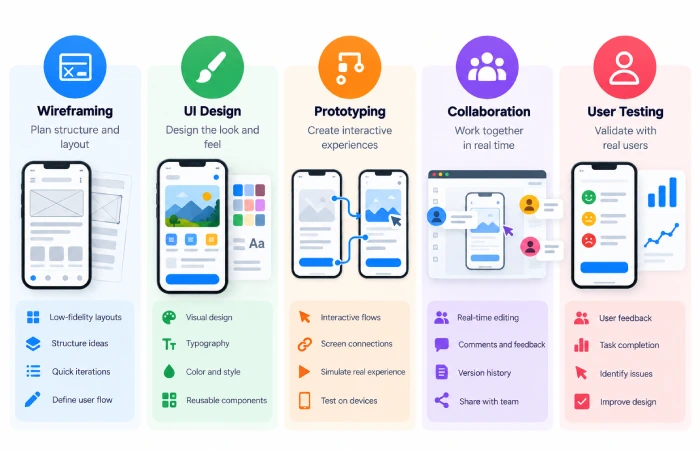
Use the specific needs of the projects rather that choosing only what is popular.
For Beginners
Look for:
- Simple interface
- Easy wireframing
- Reusable components
- Basic prototyping
- Tutorials
For Small Teams
Look for:
- Collaboration
- Comments
- Design libraries
- Version history
- Prototype sharing
For Product Teams
Look for:
- Design systems
- Advanced prototyping
- User testing
- Developer handoff
- 12. Integration with the workflow
Do You Need More Than One Tool?
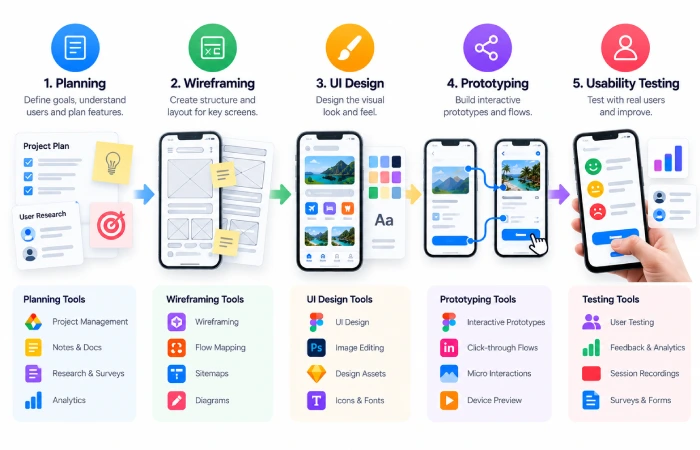
Not always.
One single tool might go through the whole design process if this project were smaller.
Nonetheless, the instrument is combined by groups.
For example:
Planning → FigJam
UI design → Figma or Penpot
Prototype → Figma or Penpot
User testing– Maze.
The best setup is which keeps the workflow most simple.
Common Mistakes When Choosing Tools
Avoid selecting a tool on the basis of having many features.
A comp difficult platform can hinder a small project.
Other factors include compatibility with the device, supports collaboration, how long to learn, supports devices and how easily can developer access all the information of final design.
Final Thoughts
Choosing the best mobile app design tool really depends on what kind of project you are building.
Figma covers a larger part of the design and prototyping work-flows, Penpot provides another tool for interface and prototype work, Fig Jam is more for planning, and Maze mainly do testing.
Our first tip is, don‘t start with the tool name, start with your workflow. Select software that will get you from idea to tested design, with as little friction as possible.
