

Last Updated: September 7, 2026
Table of Contents
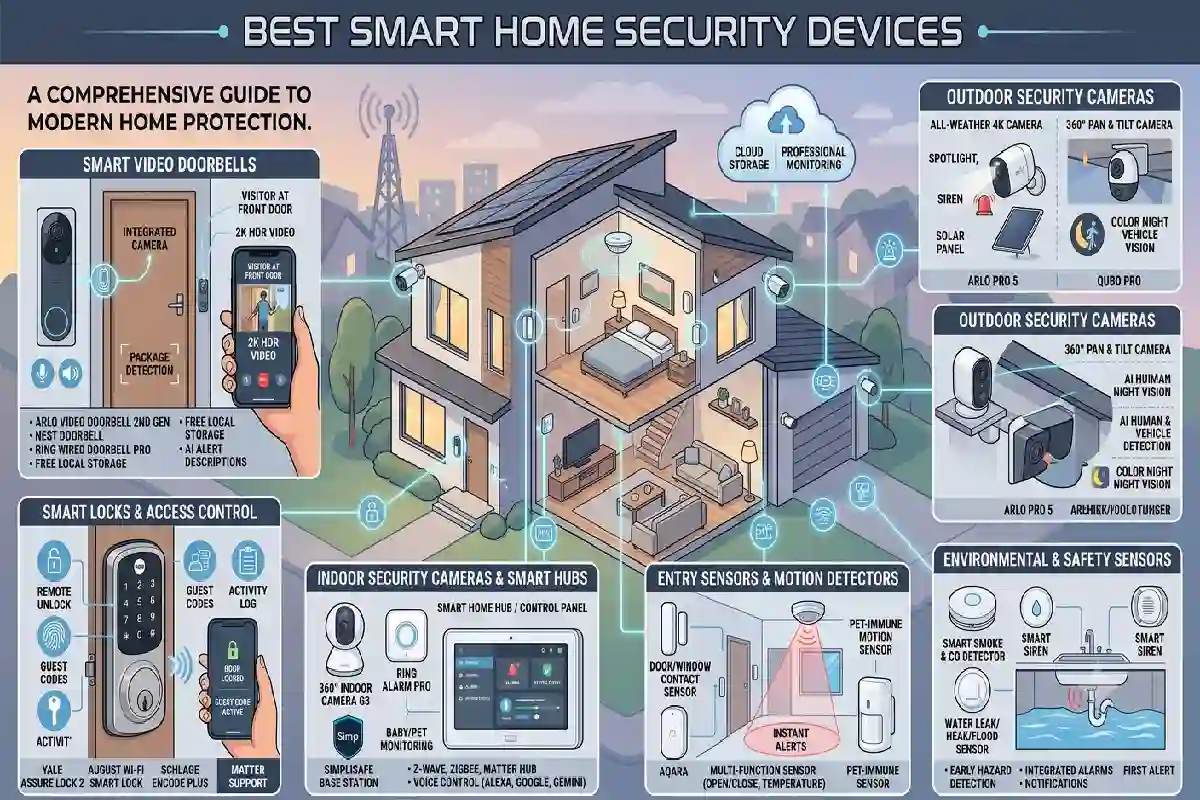
Best Smart Home Security Devices
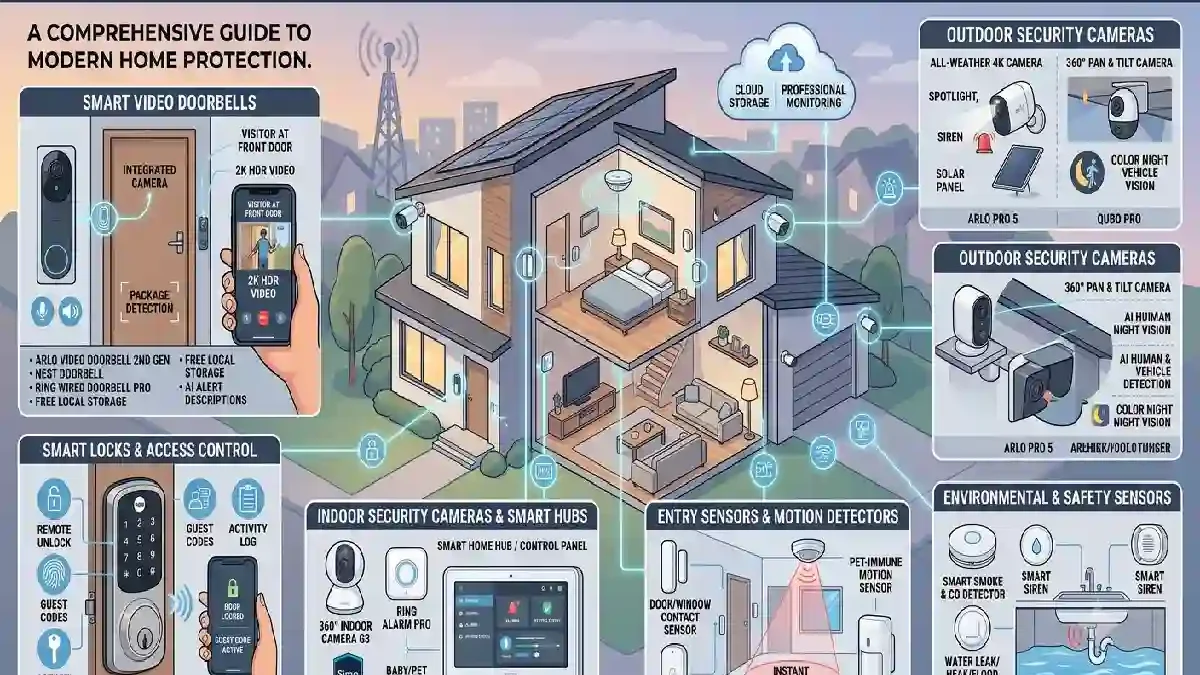
Smart home security devices can make it easier to monitor your home, control entry points, and receive alerts when something happens.
Unlike traditional security equipment, many smart devices connect to your home network and let you check or control them through a smartphone app.
A basic setup might include a security camera and video doorbell. A larger system could also include smart door locks, motion sensors, door and window sensors, alarms, and other connected devices.
The best smart home security devices depend on your home, budget, installation needs, and the type of protection you want.
This guide explains the main types of smart security devices and what to look for before buying them.
What Are Smart Home Security Devices?
Smart home security devices are connected products designed to help monitor, protect, or control access to a home.
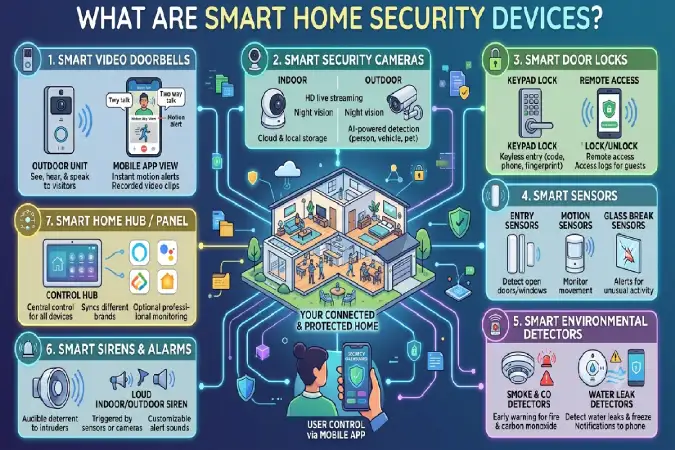
Common examples include:
- Smart security cameras
- Smart video doorbells
- Smart door locks
- Motion sensors
- Door and window sensors
- Smart alarms
- Security hubs
Many devices can send alerts to your phone, record activity, or work together through a smart home platform.
The important thing is to choose devices that solve a specific security need rather than buying every product available.
Best Smart Home Security Devices to Consider
1. Smart Security Cameras
Smart security cameras are useful for monitoring areas inside or outside your home.
Depending on the model, a camera may offer features such as:
- Live video
- Motion detection
- Mobile notifications
- Night vision
- Two-way audio
- Local or cloud recording
- Person or object detection
Indoor Security Cameras
Indoor cameras can be useful for monitoring rooms, entrances, pets, or other areas inside the home.
Outdoor Security Cameras
Outdoor cameras are designed to withstand outdoor conditions and can monitor driveways, gardens, entrances, and other exterior areas.
When choosing a camera, check its intended installation location and weather rating rather than assuming every camera can be installed outside.
2. Smart Video Doorbells
A smart video doorbell combines a doorbell with a camera and connected features.
It can let you see who is at the door and, depending on the device, speak to visitors through two-way audio.
Useful features may include:
- Motion alerts
- Live video
- Night vision
- Two-way communication
- Visitor detection
- Recording
- Doorbell notifications
Video doorbells are particularly useful for people who want to monitor their front entrance without installing a separate camera.
3. Smart Door Locks
Smart door locks can replace or work alongside traditional locks.
Depending on the model, a lock may support:
- Smartphone control
- PIN codes
- Fingerprint access
- Temporary access codes
- Auto-locking
- Activity logs
- Physical keys as backup
Smart locks can be convenient for families, rental properties, and people who regularly need to provide temporary access.
Before purchasing, check the lock’s compatibility with your existing door and whether professional installation is required.
4. Smart Motion Sensors
Motion sensors detect movement within a particular area.
They can be used for both security alerts and home automation.
For example:
Motion detected → Send an alert
or:
Motion detected at night → Turn on a compatible light
Motion sensors are useful in:
- Entryways
- Hallways
- Garages
- Living rooms
- Storage areas
Their effectiveness depends on placement, detection range, and the environment around the sensor.
5. Door and Window Sensors
Door and window sensors can tell whether a door or window is open or closed.
They are simple but useful additions to a security system.
For example, you can receive an alert when a particular door opens while you are away.
These sensors can also work with other compatible devices to create home security automation routines.
6. Smart Security Systems
A complete smart security system combines several devices into one setup.
A system might include:
Security hub + cameras + door sensors + motion sensors + alarm
This approach can provide broader coverage than using individual devices separately.
The advantage is that compatible devices can often work together through a shared app or platform.
However, complete systems can be more expensive and may take more time to configure.
Wired vs Wireless Security Cameras
One of the first decisions when buying smart security cameras is whether to choose wired or wireless equipment.
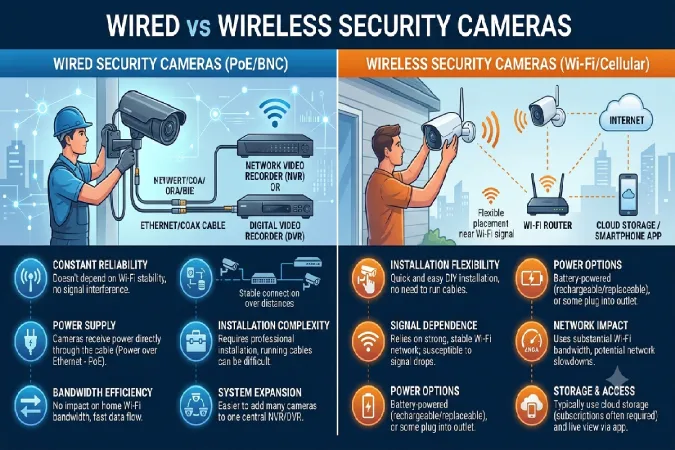
Wireless Cameras
Wireless models are usually easier to install because they require less cabling.
Battery-powered cameras can offer even more flexibility.
However, battery life, Wi-Fi coverage, and signal strength need to be considered.
Wired Cameras
Wired cameras can provide a more permanent installation.
They may use a power cable or a network connection depending on the design.
They are often better suited to locations where a permanent installation is acceptable.
Neither approach is automatically better.
Choose based on installation location, power availability, network strength, and how much maintenance you are comfortable with.
Wi-Fi Security Cameras: What to Check
Many smart cameras connect through Wi-Fi.
Before installing a Wi-Fi security camera, check the network signal at the intended location.
A weak connection can cause:
- Delayed video
- Connection drops
- Failed notifications
- Poor remote access
Also check whether the camera needs a particular Wi-Fi band or has specific network requirements.
If a camera is far from your router, improving your home’s network coverage may be necessary.
Cloud vs Local Storage
Security cameras may store recordings in the cloud, locally, or through a combination of both.
Cloud Storage
Cloud storage can make it easier to access recordings remotely.
However, some services require a monthly or yearly subscription for additional recording features.
Local Storage
Some devices support storage using a memory card, local hub, network storage, or other hardware.
Local storage may reduce dependence on a subscription, but you should check how backups and remote access work.
Before buying, look at the complete storage policy rather than focusing only on the camera’s hardware price.
What to Look for in Smart Security Cameras
Image quality is important, but it should not be your only consideration.
Resolution
Higher resolution can provide more detail, but the usefulness depends on lighting, lens quality, viewing distance, and compression.
Night Vision
Check how well the camera performs in low-light conditions.
Field of View
A wider field of view can cover more space, while a narrower view may provide more detail on a specific area.
Motion Detection
Look for detection features that match the environment and your needs.
Two-Way Audio
Useful when you want to communicate with someone near the camera.
Recording Options
Check whether recording is continuous, event-based, local, cloud-based, or dependent on a subscription.
Smart Home Security Automation
One of the biggest advantages of connected security devices is automation.
For example:
Front door opens → Phone receives notification
Motion detected → Camera starts recording
Someone arrives → Entry light turns on
Security mode activated → Selected sensors and cameras become active
The exact functions available depend on the devices and smart home platform.
Keep automation simple at first.
A reliable routine is more useful than a complicated one that produces too many false alerts.
Privacy and Security
Smart security products handle information that can be sensitive, so privacy should be part of your buying decision.
Before purchasing, review:
- Where video is stored
- Whether cloud storage is required
- Account security options
- Two-factor authentication
- Privacy controls
- Data-sharing practices
- Software and firmware support
Use strong passwords and enable additional account protection when available.
Also avoid installing cameras in places where people reasonably expect privacy.
How to Choose the Best Smart Security Setup
Start with the areas you want to protect.
Front Door
Consider a:
Video doorbell + smart lock
This gives you visitor monitoring and connected access control.
Driveway or Outdoor Area
Consider:
Outdoor security camera + motion detection
Interior
Consider:
Indoor camera + door/window sensors
Whole Home
Consider:
Multiple cameras + sensors + smart locks + security hub
You do not necessarily need all four setups.
Choose based on the actual risks and needs of your home.
Smart Home Security Buying Guide
Before buying any security device, check these areas.
Compatibility
Make sure the device works with your preferred smart home platform.
If you already own smart home devices, compatibility is especially important.
Installation
Check whether the device can be installed yourself or requires professional installation.
Power
Battery-powered products are convenient but need charging or battery replacement.
Wired products need suitable power access.
Internet Connection
Many smart security devices rely on an internet connection for remote access and notifications.
Check your Wi-Fi coverage before installation.
Subscription Costs
A device that looks inexpensive initially may cost more if important features require a subscription.
Compare the total cost of ownership.
Storage
Understand where recordings and other data are stored.
Software Updates
Security devices should receive software and firmware updates to help maintain security and functionality.
Do You Need a Smart Security System?
Not necessarily.
A single video doorbell may be enough for someone who mainly wants to monitor the front entrance.
Another homeowner may need several cameras, door sensors, and an alarm system.
The right setup depends on:
- Home size
- Number of entrances
- Indoor and outdoor areas
- Budget
- Installation requirements
- Desired level of monitoring
Start with the most important area and expand later.
Common Smart Home Security Mistakes
Buying Too Many Devices
More equipment does not automatically mean better protection.
Start with the areas that actually need monitoring.
Ignoring Wi-Fi Coverage
A camera is only useful when it can maintain a reliable connection.
Test network coverage before choosing the installation location.
Forgetting Subscription Costs
Always check whether recording, storage, or advanced detection features require an ongoing subscription.
Using Weak Passwords
Smart security devices should be protected with strong account credentials.
Enable two-factor authentication where available.
Poor Camera Placement
A camera pointed at the wrong angle may miss the area you actually want to monitor.
Think about viewing angle, lighting, height, and likely movement paths before installation.
Ignoring Privacy
Do not install cameras without considering household privacy, neighboring properties, and applicable local requirements.
Simple Smart Home Security Setup for Beginners
A beginner does not need a complete security system immediately.
A simple setup could be:
1 video doorbell + 1 outdoor camera + 2 door/window sensors + 1 motion sensor
You can then add a smart lock or additional cameras if you find you need them.
This makes it easier to understand how the devices work before building a larger system.
For other beginner-friendly products, see our Best Smart Home Devices for Beginners guide.
For a wider comparison of smart home categories, visit our Best Smart Home Devices pillar page.
Smart Home Security Checklist
Before buying, ask:
- What area am I trying to protect?
- Do I need indoor, outdoor, or both types of cameras?
- Is my Wi-Fi strong enough?
- Does the device work with my smart home platform?
- Does it require a subscription?
- Where are recordings stored?
- How long does the battery last?
- Can I install it myself?
- Does it receive software updates?
- Are the privacy and security controls suitable?
Final Thoughts
The best smart home security devices are the ones that address the security needs of your particular home.
A video doorbell can protect the front entrance. Smart cameras can help monitor indoor or outdoor areas. Door sensors and motion sensors can add alerts, while smart locks can provide connected access control.
You do not have to build a complicated system from the beginning.
Start with the most important security gap, choose compatible devices, check their storage and subscription requirements, and expand your setup as needed.
Most importantly, consider privacy, account security, reliable connectivity, and ongoing software support alongside hardware features.
A smart security setup should make your home easier to monitor without making your everyday life unnecessarily complicated.
