



AI for Small Business: Practical Ways to Use Artificial Intelligence to Save Time and Grow
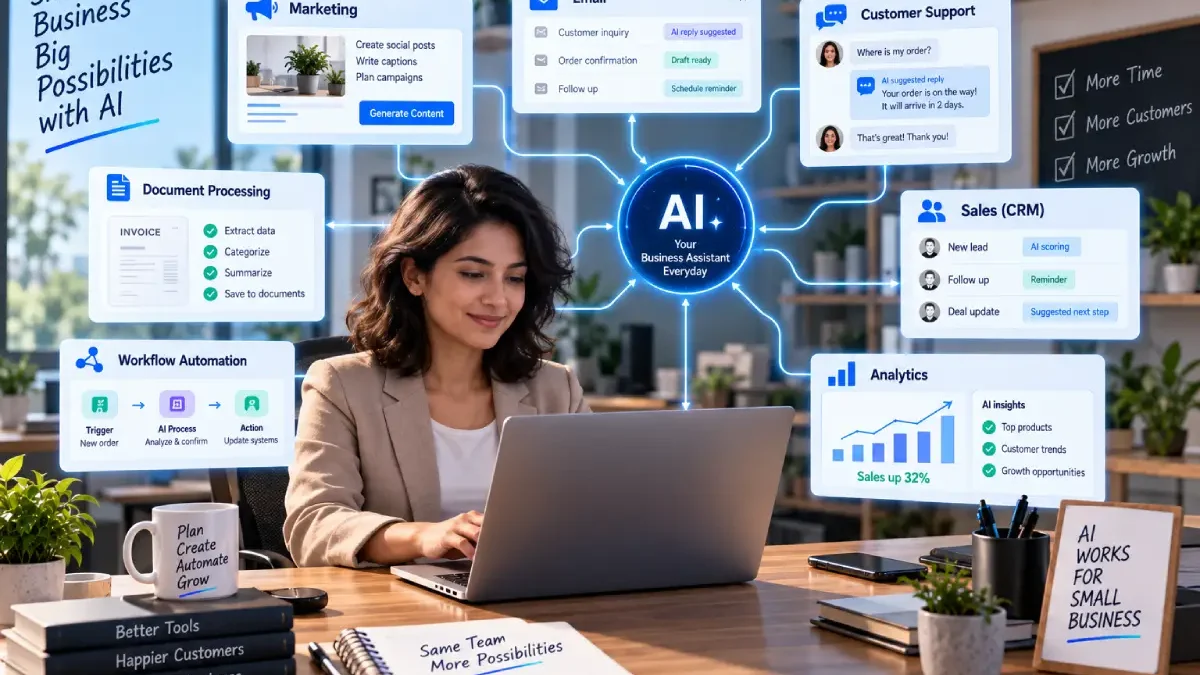
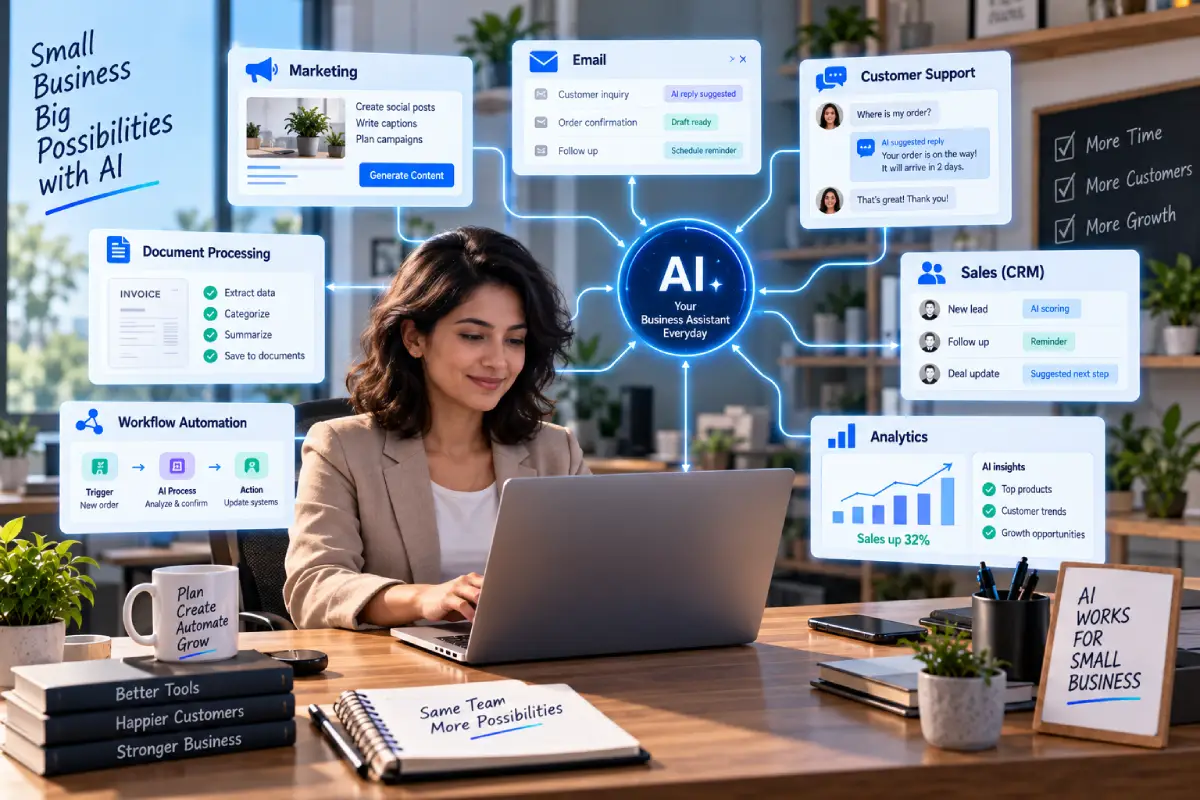
Artificial intelligence is no longer only available to big tech. Small companies are using artificial intelligence enabled software to take over the small stuff in their day to day operations, like writing, customer service, marketing, research, admin, data handling, or workflow automation.
However, implementing AI is not as easy as getting the most popular AI tool.
A small business needs to ask a more useful question:
Where can AI meet a real business problem without introducing unwanted cost, complication or risk?
It‘s just an example (from one company) of how AI could be used: drafting customer emails, categorising leads, summarising meetings, generating marketing documents, automating mundane admin. tasks etc.
Current business data indicates that AI uptakeis increasing, but uneven across companies of different sizes and industries. Based on the May 2026 data from the U.S. Census Bureau, the overall rate for business AI usewas 20 percent or so, whereas the proportion was much lower forn firms with fewer than 20 employees.
That means there is still quite a bit of space for SMEs, to try new ideas out, learn what is applicable to their business and therefore apply them.
Here is a user friendly one-stop guide to AI for small business that defines AI, outlines its benefits, low-cost solutions, automation opportunities, marketing and customer service applications, risks and how to get started.
Table of Contents
What Is AI for Small Business?
AI for small business refers to utilizing AI tools and applications for business purposes.
These systems can assist with tasks such as:
- THE WRITING AND EDITING (MARKDRAFT)
- Customer communication
- Marketing
- Research
- Data analysis
- Scheduling
- Sales
- Document processing
- Workflow automation
- Customer support
- Internal administration
Some tools are generic AI assistants and some are targeted at a specific business function.
Or, an enterprise could employ an AI assistant to compose an email, or a customer service solution could utilize an AI to respond to frequently asked questions or direct support requests.
What is important here is that AI is a capability rather than a thing in itself.
In general, the strongest outcomes tend to be derived when using AI on a well-specified problem.
Why Should Small Businesses Use AI?
Small business usually have a smaller number of staff and operate on a much more limited budget than a larger organizations.
A business owner may simultaneously handle:
- Sales
- Marketing
- Customer service
- Administration
- Finance
- Operations
Artificial intelligence (AI) can be helpful in minimizing part of those mundane tasks.
Potential benefits include:
Saving Time
It can aid in things like tedious draft creation, summarising, classifying and data-processing.
Faster Work
Using the AI, workers are able to make an initial draft, arrange data and process standard documents at a faster rate.
Better Customer Response
Support tools with AI can take care of the usual questions and assist employees to be more consistent in the way they respond.
Lower Administrative Workload
Automating routine tasks: tasks which involve regular data entry, repetitive follow up.
More Accessible Business Intelligence
AI has the ability to assists businesses in analysing the data and to consolidate data from large bodies of information into comprehensible summaries.
By itself, however, AI does not bring about efficiency. Bad processes implemented using AI will only shift a problem to a different part of the business.
Best AI Use Cases for Small Businesses
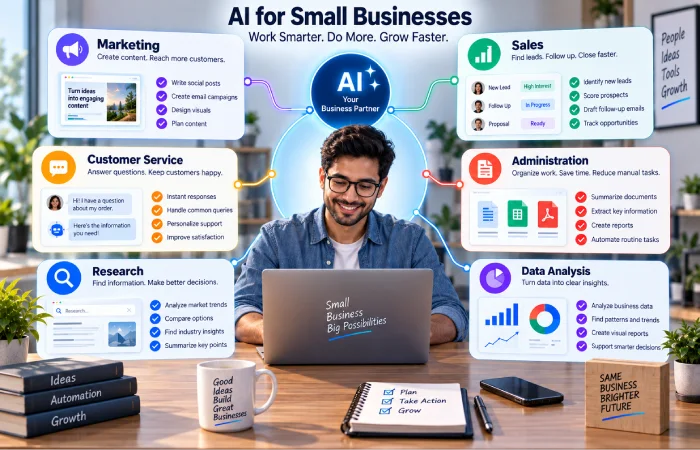
Small businesses ought to look into applications in which there is a transparent advantage.
Content Creation
AI can help create:
- Blog outlines
- Product descriptions
- Email drafts
- Social media ideas.
- Ad copy
- Video scripts
- Internal documents
Still requires human review due to accuracy, tone of voice and originality.
Research and Summarisation
AI can help summarise:
- Customer feedback
- Meeting notes
- Reports
- Long documents
- Research material
- Internal information
This means that it saves time for workers who needs to comprehend long documents or large chunks of text.
Sales
AI can assist with:
- Lead classification
- Draft of the Sales Email
- Customer research
- Follow-up reminders
- How is the data stored in CRM?
Administration
Businesses can use AI to help process:
- Forms
- Emails
- Documents
- Meeting notes
- Routine reports
Customer Service
An AI can answer frequently asked questions, recognize the customers intention and pass more complex queries on to human agents.
Data Analysis
AI can analyze business data and possible generate reports, identify trends, and highlighted areas for future examination.
The importance is using AI when the task is repetitive, data rich, time intensive
Best AI Tools for Small Business
There is not a “best” AI tool for each business.
The right choice depends on:
- Business size
- Industry
- Existing software
- Budget
- Employee skills
- Data sensitivity
- Use case19. Specificuse case.
Many small businesses can begin with AI capabilities built into their existing software package.
Examples include how Google Workspace now has Gemini features included in Gmail, Docs, Sheets, and Meet, and AI powered workflow solutions can be found in Workspace Studio. Google also says it does not use company data to train AI models for advertising or model training generally within the context of its Workspace business offering.
Similar to what we are seeing from Google and others, Microsoft is embedding its Copilot agent into its existing products, including Word, Excel, PowerPoint, and Outlook, as well as offering agents and automation within the broader Microsoft 365 suite of business products.
This leads to an important buying principle:
Look at what AI functionality your current business software already has before you buy new.
Next: Best AI Tools for Small Business
How Small Businesses Can Use AI
The best way of learning about AI is through real-world business applications.
Example 1: Local Service Business
A service business takes in customer enquiries via email.
AI can:
Process enquiry -> classify service needed -> classify priority level -> draft reply -> setup task for follow-up
The person can then examine the response before it‘s sent.
Example 2: Online Retailer
An ecommerce firm gets asked product related questions.
AI can:
Read question→identify product→ Refer to approved list of facts→ construct answer.
A more complex system will be able to pass unusual questions to a human.
Example 3: Professional Services Firm
A small consulting company will attend a number of client meetings each week.
AI can:
Transcribe meeting. Summarise discussion. Pull action items. Populate task list.
The consultant still checks the summary before picking it up.
It can be inferred from the above cases that the application of AI may not substitute human beings at all.
This could just take time away from the employee.
Next: How Small Businesses Can Use AI
Affordable AI Solutions for Small Business
There is no need to spend vast amounts of cash on technology.
Begin with tasks which are high in frequency and low in risk.
Good starting points include:
- Email drafting
- Meeting summaries
- Content outlines
- Customer FAQ responses
- Document summarisation
- Basic data analysis
- Appointment support
- Basic workflow automation
Determine the value of the software prior to purchase.
For example:
5 hours saved per week × hourly wage per employee × 52 weeks
This can be used to provide you with an approximate figure for the time you are saving per year value.
This doesn‘t imply that all the saved time translates into immediate profit. In reality, the employees may channel it to higher-valued activities instead.
Nevertheless it gives a way of comparison between costs of AI and benefits.
Also consider the total cost of ownership:
- Subscription
- Usage fees
- AI credits
- Integration
- Training
- Maintenance
- Human review
Next: Affordable AI Solutions for Small Business
AI for Small Business Marketing
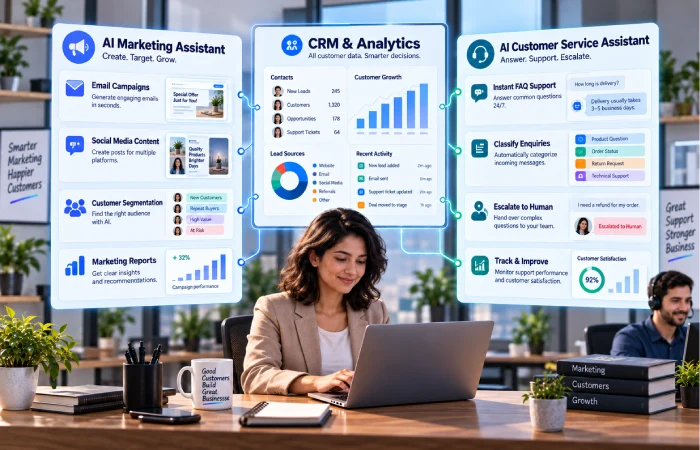
Marketing is probably the easiest area in which AI is being integrated.
AI can help with:
- Content ideas
- Campaign briefs
- Social posts
- Email drafts
- Search optimisation
- Customer segmentation
- Ad variations
- Content repurposing
- Marketing reporting
For example:
Product details > AI drafted campaign > Marketer edits > final content approved and published
Google sells Gemini for business use cases such as campaign briefs, presentations, marketing copy and automation workflows.
A significant drawback is that AI marketing still requires human discretion.
AI may produce content that is:
- Generic
- Factually incorrect
- Off-brand
- Repetitive
- Too much like things readily available online
Automate in AI to speed up production, but not to do away with editing, the need for editorial judgment still stands.
Next: AI Marketing Tools for Small Business
AI Customer Service for Small Business
Customer service is another effective Ai use case.
An AI customer-service system can help with:
- Common Questions
- Product information
- Order questions
- Appointment information
- Basic troubleshooting
- Ticket classification
- Conversation summaries
A simple workflow might be:
Customer message > AI detects intent > accepted response presented > complicated issue to human agent
This is very useful for small teams in order to reply faster than waiting for a human being to answer the same question dozens of times.
Nevertheless, customer services AI must have certain boundaries.
It should know when to:
Stop → escalate → call out to human
This becomes particularly significant when customer anger is present, complexity and sensitivity are factors, confidential information is involved, and when financial implications are a concern.
Next: AI Customer Service for Small Business
AI Automation Ideas for Small Business
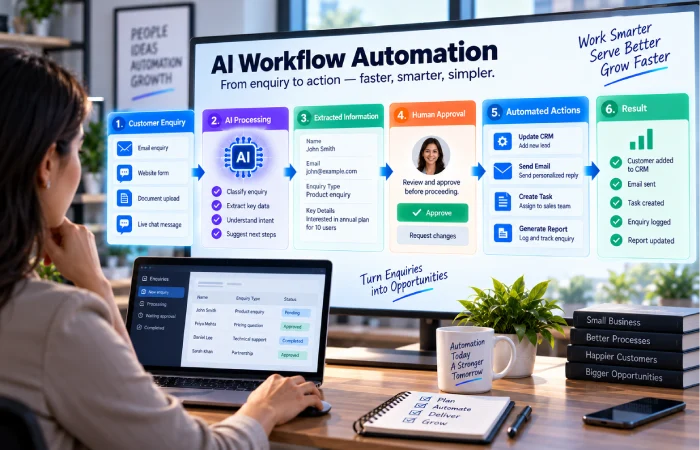
It is in areas like automation that AI can be most helpful.
Take a look at recurring processes.
Lead Management
A new enquiry comes in –> categorised by the AI –> creates a CRM task –> notification is sent to a user –> a task for follow-up:
Email Management
Approach in high street bank when an email arrives to the salesperson, the AI first classifies it then sends it to its right folder, thus the salesperson can choose to draft a reply accordingly.
Document Processing
Document loaded→information extracted→category identified→system updated
Meeting Management
Meeting notes to summary to action items to task creation.
Reporting
Business data AI summarization exceptions flagged report generated.
Marketing
Campaign data→ analysis→ summary→ notify the team
Basic automation will suffice when things are obvious.
AI is needed when the system has to understand text, pictures, documents or any other less-structured data.
Next: AI Automation Ideas for Small Business
Should Small Businesses Automate Everything?
No.
The biggest mistake a project management can make is to expect that all things should be automated.
A good candidate for AI automation is usually:
- Repetitive
- High-volume
- Digital
- Time-consuming
- Relatively low-risk
- Easily quantifiable
A poor candidate may involve:
- Sensitive decisions
- Complex judgement
- Unclear rules
- The total effect of such changes was estimated to be between $6.5 and $8.5 billion a year in terms of the benefits
- Legal consequences
- Significant reputational risk
For important workflows, a human-in-the-loop approach is often safer:
AI prepares –(human reviews)–> (system performs)
Once the process becomes stable enough, more low-risk steps can be automated further.
AI Adoption Challenges for Small Businesses
The hardest bit is very rarely the technology.
This is the implementation.
Research by the OECD in 2026 about SMEs identifies skills, time, maintenance costs, concerns about security and uncertainty about the implementation of AI.
Common challenges include:
Lack of Skills
Employees might require training on using AI.
Data Privacy
Companies need to know what data they are sending to AI.
Accuracy
AI may produce plausible-but-false outputs.
Cost Control
The usage based pricing model can be scaled up with increased adoption of the application or service.
Integration
New AI applications do not always run as they should on existing software.
Employee Adoption
A technically sound systemcan fail if not established or not trusted by the employees.
It seems most practical and sensible that we don‘t adopt the changes company-wide immediately, but on a step-by-step basis.
Privacy and Security When Using AI
In terms of the data they are feeding into AI systems, small businesses also need to be thoughtful.
Before uploading business data, understand:
- The data the tool takes as input
- In the areas where data is being processed,
- The length of time that it is stored.
- Who can have it?
- if used for the training of the models
- What controls is there over the administration?
- What occurs if an employee resigns
Do not put sensitive data into an AI service if you do not understand its security and privacy controls.
Sensitive categories may include:
- Owner‘s customer personal data)Customer data including name, address and national insurance number of the customers, except for any information about the FPA, UK manager, other employees and the owner that are kept at the firm‘s offices solely for business use.
- Financial information
- Passwords
- Confidential contracts
- Trade secrets
- Information about employees of private businesses
When confidential information is being processed, you should ensure that business-class tools are being used and that sufficient access controls are in place.
How to Start Using AI in a Small Business
No sophisticated AI strategy needed on the first day.
Use easy way.
1. List Repetitive Tasks
Painstakingly discover from your employees what they have to repetitively accomplish week after week.
2. Identify Time-Consuming Work
Identify tasks that take up a lot of time but add comparatively little value.
3. Choose One Use Case
Choose a task with an identified result.
4. Test With a Small Group
Begin by focusing on one employee or on a single team.
5. Measure the Result
Track:
- Time saved
- Cost
- Error rate
- Time to get back to the customer: How fast we come back with our solutions? In the end, responsiveness might be one of the most important qualities of great customer service. Customers expect quick replies to their demands and time to get back to that demanding customer.
- Employee satisfaction
- Output quality
6. Improve the Workflow
Realized changes, rules, approval processes and integrations.
7. Scale Carefully
Only add to after the workflow has been proven feasible.
This is a method that limits inefficiency and makes it easy to determine which approaches are effective.
Build an AI Policy for Your Business
AI Rules: While a small business can use simple rules of AI to their advantage.
An internal AI policy can explain:
- What AI devices employees can use.
- What details should not be entered
- Human review, as needed
- How the content created by AI should be checked.
- Final decisions who is to blame:
- The management of customer data: How to be professional with customer data.
It is not necessary to have complex policy.
It is about clarifying expectations.
Common AI Mistakes Small Businesses Should Avoid
Buying Too Many Tools
Begin with one or two high-value use cases.
Using AI Without a Goal
Technology has to be the solution for an actual business problem.
Ignoring Existing Software
AI capabilities may be available in the tools that you currently have.
Trusting AI Without Review
The crucial outputs need to be reviewed.
Automating High-Risk Decisions
Maintain human control when errors might be expensive.
Ignoring Data Security
Do not push private information to tools you do not understand.
Measuring Only Activity
More AI content generation does not automatically translate to success.
What are the key results? Examples include: Time saved, money generated, customer acceptance, quality or efficiency in operation.
Frequently Asked Questions
How can small businesses use AI?
Reliance on AI can be in various parts of its operation such as marketing, customer service, selling, administration, research, content generation, data analysis and optimization of workflows.
What are the best AI tools for small business?
Choosing the right tool is specific to the task in hand and software already in place. Look first at AI capabilities already embedded within your productivity, CRM, marketing, accounting or communication suites.
Is AI expensive for a small business?
This does not have to be the case. Utilize free or low cost options where it makes sense, but be mindful of subscription fees, usage costs, integrations and training.
Can AI replace small-business employees?
Certain tasks can be automated, assisted or performed by AI; the key to effective use in many cases is where employees are leveraging AI as a tool to be productive, not to eliminate whole roles.
Is AI safe for business data?
Security relies upon the tool, settings, controls over data and security, etc. Companies must be familiar with the company‘s policy over how data is dealt with, access, retention and training before sending sensitive data over.
Can AI automate customer service?
Certainly. AI can respond to frequent queries, identify the nature of requests, distil conversations and escalate difficult enquiries to people.
How should a small business start using AI?
Begin with one repetitive, measurable, relatively simple task. Automate it, measure the results, optimize the workflow then add on.
Does every small business need AI?
No. It is helpful when a “real” problem is solved using AI. Just because the “manually implemented method is too complicated” there is no point making the AI even more complex.
A Simple AI Strategy for Small Business
A practical strategy can be summarised in five steps:
The aim is to do the first step [Finding], then test [Test] the concept, measure [ Measure] it to give every iteration a value, improve it [ Improve], then take the best concept found and then make a scaled[ Scale] model that can be used for a real test.
Find
Locate monotonous or time consuming work.
Test
Use AI on one, well-defined problem.
Measure
Analyse the time, cost, quality and business outcome in the ‘before’ and ‘after’ scenarios.
Improve
Correct the errors, improve the workflow, and introduce adequate human check.
Scale
Only expand, where the process reasonably produces the value, just only.
This is a far safer way to take on AI than jumping in because the other guys are doing it.
Final Thoughts
AI for small business needs to be focused on practical benefit rather than technology for the sake of technology.
The strongest opportunities are usually found in everyday work:
- Marketing content
- Customer enquiries
- Lead management
- Document processing
- Reporting
- Research
- Administrative tasks
- Repetitive workflows
You don‘t need to have an entire company automated in order to experience an advantage from AI.
Begin with a process that takes time, try a suitable tool, measure the output and refine it.
Also don‘t forget AI does have a downside.
- It can make errors.
- It may give false information.
- It can raise issues related to privacy and security.
- It might have an implication of extra cost as the consumption increases.
And even the best automated process may fail if the business process underneath is not well implemented.
That is why the most practical approach is:
Human knowledge + AI help + reasonable automation
Help people work faster using AI; make use of it to carry out routine tasks and to better utilize information but keep people involved if judgement, responsibility or customer trust is at stake.
To gain more advice please carry on with our guides, these include ‘Best AI tools for small business’, ‘How to use AI in your small business’, ‘Low cost AI solutions’, ‘AI marketing tools’, ‘AI customer service’ and ‘AI automation ideas for small business’.
