
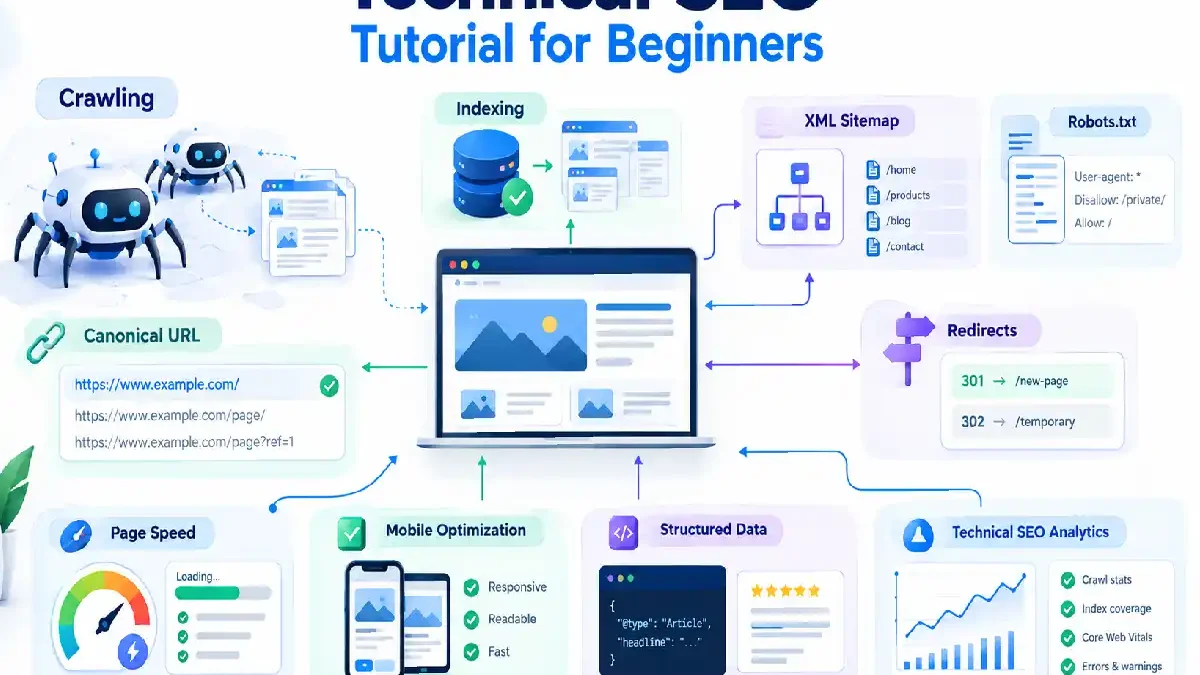

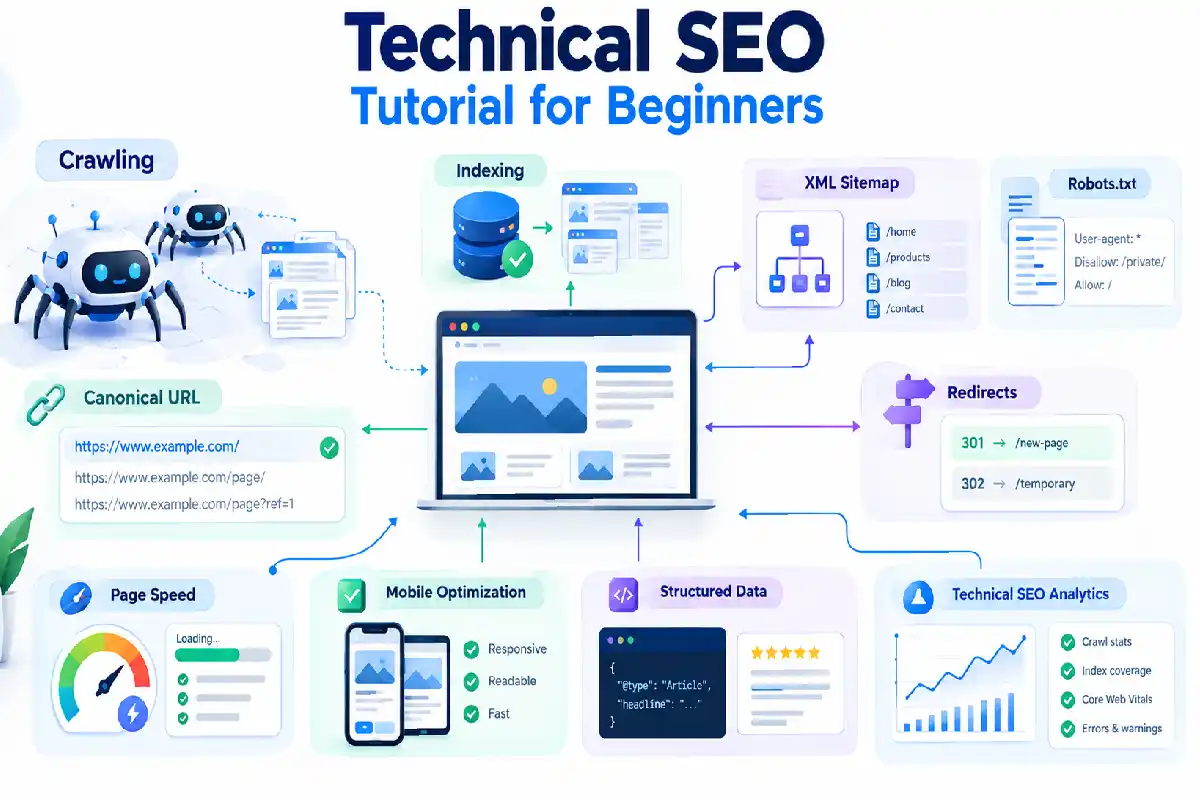


Technical SEO Tutorial for Beginners – The initial obstacle is what people call as the “technical SEO” which can be complicated and technical when you have just begun learning seo.
What about these term that just sound more like high-end programming terminology: crawling, indexing, canonical URLs, XML sitemaps, the robots.txt file, structured data.
You are aware.
Technical SEO is still primarily for the delight of search engines in making your site accessible (crawled, indexed etc.) and easily understood, but also in providing a user friendly website.
In this technical SEO tutorial, you will discover the main technical areas a beginner should get to grips with and the most basic checks you can carry out on a website.
Table of Contents
What Is Technical SEO?
Technical SEO Technical SEO concerns the technical framework of a site and how easy it is for search engines to access it.
There are conditions which could effect how search engines discover and crawl your pages.
Common technical SEO tasks include:
- Checking crawling and indexing
- Managing XML sitemaps
- Reviewing robots.txt
- Using canonical URLs
- Fixing broken links
- Managing redirects
- Improving page performance
- Making websites mobile-friendly
- Adding structured data
- Checking technical errors
This is not something difficult and complicated web site.
We want to create a site that is very user friendly and understandable by everyone, it has to be fast enough for all users and technically perfect in the way it is designed.
Why Is Technical SEO Important?
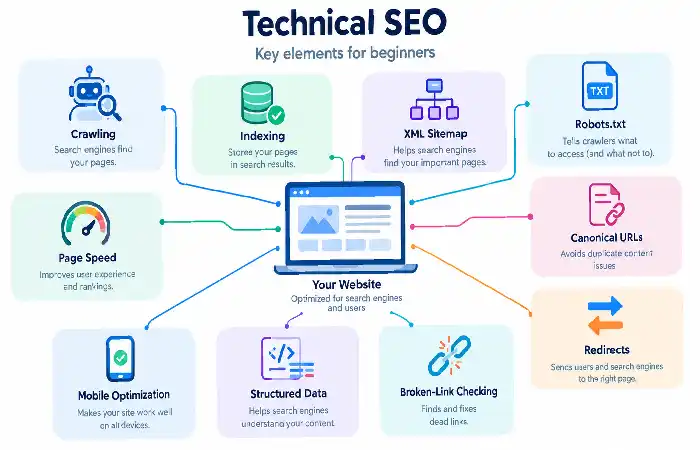
It is not uncommon for a website to contain lots of good content, but due to technological issues some of its more important pages may still not be crawled or understood.
For instance, a page may be blocked from crawling, inadvertently set noindex, or have a bad redirect.
Technical SEO will help you identify these problems.
For example a page can be blocked, set noindex by mistake, or have a poor redirect.
A simple way to think about it is:
Search engine friendly (or Technical SEO) allows search engines to crawl the page, hence ensuring good ranking.
Crawling and Indexing
These are the two most vital concepts in technical SEO.
What Is Crawling?
Crawling Crawling is how search engine spider’ discovers web pages.
A crawler can discover pages through:
- Internal links
- External links
- XML sitemaps
- Previously known URLs
The website should be easy to navigate with a clear logical structure that enables users to find key areas.
What Is Indexing?
The storing of information about a page in the index is called indexing.
Page normally needs to be indexed to be returned in the rank organic search.
Having been indexed does not mean that a journal is ranked highly.
It is possible that a page still appears in the index and has no search traffic or ranks very badly.
How to Check Indexing Problems
You can also use tools like Google Search Console to see if the more important pages of a website are getting indexed.
Look for issues such as:
- Pages that are not indexed
- Pages excluded unexpectedly
- Crawl-related errors
- Duplicate or canonical problems
- Pages blocked by technical settings
Start by viewing the key pages you would like to be visible.
XML Sitemap Tutorial
An XML sitemap is a file that contains information about the pages, videos and other files on your site, as well as the relationships between them.
Are nice for search engines to index pages, if you have a big or complex site this can be very helpful.
A typical sitemap URL may look like:
https://example.com/sitemap.xml
Having a sitemap is no guarantee that every URL is included.
It is more accurate to see it as good news of discovery.
What Should Be in an XML Sitemap?
A sitemap is usually a list of the URLs that you want search engines to look at.
Avoid including URLs that are:
- Broken
- Redirected
- Blocked from crawling
- Marked as not indexable
- Unimportant or duplicate versions
Keep your sitemap accurate and current as your website evolves.
Robots.txt Tutorial
The robots.txt protocol provides instructions to crawlers about What parts of a website they are allowed to visit.
It is normally found at:
https://example.com/robots.txt
For example, using a robots.txt file, a website can block a crawler from some administration pages.
However, the use of robots.txt must be done with great care.
Common Robots.txt Mistake
One major error that can easily happen is mistakenly blocking the critical pages or sections of a website.
Always make sure of the semantics of the rules before making any change to robots.txt.
Additionally, keep in mind that the act of preventing crawling is by no means equivalent to removing a URL from the search (e.g., in the case of Google ).
Always test your settings for technical SEO.
Canonical URLs
Canonical URL: Commands search engines on the canonical, authoritative URL among several URLs showing similar or duplicate content.
For instance, a website may have multiple different URL versions that all point to similar content.
A canonical tag can also indicate which is the preferred.
Canonicalization is useful when you have:
- Duplicate pages
- URL parameters
- Similar product URLs
- Multiple versions of a page
- Tracking parameters
Canonical links must lead to sensible URLs which are openly indexable.
Don‘t rely on canonicals as the default fix for all things technical SEO.
URL Structure
Good URLs help people understand a pages.
For example:
Better:
/technical-seo-tutorial/
Less useful:
/page?id=38291
A useful URL should be:
- Descriptive
- Reasonably short
- Easy to understand
- Consistent with the website structure
HTML says don‘t put “Stuff” in the URL.
Changing URLs also has to be carried out carefully as existing URLs may have backlinks, some search engine ranking and traffic.
Page Speed and Core Web Vitals
The importance of website performance for users and SEO.
Slow page can result in a poor user experience, this particularly applies on mobiles and over slower connections.
Essential Web Indicators are a user-centric performance measurement to evaluate key facets of page experience.
They include measurements related to:
- Loading performance
- Responsiveness
- Visual stability
Improving performance can involve:
- Compressing images
- Reducing unnecessary scripts
- Improving server response times
- Using browser caching
- Removing unnecessary page elements
- Optimizing fonts and other resources
Performance should not beoptimized.
Use real data of performance to see what the major issues are.
Mobile-Friendly SEO
Your website is accessed by a lot of mobile devices. Machine types opened to visitors include… This means that your website should be optimized for small form factor devices.
Check that:
- Text is easy to read
- Buttons are easy to tap
- Navigation works properly
- Images fit the screen
- Important content is available on mobile
- Pages do not require awkward horizontal scrolling
User standpoint, a mobile-friendly site must offer the same information and functionalities as would the same site on the PC.
Structured Data Basics
Structured data is a standardized format for providing information about a page and classifying the page content.
It can be useful for helping search engines better understood entities and page types.
Depending on the content, structured data may describe things such as:
- Articles
- Products
- Events
- Organizations
- Recipes
- Reviews
- FAQs
Improved search features may not necessarily be seen with the addition of structured data.
On a separate note, the markup should also represent the content of the page well.
Do not populate structured data fields just for the sake of trying to show up better in the search listings.
Broken Links
The there are links that do not work to the resourse it self 404 error.
For example, an internal link can direct to a URL that has been removed.
Common causes include:
- Deleted pages
- Changed URLs
- Incorrect links
- Website migrations
- Expired content
Monitor critical internal links frequently and repair any broken links.
This enhances the browsing experience and helps users know where they are heading to.
Redirects
A redirect is a feature that passes visitors and crawlers from one url to another.
The concept of redirects is especially relevant when a page has been moved permanently.
For example:
/old-page/ → /new-page/
A typical permanent redirection would be a 301 redirect.
Be cautious in using redirects when doing website redesigns, URL transitions, or migrations.
Avoid creating long chains such as:
A → B → C → D
As much as possible, reuse the old URL by redirecting to the ultimate location.
HTTPS and Website Security
HTTPS is a protection for the connection from user‘s own browser to the website.
A “secure” website should be indicated by HTTPS all the time.
Check that:
- Important pages load over HTTPS
- HTTP versions redirect correctly
- Internal links use the correct HTTPS URLs
- There are no major mixed-content problems
Website security can be wider than SEO, but a secure website set up correctly is an important technical facet.
Internal Linking and Site Structure
Internal links are links that point to other pages hosted within the same website.
They assist users in navigating easily from one related topic to another and also help search engines to find pages.
A good website structure might look like:
Pillar Page → Cluster Page → Supporting Content
For example:
Search Engine Optimization Tutorials
↓
Technical SEO Tutorial
↓
XML Sitemap Guide
Use descriptive links and naturally connect all related pages.
Pages should not be left completely isolated from the rest of the website.
You can also read our On-Page SEO Tutorial to learn more about internal linking and other page-level optimization techniques.
Technical SEO Checklist
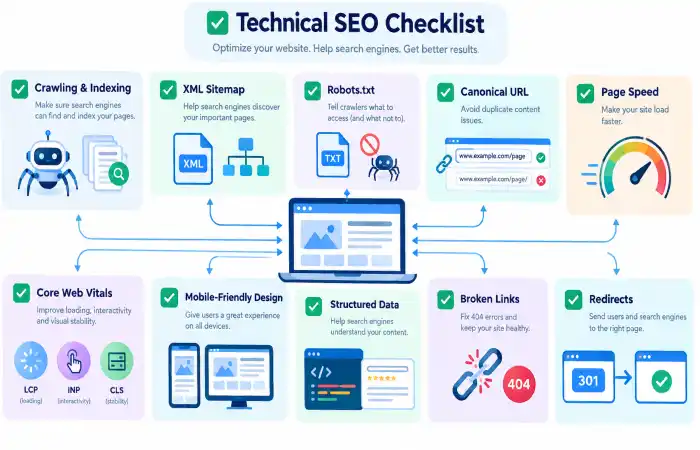
But now, just use this checklist while you look at websites.
Crawling and Indexing
- Check that important pages can be crawled.
- Look for unexpected indexing problems.
- Review Search Console coverage and indexing reports.
- Make sure important pages are linked internally.
Sitemap
- Create an XML sitemap.
- Include important, indexable URLs.
- Remove broken and redirected URLs.
- Keep the sitemap updated.
Robots.txt
- Check that important pages are not accidentally blocked.
- Review disallow rules carefully.
- Make sure the file is accessible.
URLs and Canonicals
- Use descriptive URLs.
- Review duplicate URL versions.
- Use canonical URLs where appropriate.
- Redirect old URLs when pages move.
Performance
- Check page loading performance.
- Review Core Web Vitals.
- Compress large images.
- Reduce unnecessary scripts and resources.
Mobile
- Test important pages on mobile devices.
- Check text size and navigation.
- Make sure important content is accessible.
Links
- Find broken internal links.
- Fix incorrect URLs.
- Avoid unnecessary redirect chains.
- Make sure key pages are connected through internal links.
Structured Data
- Add appropriate structured data when useful.
- Make sure markup matches visible page content.
- Validate the implementation.
Common Technical SEO Mistakes
Accidentally Blocking Important Pages
A small robots.txt file or meta robots error can completely exclude pages from crawling or indexing.
Be sure to proofread all changes.
Ignoring Redirects After Changing URLs
Updating a URL without redirecting the old address can result in broken links and an effectively lost user.
Plan is a redirect service for important URL change.
Using Too Many Plugins or Scripts
Adding unnecessary software can increase page size and complexity.
Only keep tools and scripts that provide real value.
Ignoring Mobile Users
A page that works well on a desktop computer may still be difficult to use on a phone.
Test the actual mobile experience.
Creating a Huge Sitemap With Poor URLs
Not all URLs remain created equal.
A sitemap will stand to help discover the relevant pages.
Fixing Technical Issues Without Checking the Cause
Don‘t alter the technical parameters unless a tool is flagging a warning.
Grasp the problem first.
A Simple Technical SEO Process
Beginners can follow this process:
1: Crawl the website and identify technical issues.
2: Check which important pages remain indexed.
3: Review robots.txt.
4: Check the XML sitemap.
5: Review canonical URLs.
6: Find broken links and redirect problems.
7: Check mobile usability.
8: Review page performance and Core Web Vitals.
9: Check structured data where relevant.
10: Monitor changes using SEO tools and Search Console.
You do not have to fix everything at once.
Identify issues that impact key pages or hinder user and search engine access to content.
Technical SEO Tools for Beginners
Several tools can help with technical SEO.
Google Search Console
Can remain used to track indexing/search performance, page problems, and technical reports.
Continue with our Google Search Console Tutorial.
Google PageSpeed Insights
Helpful in monitoring page load performance and finding ways to optimize page load times and responsiveness.
Screaming Frog
A site crawler possible to catch such technical issues as redirects, duplicate titles, broken links etc.
Ahrefs and Semrush
These offer more comprehensive SEO tools and can also remain used to find website / technical problems.
You‘ll not need every tool possible. Just select tools according to the size and requirements of your website.
Final Thoughts
The Technical SEO is what remain needed in order to allow a website to remain crawlable, indexable, and understandable, to both search engines and humans:.
Understand the basics first: crawling, indexing, XML sitemaps, robots.txt, canonical URLs, redirections, mobile usability, page speed, and structured data.
You don‘t have to become a developer to learn technical SEO.
Use the most appropriate model (1), learn one area then move on, identify the problem real rather than imagined, implement controlled changes and then check the effects.
So when the technical aspect remain sorted out, it becomes far easier to concentrate on content, keywords and link building.
Continue the complete series through Search Engine Optimization Tutorials.
