

Last Updated: July 15, 2026
Table of Contents
Introduction – Cloud Storage Services
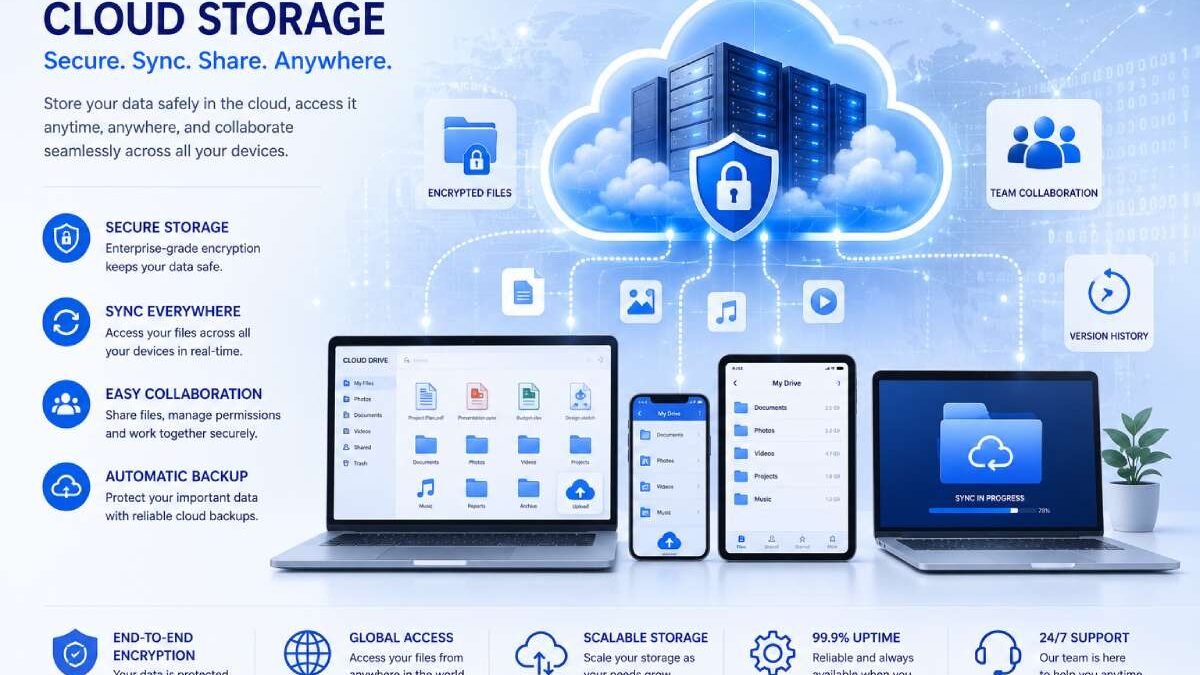
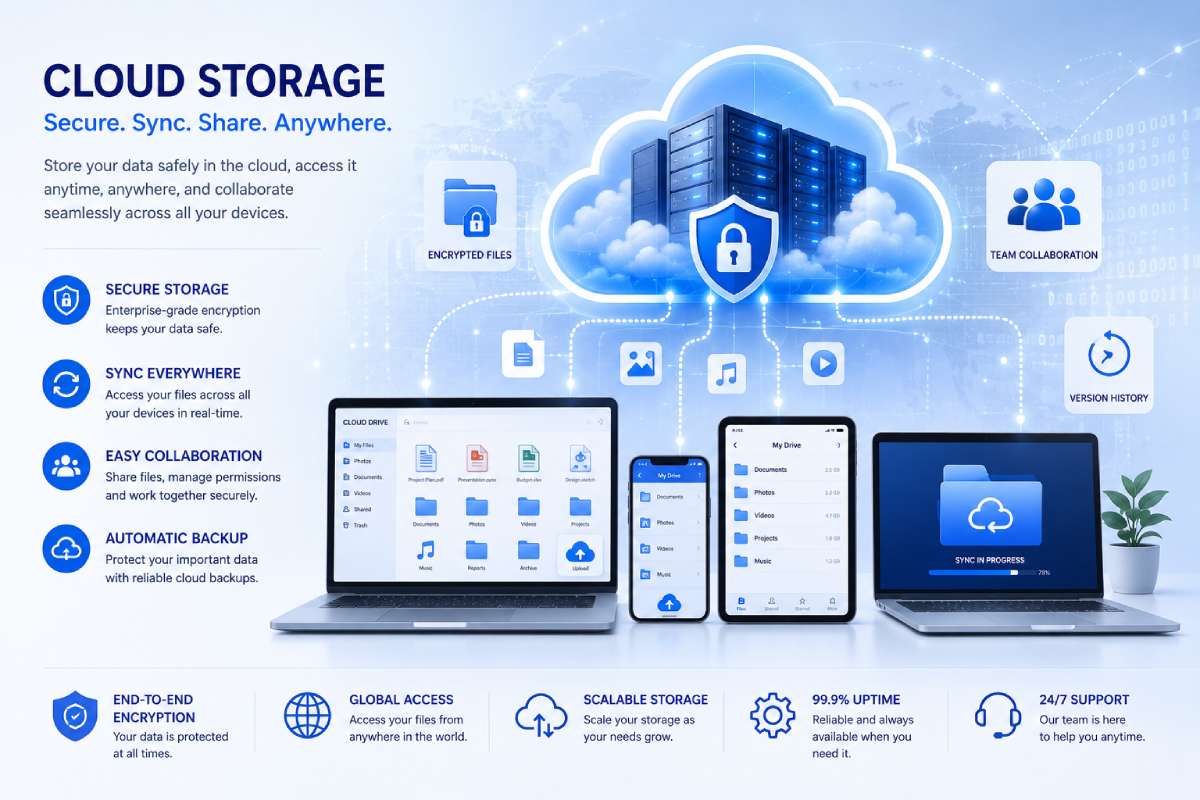
Cloud storage services. Cloud storage services have gained popularity in recent years for their ability to store files for both individuals and business users to draw on from any web-enabled computer whether they are back up files; sharing information remotely; or storing large amounts of company data.
Unlike [normal] storage, [cloud storage] means you don‘t have to keep a set of physical servers or external hard disks. The files are safely stored in data centers which are run by cloud providers and can be accessed from [almost any] connected device.
Nowadays, cloud storage is being more than storing files. State of the art tools can also provide system backups, real-time sharing and collaboration, file history, disaster recovery, file synchronization and more complex security policies. As more and more companies move towards digital transformation selecting a proper cloud storage solution becomes a strategic business decision.
This guide tells you how cloud storage works, discusses several types of cloud storage, the advantages it offers, and helps you compare the top providers of cloud storage.
TECH HUB
This Article Is Part of the Future Tech Trends Hub
Explore AI trends, future innovations, next-generation computing, smart technologies, digital transformation, automation, robotics, emerging devices, and technology predictions shaping tomorrow inside our
Future Tech Trends Hub.
What Are Cloud Storage Services?
Cloud storage services allow users to store digital data on remote servers instead of local devices such as hard drives or USB drives.
The storage infrastructure is managed by a cloud provider, while users access their files through:
- Web browsers
- Desktop applications
- Mobile apps
- APIs
Files are stored securely in professionally managed data centers and are synchronized across connected devices.
Cloud storage can be used for:
- Documents
- Photos
- Videos
- Databases
- Application files
- System backups
- Business records
This flexibility makes cloud storage suitable for both personal and enterprise use.
How Cloud Storage Works
Cloud storage is based on clouds distributed data centers by the provider.
When you upload a file:
- The file is sent securely over the internet.
- Is stored across one or more server.
- With respect to the server: redundancy, maintenance, and hardware failures are all handled by the provider.
- Access the file from anywhere even by another authorized device.
Most providers also have the ability to synchronize changes automatically. This means that the most recent version of a file is available across all your devices.
Improving accessiblility and security of data..
Types of Cloud Storage
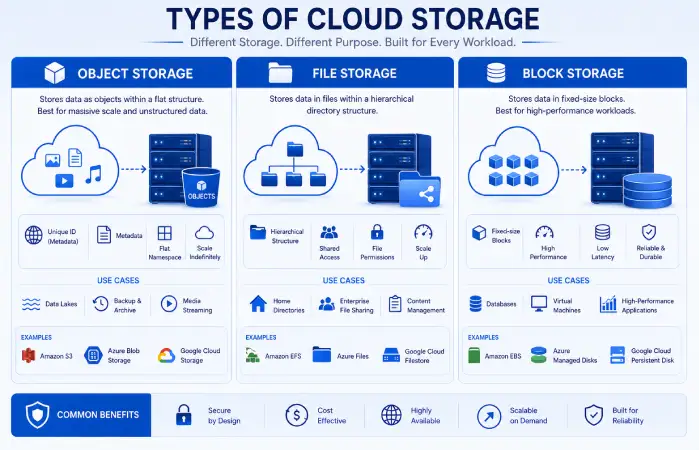
Different storage models are optimized for different types of workloads.
Object Storage
Object storage the place to store the files stored as objects with metadata.
It is commonly used for:
- Images
- Videos
- Website content
- Application data
- Data lakes
Object storage is extremely scalable and is the most suitable for extremely large quantities of unstructured data.
File Storage
The storage of files–files are stored onto your Hard Drive or memory stick etc. by being stored in folders/directories; this method of storage will be familiar to most users.
It is commonly used for:
- Office documents
- Team collaboration
- Joint project files.
- Personal file storage
This approach is also used by most of the consumer-based cloud storage services.
Block Storage
Block storage organized data in a way that it is low-granular, dividing data into blocks, which is three-dimensional set of data in one or more blocks and is suited for high-performance workloads.
It is typically used for:
- Virtual machines
- Enterprise databases
- High-performance applications
Recommended for enterprises that need low-latency storage is block storage.
Benefits of Cloud Storage Services
The benefits of cloud storage include:
Anywhere Access
Files can be accessed from:
- Desktop computers
- Laptops
- Smartphones
- Tablets
Leads to the ability of mobile technologies to support telecommuting and multi-site workforces.
Scalability
You can expand or contract your storage capacity as necessary without having to purchase additional hardware.
All costs are treated as variable costs. For a rapidly expanding firm, cloud storage can be a very cheap form of storage.
Automatic Backup
Many cloud storage services automatically back up files, helping protect against:
- Hardware failure
- Accidental deletion
- Device loss
- Ransomware attacks
Regular backups result in better business continuity and disaster recovery.
Real-Time Collaboration
Contemporary cloud setups enable several individuals to co-operatively work with common documents.
Common collaboration features include:
- File sharing
- Permission controls
- Version history
- Commenting
- Real-time editing
These features enhance the productivity of remote teams.
Cost Savings
Cloud storage reduces the need for:
- Hardware designed for storage. This includes reading and writing components such as those on disks and tape drives.
- Server maintenance
- Data center infrastructure
- Manual backup systems.
Business can move from heavy capital spending to predictable operating costs.
Common Use Cases
Cloud storage Usage spans a wide range of fields.
Personal Storage
Individuals use cloud storage for:
- Photos
- Videos
- Personal documents
- Device backups
Business File Management
Organizations store:
- Contracts
- Financial records
- Project files
- Customer documents
- Marketing assets
Overall benefits A central location for storing the faxes reduces the problems with sharing and managing documents.
Backup and Disaster Recovery
Cloud storage is widely used to create secure backups of:
- Computers
- Servers
- Databases
- Business applications
Now, this enables organizations to restore their information in the shortest period of time in the event of a system crash or cyberattack.
Application Storage
Software developers use cloud storage to manage:
- Application assets
- Logs
- Media files
- Content of static website
- User-generated content
Cloud storage also integrates well with today‘s cloud native applications.
Key Features to Look For
Look for certain features if you are reviewing cloud storage applications that might suit one person or one business better than others.
Important features include:
- Autosynchronisation en ofiles
- Cross-platform compatibility
- Secure file sharing.
- Version history
- End-to-end encryption or encryption at rest
- Multi-factor authentication
- Storage scalability
- Offline access
- Mobile applications
- Collaboration tools
Choosing a service that offers the feature set you need can increase your productivity, all while maintaining the privacy and security of your data.
Personal vs Business Cloud Storage
Despite the fact that many providers are suitable for the two sectors, the business cloud storage offers extra features.
| Feature | Personal Storage | Business Storage |
| File Backup | ✓ | ✓ |
| File Sharing | ✓ | ✓ |
| Team Collaboration | Limited | Advanced |
| User Management | No | Yes |
| Access Controls | Basic | Advanced |
| Compliance Features | Limited | Yes |
| Administrative Dashboard | No | Yes |
When choosing a cloud storage platform, they should focus on security, compliance, user administration and collaboration tools.
Top Cloud Storage Service Providers
The choice of cloud file storage service you sign up to will be strongly influenced by how you are intending to use it. Some services are for general file storage and file sharing/collaboration, others are more suited for enterprise solutions with security, bulk storage and application storage foremost.
The best cloud storage services in 2026 can be listed as follows.
Google Drive
Cloud Storage: Google Drive is among the most popular online cloud storage platform, providing a personal cloud, which integrates easily with the Google document productivity tools.
It enables users to save, distribute, and work together on files while using Google Docs, Sheets, Slides, and other Workspace apps.
Key Features
- Automatic file synchronization
- Real-time collaboration
- Version history
- Cross-device access
- Edits to documents: You can use built-in the document editing tools such as page numbering, headers and footers, tables, etc.
- Team shared drives
Advantages
- Simple to use
- Auchuch great collaboration tools
- Strong Google Workspace integration
- Available on Windows, macOS, Android and iOS
Best For
- Students
- Freelancers
- Small businesses
- Remote teams
- Organizations using Google Workspace
Microsoft OneDrive
Cloud Dropbox. Microsoft One Drive is Microsoft‘s file storage service through the cloud. Microsoft 365 is closely integrated with this service.
Documents saved in OneDrive can easily be opened from Word, Excel, PowerPoint, Outlook, and Microsoft Teams.
Key Features
- Automatic backup
- File synchronization
- Version history
- Offline access
- Secure sharing
- Microsoft Office integration
Advantages
- Excellent Windows integration
- Enterprise-grade security
- Facilitates easy document collaboration
- Two robust business productivity features
Best For
- Windows users
- Microsoft 365 customers
- Businesses
- Enterprise organizations
Dropbox
Dropbox was instrumental in bringing cloud file synchronization into the limelight, it is still among the most notable cloud file storage services.
Centers on simplicity, dependable synchronization and sharing.
Key Features
- Smart Sync
- File recovery
- Version history
- Shared folders
- Team collaboration
- Third-party app integrations
Advantages
- Speed of file synchronization
- User-friendly interface
- Consistent POSIX support across diverse platforms
- Powerful collaborative Features
Best For
- Creative professionals
- Small businesses
- Marketing teams
- Project collaboration
Apple iCloud
Apple iCloud is mainly intended for Apple users.
Automatically sync photos, files, messages, contacts and backups with Apple devices.
Key Features
- IPhone and iPad backup.
- iCloud Drive
- Photo synchronization
- Family sharing
- Device backup
- End-to-end encryption using supported data
Advantages
- Excellent Apple integration
- Automatic device backups
- Simple setup
- Seamless synchronization
Best For
- iPhone users
- Mac users
- Customer of the apple ecosystem
Amazon S3
Amazon Simple Storage Service (Amazon S3) offers a reliable, scalable and highly-available object storage.
Amazon S3 wasn‘t designed with the consumer in mind like some of the storage platforms (like ORMedia or Cieri) we have looked at. It‘s targeted toward developers and businesses.
Key Features
- Object storage
- High durability
- Lifecycle management
- Versioning
- Access controls
- Working with AWS services/others: (This was already mentioned in requirement #4!) How do I use the AWS services for s… (i.e. Using AWS to do…)?
Advantages
- Extremely scalable
- Enterprise-grade performance
- Storage class storage classes.
- Strong security controls Specific criteria such as this one, related to the individual and institution: For example, the Commission would define the identification procedures that authorized persons at a financial institution would be required to follow when using the identified telephone equipment.
Best For
- Businesses
- Developers
- Large-scale applications
- Data backup
- Website hosting
Box
Box focuses on secure business cloud storage as well as enterprise collaboration.
Offering more sophisticated administrative controls, audit tools, compliance management and workflow automation, the software is suitable for organizations that deal with sensitive data.
Key Features
- Sync and share documents safely
- Workflow automation
- User management
- Compliance support
- Collaboration tools
- File versioning
Advantages
- Enterprise security
- Violent compliance features
- Enhanced administrative controls
- No difficulty working with the team
Best For
- Large organizations
- Healthcare
- Financial services
- Legal firms
- Government agencies
Cloud Storage Provider Comparison
Below is a table that compares the various top cloud storage services.
| Provider | Best For | Collaboration | Security | Business Features |
| Google Drive | Personal & Teams | Excellent | High | Very Good |
| Microsoft OneDrive | Microsoft Users | Excellent | High | Excellent |
| Dropbox | File Sharing | Excellent | High | Very Good |
| Apple iCloud | Apple Devices | Good | High | Moderate |
| Amazon S3 | Enterprise Storage | Limited | Excellent | Excellent |
| Box | Enterprise Collaboration | Excellent | Excellent | Excellent |
Because each provider caters to different users, which one is best for you depends on your workflow, devices, collaboration needs.
Personal vs Business Cloud Storage
While a large number of providers offer similar storage options, personal and business plans are quite different.
| Feature | Personal Storage | Business Storage |
| File Storage | ✓ | ✓ |
| Device Backup | ✓ | ✓ |
| File Sharing | ✓ | ✓ |
| Team Collaboration | Basic | Advanced |
| User Management | No | Yes |
| Compliance Tools | Limited | Yes |
| Administrative Controls | No | Yes |
| Audit Logs | No | Yes |
Companies processing sensitive data should look for platforms with advanced security, access controls, and compliance features.
Choosing the Right Cloud Storage Service
Different users have different priorities.
Choose Google Drive if you:
- Use Google Workspace
- Need real-time collaboration.
- Work of several devices
Choose Microsoft OneDrive if you:
- Use Microsoft 365
- Work mainly on Windows”
- Opportunity for Office integration, that is, easyit to be integrated
If you choose Dropbox :
- Consistently share large files
- Work with creative teams
- Require dependable file synchronization
Choose Apple iCloud if you:
- Utilize your iPhone, iPad, and Mac
- Lookingforoutsidedvicebacksup
- Prefer Apple‘s ecosystem
If you Choose Amazon S3 :
- Manage enterprise application.
- I need scalable object storage.
- Build cloud-native software
- Require flexible storage options.
Choose Box if you:
- Work in regulated industries many startups are in highly regulated ones like finance or pharma; it makes a difference to levels of investment and their operating costs.
- Provides enterprise collaboration if needed.
- Require compliance and governance capabilities
Before You Decide
There is not a single cloud storage that is suitable for everyone.
Students might need which is easier to work with; the companies will tend to think in terms of security and DBA, while developers should prefer the storage suitable for the cloud.
The following section is devoted to how to assess secure cloud storage, price comparison, backup solutions, and choosing the bestcloud storage service for your individual needs. It also consists of FAQ, SEO optimized schema markup, image prompts, and publishing optimization tips.
Secure Cloud Storage: What to Look For
Anothercritical factor to take into consideration when selecting a cloud storage platform is security. It is essential that the cloud storage you choose secures your files, no matter if it is personal information or company data, against hardware failure or cyber attacks.
Consider these security features before choosing a provider:
Data Encryption
Leading cloud storage providers encrypt data both:
- In transit (during the uploading or downloading of files)
- Those are at rest (such as files kept on the servers)
Through encryption, no one without permission will be able to get to your details.
Multi-Factor Authentication (MFA)
MFA further encrypts security by requiring the user to authenticate their identity through an additional mechanism, such as a mobile authentication application or verification code.
The activation of MFA. It is just a simple step that provides much more security for an account.
Version History and File Recovery
Accidental deletion and ransomware can causes data loss.
Many cloud storage platforms offer:
- – File version history (Track changes in Word)
- File recovery deleted
- Restore points
Such features provide options to users to revert to earlier versions of the files in cases of an error.
Access Controls
Business cloud storage solutions usually feature advanced permission configurations enabling administrators to:
- Control file access: As mentioned before, the control files are the most crucial files in Oracle, as losing them can result in a total database crash. Therefore, it is very important that access to the control files is properly restricted.
- Assign user groups and roles:
- Restrict downloads
- Shared links Management
These controls also help keep sensitive business information private.
Cloud Backup Solutions vs Cloud Storage
While these words are used to mean the same thing, cloud storage and cloud backup solutions have very different functions.
| Feature | Cloud Storage | Cloud Backup |
| Store Files Online | ✅ | ✅ |
| Automatic Backup | Limited | ✅ |
| File Sharing | ✅ | Limited |
| Collaboration | ✅ | ❌ |
| Disaster Recovery | Limited | ✅ |
| Restore Entire Systems | ❌ | ✅ |
For collaboration purpose, cloud storage is a wise option. For defending your system from hardware failure or hacking attack, a dedicated solution of cloud backup is recommended.
Combined usage. Many companies also tend to use both services.
How to Choose the Best Cloud Storage Service
Which storage platform is right for you is determined by your requirements.
For Personal Use
Look for:
- Simple interface
- Mobile access
- Image automatically uploaded to the cloud.
- 8BitA2 is inexpensive storage plan. 8BitA2 International costs only for 1024MB. So far, it would be perfect for my website.
- Easy file sharing.
Google Drive, Microsoft OneDrive and Apple iCloud.
For Small Businesses
Prioritize:
- Team collaboration
- User management
- Secure file sharing
- Version history
- Integrationwith toolswithin a productivity suite
Those who have access to Google Workspace and Microsoft 365 will typically have access to Google Drive and OneDrive respectively.
For Large Enterprises
Focus on:
- Compliance certifications
- More sophisticated security controls
- Administrative dashboards
- Scalable storage
- Automatic integration with other IT applications.
The Enterprise use of Amazon S3 and Box.
For Developers
Developers should evaluate:
- API availability
- Object storage
- Scalability
- Performance
- Compatibility with cloud providers.
Amazon S3 is frequently utilized for application storage, backup, and cloud-native development.
Future Trends in Cloud Storage
Cloud storage, also, continues to change with cloud computing and artificial intelligence.
Some of the most important trends include:
AI-Powered File Management
Artificial intelligence is helping users:
- Interact in document management applications4 If you work with document management applications, files may be organized automatically.
- improve the search precision.
- Identify potential duplicate contents
- Recommend documents that are appropriate
Zero Trust Security
Organizations are beginning to utilize Zero Trust security models that constantly verify users and devices prior to releasing stored data.
Hybrid Cloud Storage
Some companies prefer to implement on-premises storage in conjunction with public cloud solutions for performance, security and regulatory requirements.
Sustainable Data Centers
Cloud providers are also investing in sustainable technology by expanding the use of renewable energy and deploying more energy efficient data centers.
Frequently Asked Questions
What is cloud storage service?
Cloud storage services enable the users to store, retrieve and manage files remotely over the network instead of through local storage devices. Files are stored in cloud providers’ secure data centers.
What is the most suitable service for cloud storage?
The best service for you.
- Google Drive is a free storage service that allows users to store and share files, as well as collaborate with friends and colleagues. It also has word processing, spreadsheet and presentation tools to help with productivity.
- Microsoft OneDrive including integration with Microsoft 365
- Dropbox - File synchronization and sharing
- Apple iCloud– Apple ecosystem
- Amazon S3 – Enterprise applications
- Box 2 Business collaboration and compliance
Is cloud storage safe?
Yes. top providers use encryption, multi-factor authentication, access controls, and regular backups, to safeguard stored data.
Users should also follow secure practices, such as enabling MFA and creating strong passwords.
What is the difference between Cloud Storage and Cloud Backup?
Cloud storage Simply put, it is the practice of using the internet to store, access and share files.
Cloud backup offers built-in data replication to restore files in case they are accidentally deleted, compromised or damaged.
Businesses, is there a business?
Absolutely.
Business cloud storage supports:
- Team collaboration
- Secure file sharing
- Remote work
- Disaster recovery
- Document management
- Regulatory compliance
Numerous organizations use cloud storage as a component of their digital transformation strategy.
Conclusion
Cloud Storage services has seen a rapid take-up with both personal users and also businesses. Cloud storage services offer a central point for all your data to be securely stored in a form that is scalable and accessible without the need for large investment in hardware at your site. By using this service you enable anyone to access your data or share it amongst remote teams at a fraction of the cost of maintaining the same infrastructure yourself.
The main players like Google Drive, Microsoft One Drive, Dropbox, Apple I cloud, S3 Amazon and Box each provide advantages. Some are mainly aimed for personal use that require ease of use and an ability to sync data across devices, whereas businesses need a safe, compliant way to collaborate, share files but also to oversee administration controls.
Prior to choosing a provider, compare storage, costs, security, collaboration tools, and integration with your existing software environment. Combining cloud storage and dedicated backup tools often provides the best fault-tolerance.
As organizations continue adopting cloud computing, finding the right cloud storage service will enhance their productivity, secure their information, and ensure their long-term business success.
Cloud Computing Services Hub
Discover cloud computing services, deployment models, cloud providers, storage solutions, security services, migration strategies, and managed cloud solutions for businesses and individuals.
