



SEO Software Review
SEO tools can be used to discover keywords opportunities, know how your site is doing in search, track rankings, analyze backlinks and discover technical issues. However there‘s no one tool that is optimal for any site.
One or more sites? A good keyword tool and crawler may suffice. Several clients through an agency? Shared reports, multiple projects, team access might be needed. Do a small business a few free tools provide what is needed before investing in a large software package?
This SEO software review describes the major kinds of tool; what most popular software packages are for and how to compare them. It‘s aims to enable you to select software suitable for the type of work you do, your pocket and knowledge.
Table of Contents
What Is SEO Software?
SEO software is a computer application that enables individuals to analyze, observe or enhance a website’s rank in search engines. For example, there are SEO applications dedicated solely to crawling pages or which only work on keywords position monitoring. Many applications, however, encompass several areas and allow comprehensive management of SEO.
Common capabilities include:
- Keyword research and search-result analysis
- Rank tracking by keyword, location or device
- Competitor and backlink research
- Technical website crawling
- On-page optimization suggestions
- Content planning and reporting
- Search performance measurement
The information these tools offer is about data and flow strategies. They are not about mapping to get to page one or giving traffic to websites. Searches for anything are based on multiple other things such as usefulness, comparative competition, ease of access to the information, the place you are searching from and if the search intent or methodology has changed.
What Should an SEO Tool Help You Do?
Begin with the problem you want to improve. “I need an SEO tool” is too big, too generic for a good purchase. Probe by asking “What is taking so long?” or “What do you lack?”
Measure your own search performance
Google Search Console offers data on how a verified site looks in Google Search. For example, clicks, impressions, click-through rate and average position. The performance report in Google Search Console allows this data to be grouped by query, page, country, device and date. Further information on using Search Console performance report can be found in Google Search Console‘s performance report guide.
So this is clearly great for keeping track of your own sites performance. You won‘t get the whole story for competitors who keep their private analytics private or find every opportunity for all keywords.
Find keyword and content opportunities
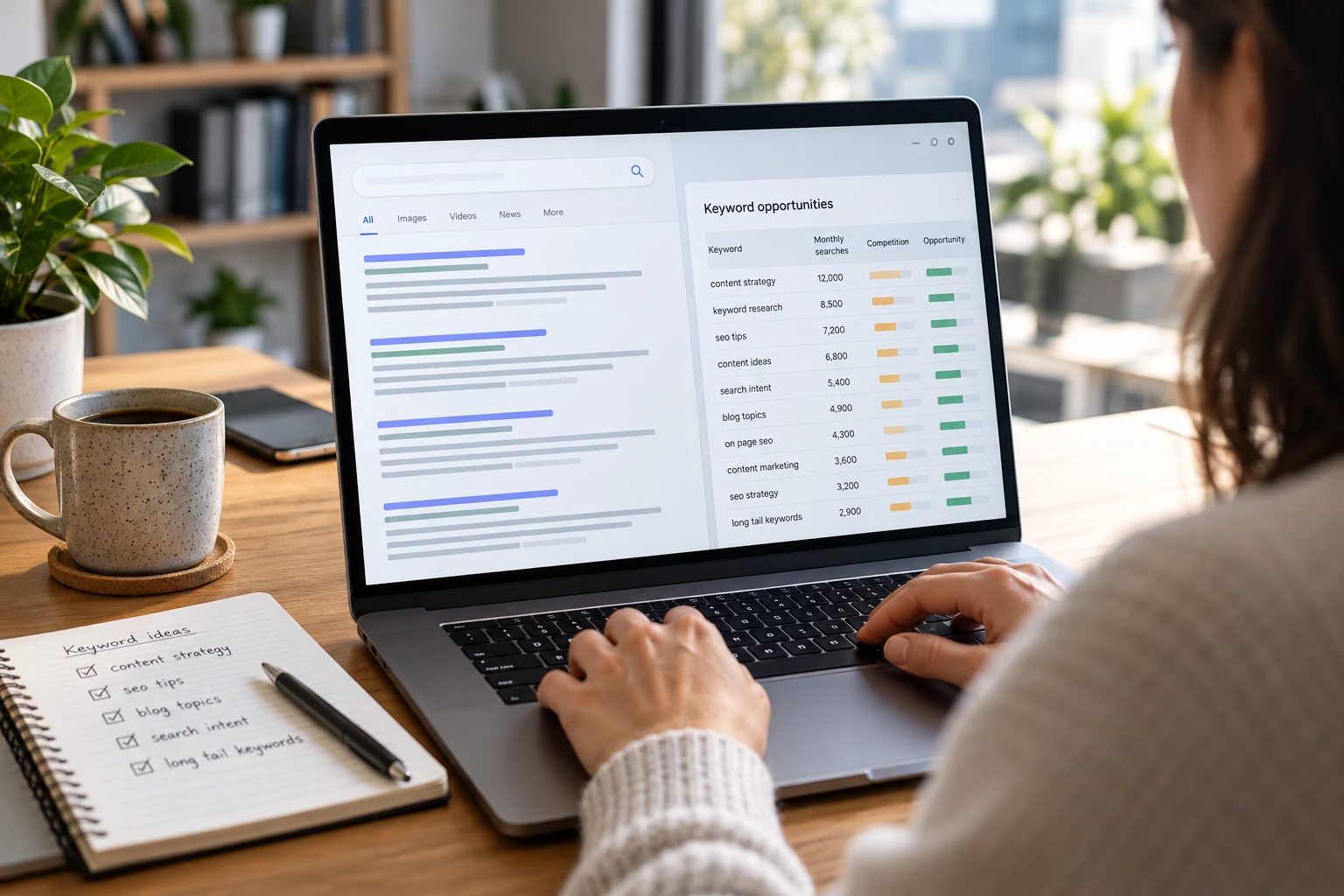
Keyword tools categorize keywords, compare search queries, analyze average demand, and check search engine results pages. Use them to develop a list of topics that cater to your market.
Search-volume and difficulty numbers are estimates. Even between two vendors, each companies had different data points and models, so you may see different estimates for the same query. Treat these metrics as directional inputs. Confirm that a keyword fits your audience and inspect the results before deciding to create a page.
Monitor rankings
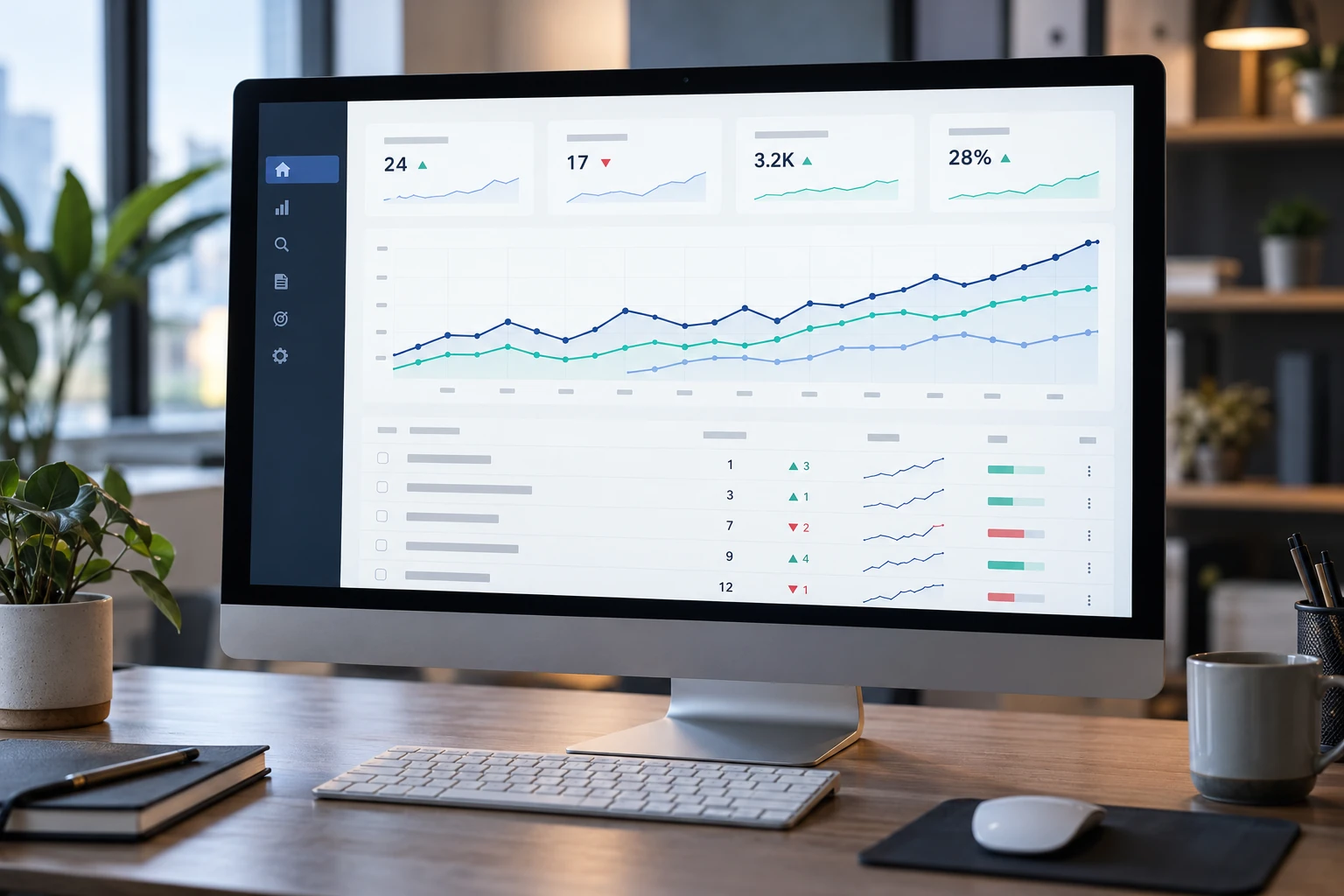
Rank-trackingsoftware monitor the rankings of some keywords for some time. You can sometimes choose a country, a city, a device or a language depending on the product.
Rankings fluctuate. One position check is not a comprehensive measure of an SEO campaign. Also monitor trends in addition to impressions, clicks, conversions and the landing page relevant to the keyword.
Audit a website
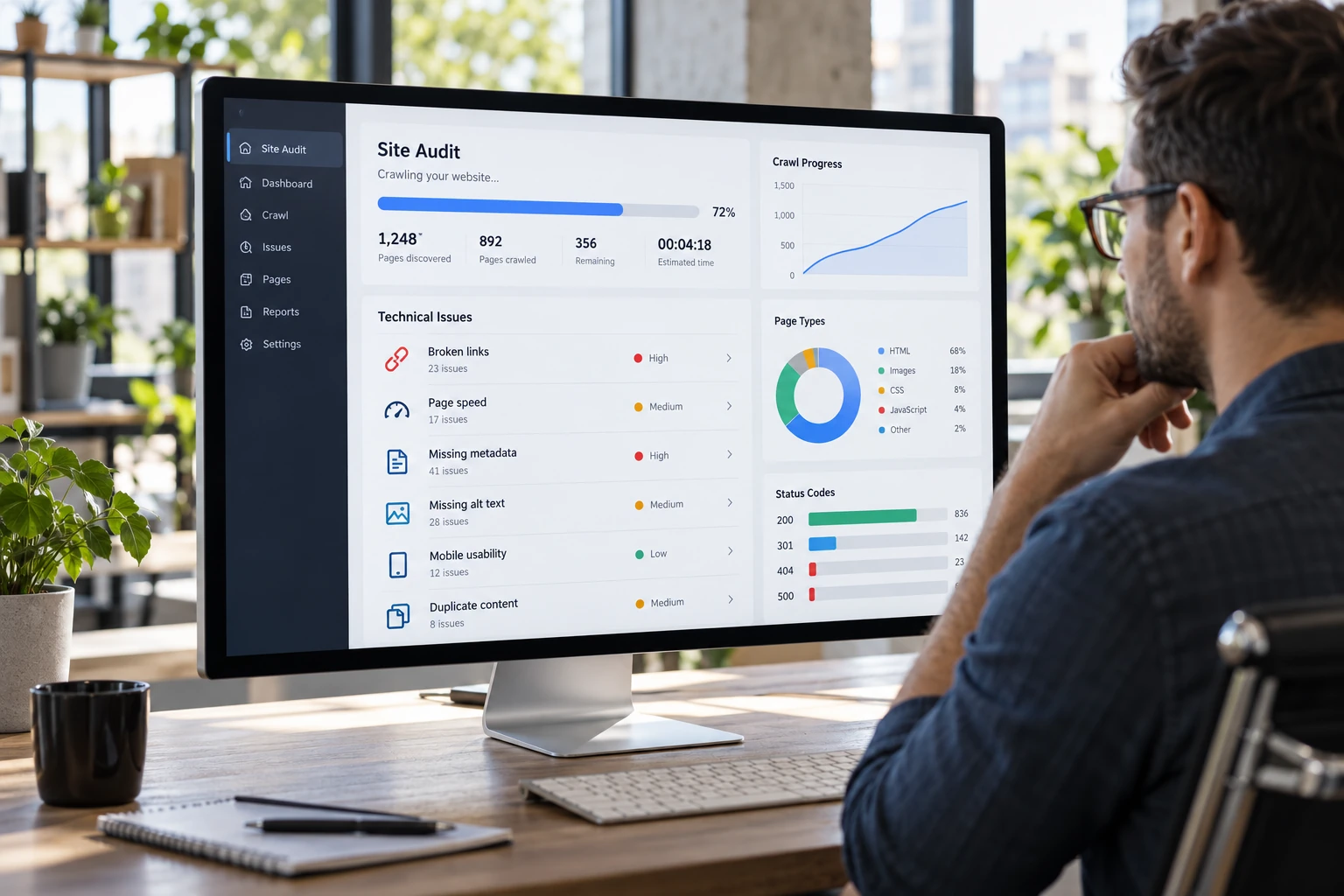
Technical audit tools: crawls a site and will identify issues like dead links, redirecting links, duplicate page signals, missing metadata or pages being blocked).A crawler can help to highlight things to look at however not all warnings are necessarily errors.
A handy audit procedure is to look at each finding individually. For instance, a redirect may be purposeful; a page without an index directive may be intentionally left out of search.
Main Types of SEO Software
| Tool type | What it helps with | Often useful for |
|---|---|---|
| Keyword research | Discovering and organizing search terms | Content teams, bloggers and SEO specialists |
| Rank tracking | Monitoring selected keyword positions | Businesses and agencies measuring visibility over time |
| Backlink analysis | Reviewing links and referring domains | Link-building and competitor research |
| Site auditing | Crawling pages to find technical issues | Site owners, developers and technical SEOs |
| All-in-one platforms | Combining research, tracking and auditing | Teams that want a shared workspace |
| Search performance analytics | Measuring actual search impressions and clicks | Website owners reviewing their own results |
A platform may include several of these capabilities, but coverage and limits will differ depending on the package. For instance,Semrush’s SEO toolkit combines keyword research, position tracking, competitor research, backlink tools and site auditing into a single product section. ExploreSemrush’s SEO toolkit capabilities.
SEO Software Options to Consider
The tools at the links below are all different. Their features and limitations change regularly so check with the vendors’ websites first.
Google Search Console
Search Console is a valuable resource for owners of owned site to improve the visibility of their page on Google Search. It provides report for queries, impressions, clicks and various other search performance data.
Use it to detect pages that gets impressions but not many clicks, get queries that lead a page to visit, and analyze search traffic trend over time. Combine it with other tools if you want to search for more keywords, do a competitor analysis, or want to track ranks over time.
Semrush
Semrush. – a multi-tool platform with keyword research, competitor analysis, position tracking, backlink and site audit facilities. A comprehensive platform may be less hassle when you prefer to perform all your SEO tasks in one place.
Ensure the trial account displays the number of projects, tracked keywords, report limits and user seats and features. If you just require a crawler or keyword ideas occasionally, an all-in-one subscription may be more than you need.
Ahrefs
Ahrefs has several tools to research backlinks, organic keywords, competitors, website audits and rank tracking. It is often used by marketers who are looking for competitive and link data.
Compare what plan limits are relevant to your activities (projects, tracked keywords, historical data, crawl credits, users and export access). If backlink analysis is your main need, think about how deep and useful that feature is, not about the number of tools on the whole platform.
Moz Pro
Moz Pro a collection of SEO tools with providing keyword research, rank tracking, crawling and link analysis. Which would be likely for those seeking a platform based integrated workflow.
Have a look at how quickly you can from keyword research for tracking a target page while in trial or demonstration. Confirm what data you have for your target markets and what the included plan limits are.
Screaming Frog SEO Spider
Screaming Frog is a website crawler to do technical and on-page review. It can assist to crawl a bulk of URLs and bring out information that are hard to verify manually.
Crawler is just one part of the SEO toolkit. You may require other Tools for keyword research, regular ranking reports or look at overall search performance. Think about whether you want a desktop crawling tool, a cloud platform or both.
SE Ranking and other platforms
This why this is for you… SE Ranking and others stack features such as monitoring, audits, competitors analysis and reporting. They are distinct from and may be worth comparing against more web-specialist tools and larger enterprise suites.
Assess the workflow you actually use: project creation, keyword organization, location targeting, crawl controls, client reports and integrations. The longer features list is not a good thing if you are not going to use that features.
Free SEO Software vs. Paid Tools
Free tools can be a good starting point, particularly for a new website, a personal blog or a micro-business just beginning to tackle its SEO.
A basic setup might include:
- Search Console for Google Search performance
- A web analytics offering for on-site activities.
- A free crawler or restricted audit tool for technical audits
- Asana – spreadsheet for keyword mapping and content planning
Paid SEO tools may include larger competitor databases, a higher number of keywords tracked, regular updates, historical data, larger crawl limits, saved reports, and user access and integrations. Whether those features are worth the cost depends on how frequently you need them and how much you save.
Read the constraints carefully. A free plan, for example, could limit your crawling pages, topics you can follow, reports you can export or users. who can access the account. A paid plan can still be a poor fit if the limits are too low or the extra capabilities do not match your work.
For a closer look at no-cost options, see our free SEO software review.
How to Choose SEO Software for Your Business
1. Define the job
Jot down the primary task you‘d like the software to perform. This could be identifying keywords for a new site, monitoring local rankings, auditing a major site for technical problems, providing clients with campaign updates etc.
2. Match the tool to your site
There are cases where a small site doesn‘t require enterprise crawling limits, or dozens of user seats. An agency may require client workspaces, scheduled reporting, and ways of sharing the results. A news publisher with hundreds of thousands of URLs is likely to value crawl capacity and technical analysis.
3. Check limits and data coverage
Compare the limits that affect your daily work:
- To 2.6 The quantity of locations or endeavors
- Tracked keywords
- Update frequency
- Crawl capacity
- User seats
- Historical data
- Export and API access
- Countries, supported languages and search engines.
Don‘t take it for granted that attributes called the same are supported in the same way by different tools. Experiment with reports that you frequently use.
4. Test the workflow
Utilise trial or free account To undertake a real task, research a keyword, audit a sample page, create a tracking project, or complete a report. Consider how many steps you need to cover and whether the result is understandable and usable.
5. Calculate the full cost
Scrutinise the headline starting price. Think about how often you’ll have to pay, any extras, number of users, project caps, and renewal fees following a trial. Don’t forget about your staff training and day-to-day workflow time too.
6. Check data handling and account access
You can link your data to your analytics or Search Console accounts. Check the permissions you are asking for, which members of the team can share access and how access is revoked when a member leaves.
7. Choose a tool you will use consistently
Many overlapping subscriptions do not a better tool kit make. Use one resource for performance metrics,select the research and audit tools you need for your practice, and note which brings the information you need.
How to Review SEO Software Fairly
An effective software review should state for whom the tool is designed and what it is good at. It should also mention the drawbacks and such factors influencing its value.
When comparing products:
- Use the same site/keyword set whenever possible.
- Compare the same plans and current limits.
- The measured site data and vendor estimates were kept apart.
- 22. Indicate how frequently the rankings or reports are updated.
- Which features need additional setup or integration.
- Indicate if this is an administration or session management tool, or better for a specific task or a more general workflow.
- Don’t treat a vendor’s proprietary score as a Google ranking factor.
No SEO platform can reveal the entire search landscape. Search volume, difficulty, traffic estimates, and backlink indexes are each modeled or sampled differently. Use these all to guide your decisions, and double-check critical data points using your own site information and real searches. results.
Common SEO Software Mistakes
Buying before defining a need
A larger feature set might appear to be better value, but it still costs dollars for the features you don‘t need. It is better to know the tasks you need first, then choose the plan to suit.
Treating estimates as exact measurements
Keyword volumes and competitor traffic estimates. Use these to gauge the relative strength of ideas, not as specific projections of potential future visits.
Obsessing over daily rank changes
Locally, device, personalization and time. Track trends over a appropriate time period and correlate variations in visibility with traffic and business.
Acting on every audit warning
Audit tools identify problems. Check which items are issues for users, crawling, indexing or page quality and then decide on the order of work.
Duplicating tools without a reason
Using too many products for same function can generate contradictory reports and additional costs. Clearly define the purpose of each tools and cancel subscriptions that are redundant.
Frequently Asked Questions
What is the best SEO software?
SEO software which is right depends on the task. A site owner might start with Search Console and a crawler; an agency will need keyword research, rank tracking, audits and client reporting in one platform.
Is SEO software worth paying for?
Sometimes it is worth using the software if it saves time, provides data you regularly use or is necessary to do work free tools can‘t do. Weigh the ongoing cost against the value of the output it helps you achieve.
Can SEO software guarantee higher rankings?
No.SEO tools cannot ensure search rankings can aid in crunching the numbers and managing accounts, but nothing can guarantee search visibility. 01 02 03 04 shows search visibility factors and how search engines function.
Do I need an all-in-one SEO platform?
Not necessarily. While an integrated platform can unifies your connected workflow, a dedicated application may be more appropriate if you have one main need like crawling or backinks analysis.
What SEO tools should beginners start with?
Beginners should begin with Search console, for web analytics and a simple keyword and content plan. Introduce a paid research, tracking or audit product at the point where a demand is clearly arising.
How many SEO tools should I use?
Use as few tools as possible that can cater all your repeatable tasks. Don‘t duplicate subscriptions unless you‘ll get additional information or workflows from it.
Conclusion
The best SEO tools are those which do the right job, in the right amount, at the right cost. Compare them by the tasks performed, amount of data, workflow, reporting and total cost. Focus on the core tasks first, experiment with tools on actual projects and view supplier projections as advice, not promise.
An effective SEO set up doesn‘t have to be complex. Select tools which will assist you in making better decisions and keep the results understandable and can regularly analyze your own site progress.
