
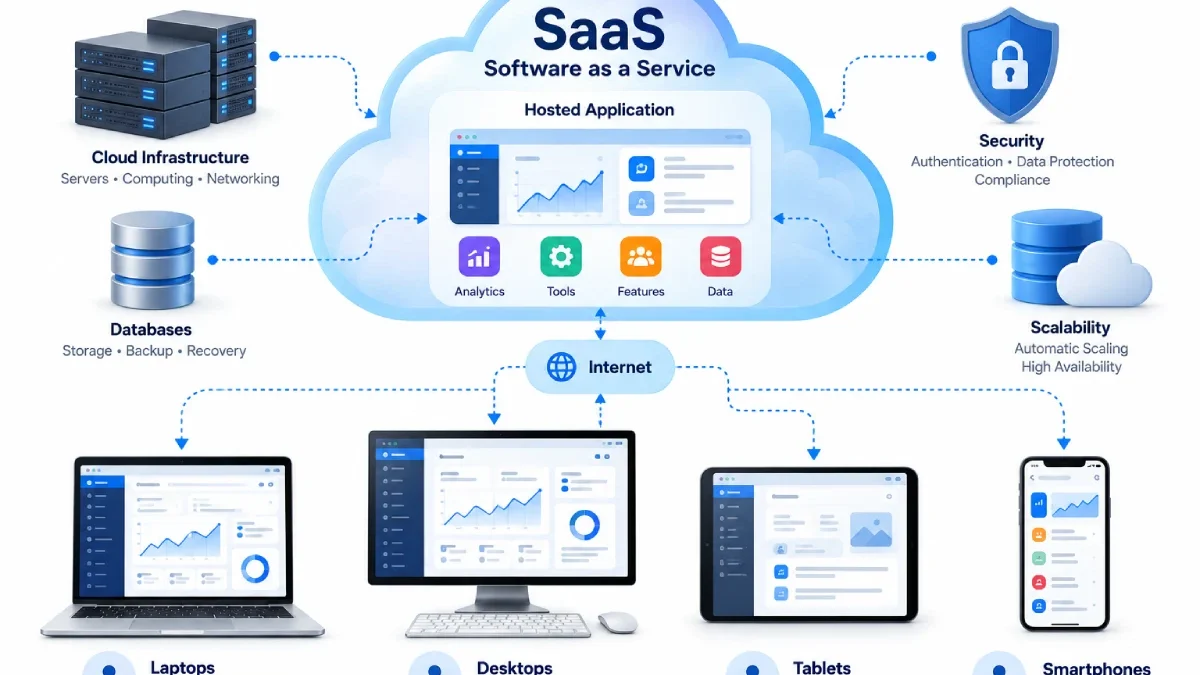

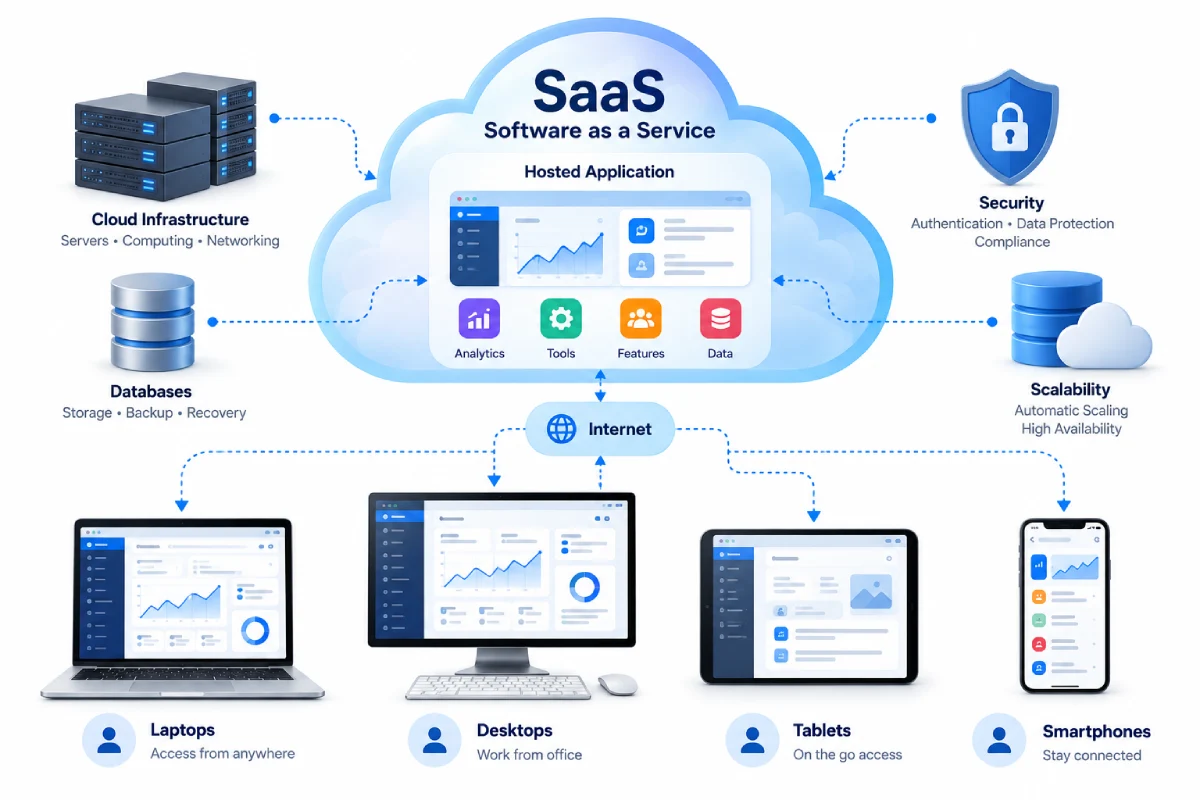


SaaS has emerged as the most popular approach for delivering business and consumer applications over the Internet.
The model provides benefits to ease of deploying and maintaining software; however limitations exist which organizations need to be aware of if they are to rely on SaaS.
Considering both points in a balanced manner will enable you to determine if SaaS applies to a specific requirement.
Table of Contents
Advantages of SaaS
Easy Access
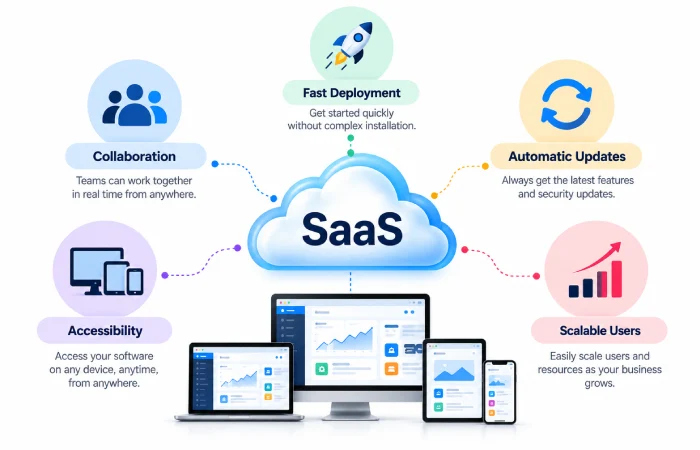
Perhaps the greatest benefit of a SaaS system is the ability to use it where you want.
There is usually no restriction for a user to access an application from all supported devices via the internet connection.
This can be especially useful for teams working in remote locations.
Less Local Installation
Existing software may necessitate that individuals or IT professionals set up and implement applications on the hardware.
Using SaaS much of the applications infrastructure is provided by the supplier.
This can also help reduce installation work and maintenance work for the customers.
Faster Deployment
A SaaS application is typically more accelerated than software needing huge local setup infrastructures.
You may just need accounts, permission, and configuration so your user can be up and running.
Automatic Updates
The software updates are usually managed by the service provider.
This alleviates a good deal of the manual effort required to update applications.
Nonetheless, organisations may still require to review modifications when it impacts workflows or combinations.
Easier Scalability
Most SaaS systems enable organisations to add or remove users or features.
This should be more practical for expanding organizations rather than acquiring and supporting their own local infrastructure.
Collaboration
Cloud-based access could also make it easier to provide group work.
Depending on the application, several users could access working with client files, records, documents or other data stored together.
Disadvantages of SaaS
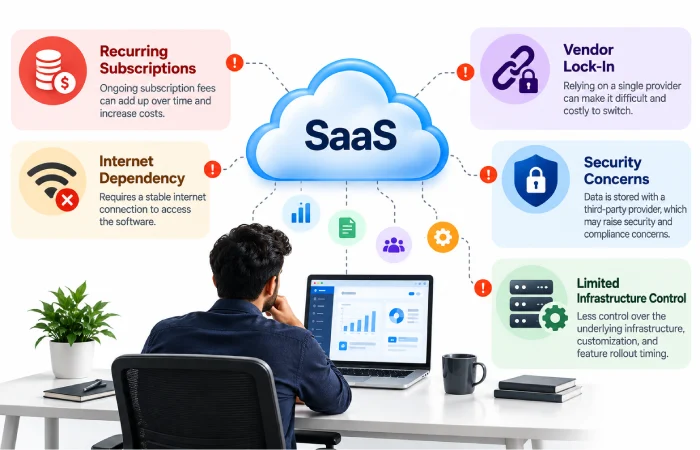
Internet Dependence
A SaaS application relies usually on network access.
O There may be disruption in the service if there is no internet connection as well as loss of a stable internet connection.
Some apps offer some degree of offline capability; however, that varies by product.
Recurring Costs
Many SaaS services instead require multiple payments. Rather than a single payment for traditional software, they charge ongoing subscriptions.
A small monthly fee can add up to become an expense over an extended period when a large number of users are present.
In business, you will want to derive the total cost over time.
Less Infrastructure Control
Much of the underlying infrastructure of the app is managed by the provider.
Customers will have little influence over server configuration, deployment timelines, and other technical decisions.
Vendor Dependence
If workflows surrounding that functionality are built on this SaaS platform, it may be hard to switch to another one.
Switching costs can arise from data migration, integrations, user training, and changes to workflows.
Data and Security Concerns
Businesses want to know the method used by the provider for storing sensitive information.
Important areas include:
- Access controls
- Authentication
- Encryption
- Backup
- Data retention
- Compliance
- Incident response
The presence of software is cloud-based does not automatically mean it is secure. Security depends on how the service is designed, configured, and managed.
Changes Outside Your Control
A SaaS provider may change features, pricing, interfaces, or policies over time.
Businesses should review important product updates and maintain a backup plan for critical workflows.
SaaS Benefits and Limitations at a Glance
| Advantages | Disadvantages |
|---|---|
| Easy access | Internet dependence |
| Less local maintenance | Recurring subscription costs |
| Fast deployment | Less infrastructure control |
| Provider-managed updates | Vendor dependence |
| Flexible scaling | Migration can be difficult |
| Easy collaboration | Security and privacy need review |
When SaaS Makes Sense
SaaS can be useful when an organisation wants to:
- Launch software rapidly. Execute components, read data, and write data promptly.
- Do not administer servers
- Assist in component support teams.
- Both scales are user-friendly.
- Reduce local tuning through the selection of switches.
- You use software, and do not develop it within your own company.
When Another Model May Be Better
An alternative software or cloud model is likely to be appropriate where a company requires a high level of control over their infrastructure, extensive customisation, a demanding deployment or unique data requirements.
It all come‘s down to what the application will be used for and what the technical and business requirements of the organisation are.
Final Thoughts
The effect of SaaS can be either positive or negative depending on how it is used.
SaaS can ease setup and maintenance chores and enable software to be more accessible. At the same time, recurring costs, reliance on the internet, vendor lock-in and security obligations require careful consideration.
The best way is to compare the ease of the SaaS model with the degree of ownership required for this precise project.
