
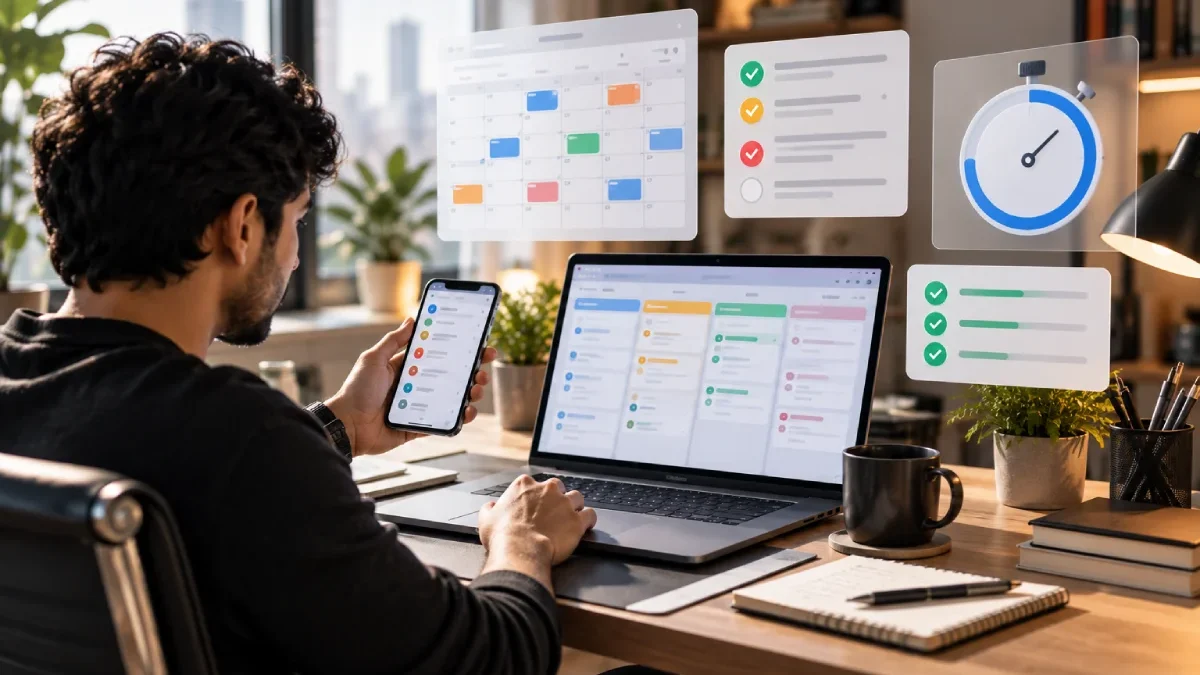



Introduction – Best Time Management Apps
Time management is not the same as self management.
A task list tells you what has to be done. Time management helps you determine what to do, when to do it, how long to do it for and where your focus should be.
The most effective time management applications incorporate features such as scheduling, to-do planning, time-tracking or focus tools to give users insight into and control over their workday.
Table of Contents
What Should a Time Management App Do?
A useful time management app can help with:
- Planning work
- Tracking time
- Setting priorities
- Scheduling tasks
- Focus sessions
- Reducing distractions
- Going back over your time commitment.
Most apps don‘t have to include any of these.
Best Time Management Apps
Todoist
When the process is subject-centric, time management starts from task planning, and an application such as Todoist is helpful.
All of the item’s priorities, dates, filters, and calendar view can assist you in segmenting the work into manageable views. The existing Todoist filters allow you to filter by date, project, label, priority, and much more.
As a result, it appeals to people who prefer to base their time management on organizing tasks.
Microsoft To Do
Microsoft To Do acts as a simple to-do list that is designed to help plan day-to-day.
Its My Day feature can help users choose what to do on the day, while reminders and due dates can ensure that the most essential things are always kept in sight.
It appeals to those people who like to keep a simple daily system rather than something that breaks down the day into precise units of time.
Toggl Track
Toggl Track provides a more direct measurement of time across.
Its integrations allow you to insert a timer into other applications, enabling you to track your work without switching between tools. The integrations of its Todoist support time tracking in your task workflow.
This is valuable for freelancers, consultants, agencies and also anyone who wants to get a sense of time on certain tasks.
Forest
What Forest emphasizes is attention instead of executing every task in depth.
The current Android version has a Pomodoro timer for focus and a built-in feature for blocking distracting apps during focus.
This works fine when the task at hand is to keep on doing what has already been initiated.
Time Tracking and Focus Apps Compared
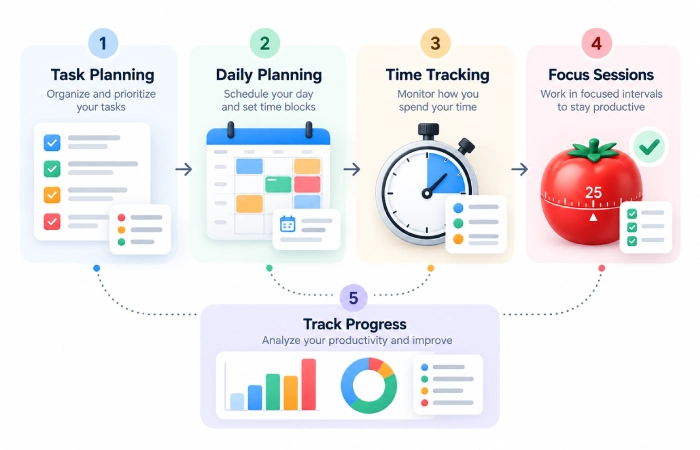
| Need | Suitable app type |
|---|---|
| Task planning | Todoist |
| Daily planning | Microsoft To Do |
| Time tracking | Toggl Track |
| Focus sessions | Forest |
| Detailed work measurement | Time tracker |
| Simple prioritization | Task manager |
How to Use Time Management Apps
An app cannot increase the number of hours in the day.
The useful part: just make your available time visible;
Estimate Before Starting
Set a tentative duration for the critical tasks.
Protect Focus Time
AVOID having your entire schedule available to be interrupted.
Track Real Time
On repetitive work, try to get an accurate measure of the exact time required instead of using estimates.
Review the Difference
If, on the other hand, you never quite get one task done in time, your plan should always include a timescale twice the product of your experience.
Time Blocking and Task Lists
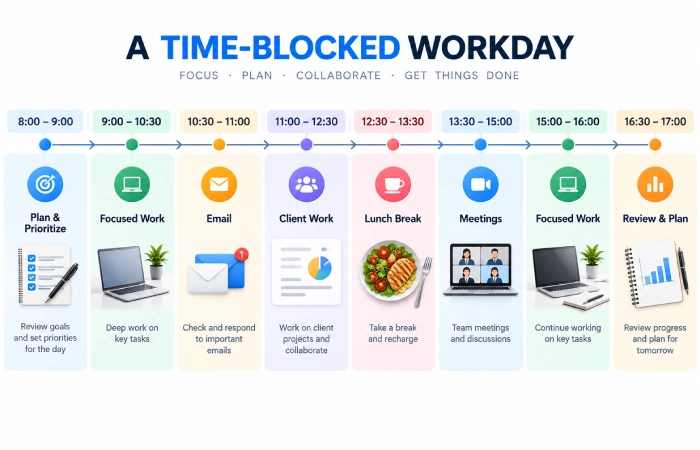
Two great tools that will work on their own and even better together are time blocking and listing everything you need to do on a task list.
For example:
9:00–10:00 – Deep work
10:00–10:30 Emails.
10:30–11:30 Work on client‘s project
The to-do list gives you the what. The calendar gives you the when.
Common Mistakes
Avoid:
- Wasting time by obsessively watching the clock.
- Setting false schedules
- Frequent switching between a large number of focus systems
- Aspiring to fill up the whole day with meetings
- Ignoring breaks
- Quantifying activity rather than value added
Time management should be flexible and make work more realistic and not spend the whole day of racing against a timer.
FAQs
What is the best time management app?
It depends on the task. Todoist is good to plan a task, Toggl Track to see the task execution, Microsoft To Do to plan on the short term/ daily execution and Forest to remain concentrated.
Are time tracking apps useful for freelancers?
Yes, they can measure the actual time spent on various projects and activities, as well as implement time billing.
What is the difference between task management and time management?
Task management is about what needs to be achieved. Time management is about when to achieve things and how one‘s available time is utilized.
Should I track everything I do?
Of course. Track much just to see patterns emerge and to help with planning.
Final Thoughts
The most effective time management tools allow you to know where your time is spent and to improve choices (consciously or unconsciously).
Task managers (e.g. Todoist, Microsoft To Do) are great for planning. To track the real time used (if that is important), Toggl Track can be used. The Forest app can be used to protect the period of intense focus.
Address the problem that is most negatively impacting your productivity and use the simplest tool that resolves the issue.
