



What Is the Best Software for Small Business? A Practical 2026 Guide
Small businesses should not be required to purchase the more costly packages.
They require software that addresses genuine problems efficiently and does not add unnecessary complexity to daily tasks.
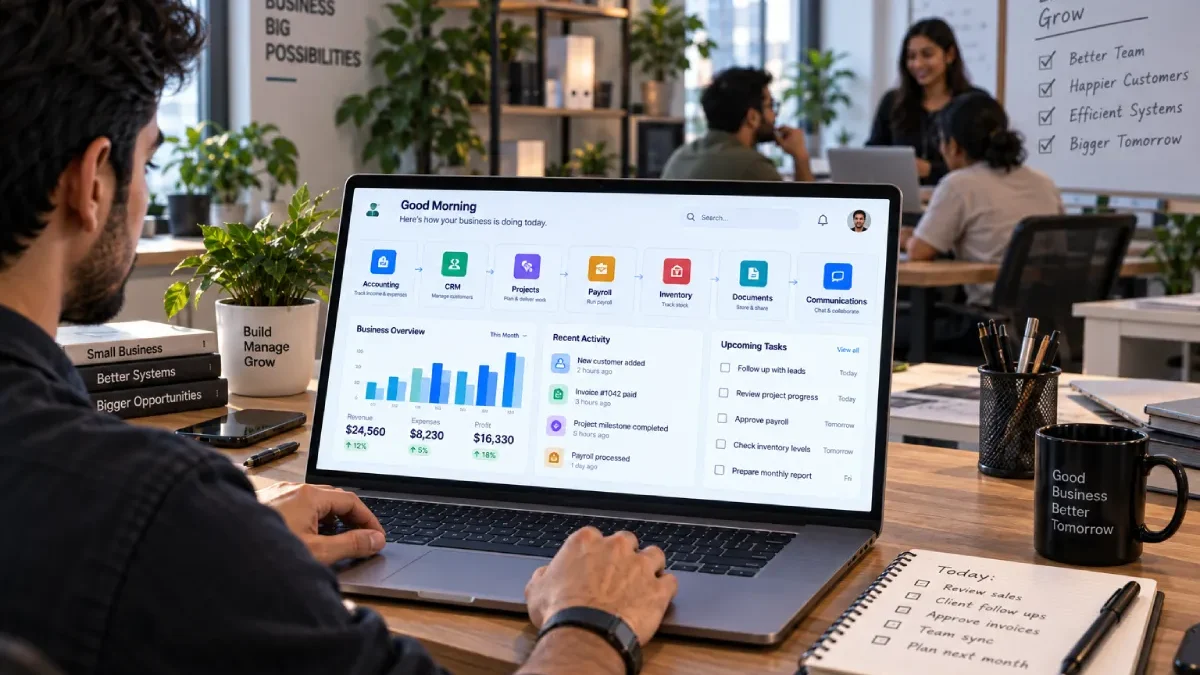
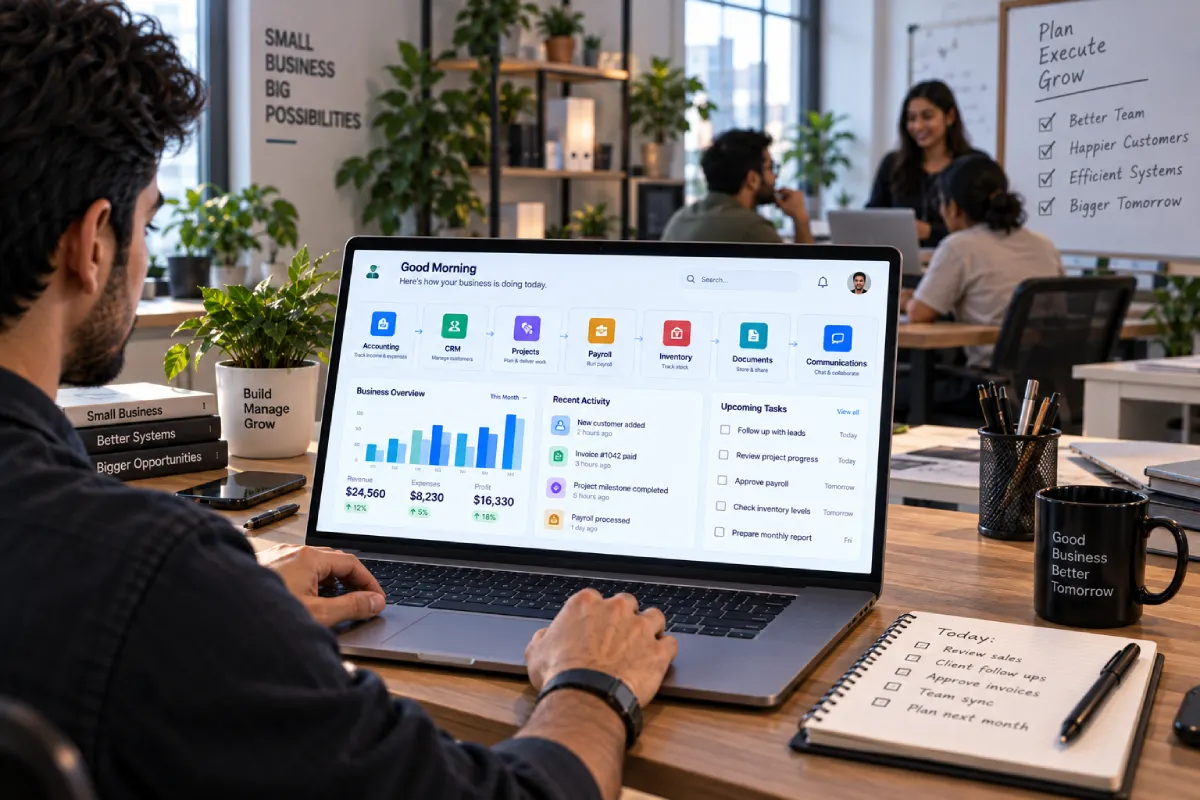
The best software for small business usually covers a few core areas:
- Finance and accounting.
- Customer management
- What I worked on, dealt with.
- Payroll and Employees. This, however, will pose problems for staff members. For example, payment is now in different currencies and may have varying delivery times.
- Inventory
- Communication and documents.
Some businesses will need all of these, some may just need two or three.
The best software is going to depend on your business itself – your business model, the numbers of employees, customers, transactions and number of tasks you currently do by hand.
Business tools have also been made easier to access through the adoption of cloud computing. There has been no need for small companies to purchase servers and implement complex installations. They simply subscribe to the software and run it through a browser or mobile device.
Some providers are now integrating various business processes into one platform. Currently Odoo provides applications for accounting, CRM, inventory, HR, projects, ecommerce and point of sale as a part of its larger business platform.
Another example, adds email, cloud storage, documents, communications, collaboration and business apps, and some packages come with some business intelligence (BI) tools called Copilot.
The difficulty is: what does your business truly require?
Table of Contents
What Is Small Business Software?
Software for small business is a generic term for a set of computer programs used to facilitate functions in any small business.
It can help a company:
- Track income and expenses.
- Manage customers
- Follow salesesider opportunities
- Organize projects
- Pay employees
- Track products
- Store documents
- Communicate with teams
- Automate repetitive tasks
There is no single piece of software that is best for every company.
A retail store needs inventory and point-of-sale tools.
A consulting company may care more about CRM, projects, time tracking and invoicing.
An online business may need ecommerce, customer support and marketing software.
The best software is therefore determined by the business workflow, not simply by popularity.
What Software Does a Small Business Usually Need?
A typical small-business software stack contains several categories.
| Business Area | Main Purpose |
|---|---|
| Accounting | Income, expenses, invoices and financial records |
| CRM | Customers, leads and sales pipeline |
| Project Management | Tasks, deadlines and projects |
| Payroll | Employee pay and payroll administration |
| Inventory | Stock, purchasing and product movement |
| Office Productivity | Email, documents, files and collaboration |
| Communication | Team chat, meetings and calls |
| Marketing | Email campaigns, social media and customer outreach |
| Security | Passwords, access control and data protection |
Not every business needs every category.
Start with the areas where manual work is already causing problems.
Accounting Software for Small Business
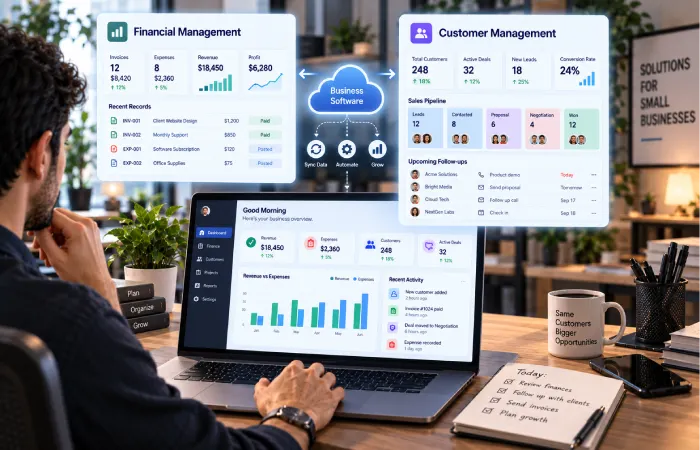
Financial information must remainorganized, and that is whyaccounting softwareis one of the most vital business tools.
A suitable accounting system can help with:
- Income tracking
- Expenses
- Invoices
- Payments
- Financial reports
- Tax-related records
- Bank reconciliation
- Cash-flow visibility
The details are for the country in which the activity will take place as well as the type of business ofcourse.
What to Look For
Is suited for small-business accounting, as it is easy to grasp and can follow the business processes you practice.
Look for:
Invoicing: Generate and monitor the invoices sent to customers.
Expense tracking: Log business expenses.
Bank connections: as far as supported, minimise manual transaction entries.
Reports: View revenue, expenses, profit and other useful financial information.
Tax support: Ensure the system accommodates the tax needs of your country or state.
Access controls: Limit financial information access to authorized personnel.
Availability of a product is as important as features for businesses in India. For instance, QuickBooks stopped selling its products in India, last date of access being 2023.
That‘s a good reminder of making sure a software product is known and supported in your country before you start building your financial flow around it.
Next: Best Accounting Software for Small Business
CRM Software for Small Business
CRM. The formal definition for Customer Relationship Management.
A CRM contains data on prospects and customers and enables teams to administer the sales process.
A good CRM can be a single source for all your customer data no more tracking info in multiple spreadsheets, journals, or through Constant Contact, Facebook or Twitter.
Important CRM Features
Look for:
- Contact management
- Company records
- Sales pipeline
- To do items and reminders:
- Email integration
- Activity history
- Reporting
- Mobile access
- Automation
- Integrations
Google offers a free CRM with contact management, sales tools & integrations and the free support of Google‘s micro services. and advice for Small Business advocates keeping any and all details on your customers in one place and using the CRM as the systems of record.
A good time to consider a CRM system is when you are getting too many leads or customers that remembering them all is not practical without a system
When Should a Small Business Get a CRM?
You should seriously consider one when:
Lead is being lost.
There are varying customer information on each employee.
Follow-up are being missed.
And sales opportunities are hard to follow up.
Customer history is stored in several locations.
It‘s not meant to be an overly complex sales database.
Achieve the right customer information to be available to your team when required.
Next: Best CRM Software for Small Business
Project Management Software for Small Business
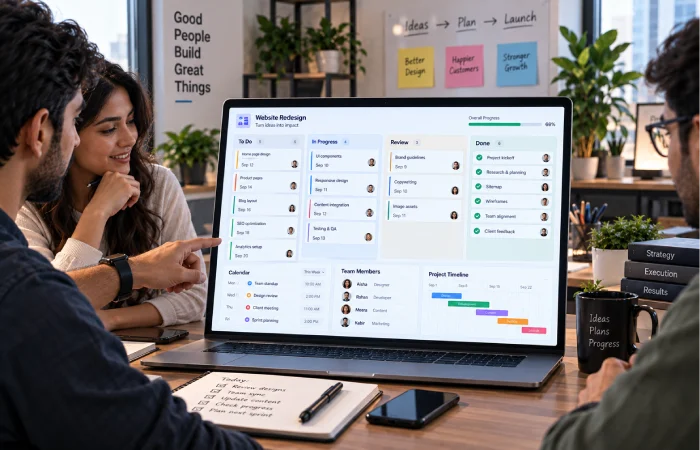
Project management software assists organizations in planning jobs through all stages.
This can be helpful when a project has a lot of tasks, people or “due by” dates.
Examples include:
- Website development
- Marketing campaigns
- Client projects
- Product launches
- Events
- Construction work
- Content production
Useful Project Features
A project management platform may include:
- Task lists
- Boards
- Calendars
- Timeline views
- Assignments
- Deadlines
- File attachments
- Comments
- Automations
- Reports
Asana offers basic task and project management with list, board and calendar views in their free plan, with higher tiers.
A small business has no business being charged for enterprise project features that are not looking for.
A five-person team might find that a straightforward board of To Do → In Progress → Review → Done is sufficient rather than burdening themselves with a sophisticated project-management technique.
Next: Best Project Management Software for Small Business
Payroll Software for Small Business
Payroll software; supports the companies in calculating the payment to be paid out to employees.
Depending on the country, it may support:
- Salary calculations
- Taxes
- Deductions
- Payslips
- Employee records
- Payroll reports
- Leave information
- Compliance-related processes
Pay roll can be subject to specific safeguards, as errors directly affect employees and may result in legal and taxation problems.
What to Check
Before choosing payroll software, check:
Local markets: to what extent is it in compliance with the regulation that applies in the country(ies) which your business operates in?
Employersk: does it have the capacity to handle your current and projected workforce?
Automation: Will the calculations having to be repeated be automat ed?
Reports: are you provided with the reports you need?
Integrations: Can I integrate with the accounts system or the HR system?
Employee data security: How secure is critical employee data?
Payroll software can reduce admin work without eliminating an acceptable level of quality.
Next: Best Payroll Software for Small Business
Inventory Software for Small Business
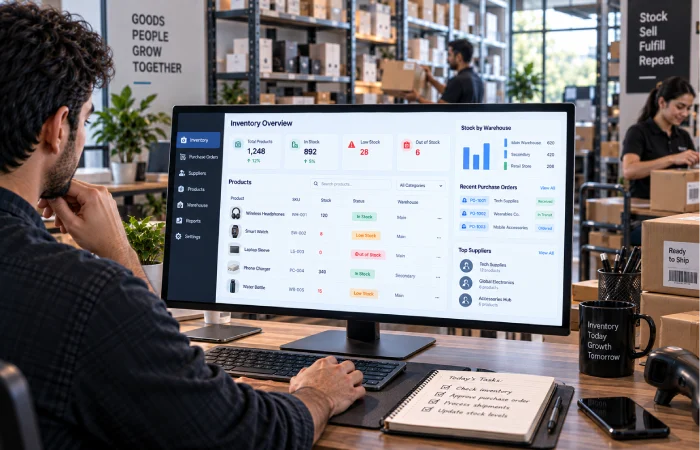
Inventory software is the essential for businesses that deal with or have to keep physical products on hand.
In the absence of a system, companies tend to depend on the use of spreadsheets, or count manually.
That can create problems such as:
- Stock shortages
- Overstocking
- Overcounting of product.
- Ordering mistakes
- Lost inventory
- Poor visibility
What Inventory Software Should Do
A useful inventory system may track:
- Current stock
- Product variants
- Purchases
- Sales
- Suppliers
- Reorder levels
- Stock movement
- Warehouses and/or locations
The system should reflect the complexity of the business process.
A small shop with a few dozen products would not need quite as comprehensive an enterprise inventory platform.
A retailer expanding rapidly with a number of store locations may require more rigid inventory controls.
Next: Best Inventory Software for Small Business
Free Software for Small Business
Free business software can be very valuable even for a company just setting up.
It gives this one time, fixed cost of the owner the chance to testdrivethe workflows before purchasing a subscription.
Nonetheless, free software should not be compared by price.
What to Check in a Free Plan
Look at:
- Number of users These data cannot be obtained because the estimating number of users are not available and the majority of users are anonymous.
- Number of clients/contacts
- Storage
- Features
- Integrations
- Automation limits
- Reporting
- Export options
- Support
- Advertising
This is a screenshot of current free CRM advertisements offered by HubSpot(you need to sign in to see the signed-in page).
Asana provides a free Personal plan for one or two people with unlimited tasks and projects and list, board and calendar views.
Odoo provides a free plan with one app and unlimited users, whereas the paid packages bundle together considerably more than this.
Free software is fine, but there is a limit to how much you can get away with before it becomes a permanent part of your business.
Next: Best Free Software for Small Business
All-in-One Business Software vs Separate Apps
Choosing between a single integrated platform and multiple specialist products is a key decision for small businesses.
All-in-One Software
An integrated platform combines a number of different functions in a single environment.
Potential advantages include:
- Fewer logins
- Shared data
- Fewer integrations
- Centralized reporting
- Fewer duplications of data entry
One such example is Odoo; it has a set of integrated business applications, including accounting, CRM, inventory, HR, projects and ecommerce.
Separate Best-of-Breed Apps
Another is to select the best app for each task.
For example:
Accounting: A wide flexible provider of online accounting and financial services.8 These include online accounting and bookkeeping, invoicing and payment processing, payroll and time management, and tax filing.
CRM: Dedicated CRM
Projects : project manager who is on hand for additional LMI projects if needed.
Payroll:this is a separate payroll software.
While this can give more specific features, it also ends up adding more integrations to have to deal with:
Which Is Better?
There is no automatic right or wrong.
Generally, integrated system is appealing when the simplicity takes precedence and the information is to be shared.
In some cases this might be more beneficial as separate applications is one head of application if they all have different needs.
Microsoft 365 for Small Business
Many small businesses may have some office applications…..
Microsoft 365 Business Plans are at the moment combinations of Word, Excel, PowerPoint, Outlook, OneDrive, Teams and other business Apps according to the plan.
This type of suite can cover:
- Business email
- Documents
- Spreadsheets
- Presentations
- Cloud storage
- Meetings
- Team communication
- Scheduling
- Forms
- Planning
Some plans include a Copilot device to assist with writing, research, data analysis and other workplace responsibilities, as well.
Office productivity tools are simply the default software used to tying all other business applications together for many companies.
How Much Should a Small Business Spend on Software?
There is no correct universal budget.
The key question is whether the software delivers the benefit commensurate with its price.
Let‘s say that the software costs ₹5,000 a month.
Eliminating the rubber stamp process will save your team 40 hours per month, is likely to prevent costly errors that can hurt your business and will help win additional business.
The same may occur in reverse.
A random ₹500 subscription could have been wasteful if no one uses it.
Think in Terms of Total Cost
Include:
- Subscription fees
- Setup costs
- Training
- Data migration
- Integrations
- Additional users
- Storage
- Premium features
- Support
Additionally, verify whether an affordable plan costs more as your team expands.
How to Choose Business Software
Exiguity of data make it hard to find the simple process.
Step 1: List Your Problems
What are the bottlenecks that are making the business sluggish? Write down the bottlenecks.
Examples:
Invoice tracking can be a nightmare.
Follow–up to sales is not happening.
Procrastinations. Projects are behind schedule.
Payroll is too time-consuming.
There is an error in the stock counts.
Step 2: Prioritize
Prioritize addressing the problem with the greatest potential business impact.
Step 3: Define Requirements
Note the features that are really needed.
Step 4: Compare Products
Create a straightforward comparison table.
| Requirement | Product A | Product B | Product C |
|---|---|---|---|
| Price | ✓ | ✓ | ✓ |
| Required feature | ✓ | — | ✓ |
| Integration | ✓ | ✓ | — |
| Mobile access | ✓ | ✓ | ✓ |
| Reporting | — | ✓ | ✓ |
| Ease of use | ✓ | — | ✓ |
Step 5: Test Before Buying
Use trials or free plans where available.
Give the software a real business task.
Don’t judge it only from a marketing demo.
Questions to Ask Before Buying
Does It Solve a Real Problem?
A long feature list means nothing if the software does not fix your biggest problem.
Is It Easy to Learn?
Small businesses cannot always afford weeks of training.
Can It Grow With You?
Check user limits, storage, transaction limits and pricing increases.
Does It Integrate With Existing Tools?
Data should move between important systems without unnecessary manual entry.
Can You Export Your Data?
Your business data should not become impossible to move if you change platforms.
Is Security Good Enough?
Consider:
- Account security
- Permissions
- Backups
- Encryption
- Data handling
- User access
Does It Work on Mobile?
Owners and employees may need access while away from their desks.
Common Small Business Software Mistakes
Buying too much software too early
You don’t need an enterprise system simply because your company is growing.
Choosing based only on price
Cheap software can become expensive if it creates manual work.
Ignoring integration
Two good applications can create a bad workflow if they do not share information effectively.
Keeping spreadsheets forever
Spreadsheets are useful, but they can become difficult to manage as transaction and customer volume increases.
Buying tools nobody uses
Adoption is more important than feature count.
Ignoring data migration
Before changing platforms, understand how existing customer, financial or operational data will be moved.
Not checking regional support
Software availability, tax support and compliance can vary by country. QuickBooks’ withdrawal from India demonstrates why local availability should be verified before adoption.
Best Software Stack for a Small Business
A simple business may start with:
Office and communication: Email, documents, cloud storage and meetings.
Accounting: Finance and invoicing system.
CRM: Customer and sales management.
Projects: Tasks and deadlines.
Payroll: Employee payments and records.
Inventory: Stock management where required.
As the business grows, additional systems can be added for marketing, customer support, analytics, automation and specialized operations.
The goal should be to build a connected stack, not an enormous stack.
How Software Should Change as Your Business Grows
Very Small Business
At the beginning, a few tools may be enough.
You may need:
- Documents
- Accounting
- Basic customer tracking
- Simple task management
Growing Business
As the company adds customers and employees, you may need:
- CRM
- Better project management
- Payroll
- Inventory
- More automation
Established Small Business
At this stage, software decisions should increasingly focus on:
- Integrations
- Reporting
- Permissions
- Automation
- Security
- Standardized workflows
The best software at one stage may not be the best software two years later.
That is normal.
Frequently Asked Questions
What is the best software for small business?
The sales of one product is not best for all types of business. It all depends if you need accounting, CRM, projects, payroll, inventory, communication or other business functions.
What software does a small business need first?
Accounting and the basic office productivity tools are good starting places for most companies. Then if there is specific need, other add-ons like CRM, project management, payroll and inventory can be incorporated.
Is free software good enough for a small business?
Sometimes. Free plans are perfect for simply testing, or running very basic flows, but with restrictions on users, automation, storage or reporting, these could become restrictive as the business develops.
Should a small business use all-in-one software?
An all-in-one platform can minimizenumber of systems and integrations: This can be especially appealing if simplicity and shared data is important.
Is Microsoft 365 useful for small businesses?
Yes. Microsoft 365 can deliver business emails, documents, spreadsheets, Cloud Storage, meetings, collaboration tools as well as other business applications based on the plan.
When should a small business start using CRM software?
A CRM is useful when you start finding it difficult to keep track of your customer and lead information manually, or are running out of time to follow up customers and leads.
Is accounting software necessary for a small business?
Single function accounting applications can also be used by business to track income, expenses, invoices and other financial data.
What is the most important thing to check before buying business software?
Verify that it actually addresses your problem, suits your workflow, operates in your country, links to your other tools and can scale with your business.
Final Thoughts
The best software for a small business is not the one with the most features.
It‘s the software that eliminates real friction in the running of your business.
A useful small-business stack may include:
Money consideration.
CRM for Customers and Sales.
Project management of work.
Employees payroll.
Inventory of products.
Generaloffice: Software for communication, editing documents.
Using separate specialist applications or selecting a wider busines suite can be explored.
Software integrated on a platform such as Odoo combine accounting, CRM, inventory, HR and project management in a single environment.
Microsoft 365 can offer yet another vital layer to day-to-day business productivity through email, documents, files, cloud storage, meetings and collaboration tools and the latest packages, also adding AI features.
In a CRM context, a specific example like HubSpot illustrates how small companies may begin with a free customer-management system and develop into something more sophisticated with time.
The right strategy is simple:
Hence, the first step is to Specify the problem.
Select the minimum functional.
Follow your test against work.
Record the outcome.
Only upgrade if you now business is looking for more.
A good business application should make the business run more smoothly, not give the people running it a further job to do.
